 DocsTopicsSearch docsAPI referenceDocsTopicsSearch docsAPI reference
Framework
Start with one question an operator needs answered about a business record. An agent chooses among the read tools your module exposes. If the next step changes data, the runtime can place the proposed operation in front of the user for confirmation.
The AI Framework is a typed, module-owned runtime for building focused AI agents that can read and – with explicit user approval – mutate tenant data. It ships as part of @open-mercato/ai-assistant alongside the existing OpenCode Code Mode chat surface.
Tip · Two complementary surfaces
This framework does not replace the OpenCode-backed Command Palette (Cmd+K). Both stacks run side-by-side:
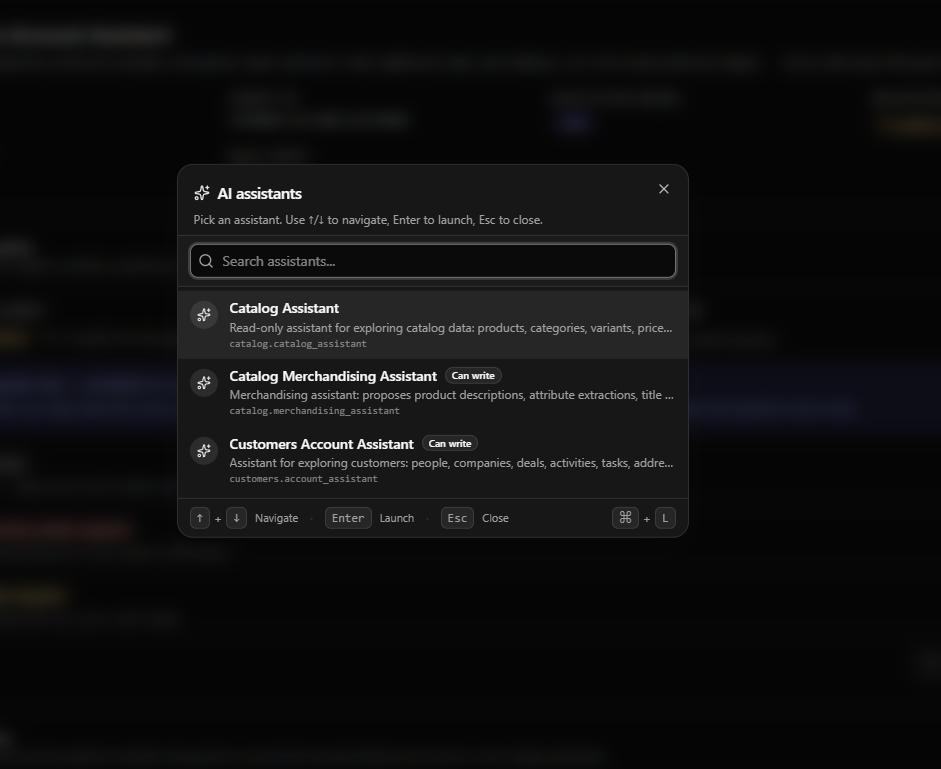
search + execute) against the OpenAPI spec.<AiChat>, structured-output callers via runAiAgentObject, and the D18 merchandising demo on /backend/catalog/catalog/products.AiAgentDefinition – declarative agent contracts in <module>/ai-agents.ts with requiredFeatures, allowedTools, acceptedMediaTypes, readOnly, and mutationPolicy.defineAiTool – typed tool definitions registered per module with isMutation, requiredFeatures, and Zod input schemas.search.*, attachments.*, meta.* packs plus module-local packs (customers, catalog).runAiAgentText, structured outputs via runAiAgentObject.ai_pending_actions table, three typed events (ai.action.confirmed|cancelled|expired), approval cards, and a TTL cleanup worker.loop block (stopWhen, prepareStep, repairToolCall, budget), per-call overrides resolved through the same precedence chain as provider/model, operator budgets + kill switch at /backend/config/ai-assistant/agents, an SSE-driven LoopTrace rendered by <AiChat> and the playground, and an opt-in executionEngine: 'tool-loop-agent' backed by Vercel's Experimental_Agent. See agents → Agentic loop controls./backend/config/ai-assistant/agents.<AiChat agent="module.agent_id">
│
▼
POST /api/ai_assistant/ai/chat?agent=<module>.<agent>
│
├── checkAgentPolicy() — features, tool whitelist, mutationPolicy, media
├── createModelFactory().resolveModel() — LLM resolution
├── resolveAiAgentTools() — expose whitelisted tools to the model
│
▼
runAiAgentText() / runAiAgentObject()
│
├── Mutation tool call → prepareMutation() → ai_pending_actions row
│ └── UI renders mutation-preview-card / field-diff-card
│
▼
POST /api/ai/actions/:id/confirm (user approves)
│
├── runPendingActionRechecks() — stale-version guard
├── executePendingActionConfirm() — tool handler runs inside DB txn
└── emit ai.action.confirmed → DOM event bridge → DataTable refresh
import type { AiAgentDefinition } from '@open-mercato/ai-assistant'

export const agent: AiAgentDefinition = {
  id: 'customers.account_assistant',
  moduleId: 'customers',
  label: 'Account Assistant',
  description: 'Read-only CRM explorer for people, companies, deals.',
  systemPrompt: '...',
  allowedTools: ['search.entities', 'customers.get_person', /* ... */],
  readOnly: true,
  mutationPolicy: 'read-only',
  requiredFeatures: ['customers.view'],
  acceptedMediaTypes: ['image', 'pdf'],
}
See AI Agents for the full declaration guide and the end-to-end example.
| Variable | Default | Purpose |
|---|---|---|
ANTHROPIC_API_KEY / OPENAI_API_KEY / GOOGLE_GENERATIVE_AI_API_KEY / OPENROUTER_API_KEY | – | Standard provider keys; at least one MUST be set. The runtime picks the first configured provider via llmProviderRegistry.resolveFirstConfigured(). Other OpenAI-compatible providers use their matching *_API_KEY variables from .env.example. |
AI_PENDING_ACTION_TTL_SECONDS | 900 (15 min) | Expiry window for pending mutation approvals. The cleanup worker flips stale rows to expired. |
OM_AI_<MODULE>_MODEL | unset | Per-module model override. Uppercased from the moduleId. Examples: OM_AI_INBOX_OPS_MODEL=claude-haiku-4-5, OM_AI_CATALOG_MODEL=gpt-4o-mini. The legacy <MODULE>_AI_MODEL form (INBOX_OPS_AI_MODEL, CATALOG_AI_MODEL) is read as a backward-compatibility fallback. |
OM_AI_<MODULE>_PROVIDER | unset | Per-module provider override (Phase 1). Uppercased from the moduleId. Examples: OM_AI_CATALOG_PROVIDER=openai, OM_AI_INBOX_OPS_PROVIDER=anthropic. The legacy <MODULE>_AI_PROVIDER form is read as a backward-compatibility fallback. A provider-only preference can fall through when unconfigured; a paired provider/model override fails instead of sending that model to another provider. |
OM_AI_PROVIDER | openai (when an OPENAI_API_KEY is set) | Process-wide default provider id. Built-in ids in v0.10.0: openai, anthropic, google, deepinfra, groq, together, fireworks, azure, litellm, ollama, openrouter, requesty, lm-studio. A provider-only preference can fall through when unconfigured; when paired with OM_AI_MODEL, the provider must be configured. Legacy OPENCODE_PROVIDER is read as a backward-compatibility fallback. |
OM_AI_MODEL | gpt-5-mini (under the default openai provider) | Process-wide default model id. Plain ids resolve under the chosen provider; slash-qualified ids (openai/gpt-5-mini) consume the provider axis at the same step. DeepInfra-style ids that already contain slashes (meta-llama/Llama-3.3-70B-Instruct-Turbo) stay intact via the registry-membership guard. Legacy OPENCODE_MODEL is read as a backward-compatibility fallback. |
OM_AI_AVAILABLE_PROVIDERS | unset | Operator-defined ALLOWLIST of provider ids that the runtime accepts (comma-separated, whitespace-tolerant, case-insensitive). Unset / empty → no restriction. When set, the settings UI is clipped to this subset, the chat-UI <ModelPicker> only offers these values, the dispatcher rejects out-of-allowlist ?provider= query params with provider_not_allowlisted 400, and the model-factory swaps to a safe pair (with console.warn + an allowlistFallback field on the resolution) whenever a higher-priority source resolves to a blocked provider. |
OM_AI_AVAILABLE_MODELS_<PROVIDER> | unset | Per-provider ALLOWLIST of model ids (comma-separated, case-sensitive). <PROVIDER> is uppercased from the registry id (e.g. OM_AI_AVAILABLE_MODELS_OPENAI=gpt-5-mini,gpt-5). Unset / empty → no model restriction for that provider. Honored at the same gates as OM_AI_AVAILABLE_PROVIDERS; the dispatcher 400 code is model_not_allowlisted. |
OM_AI_AGENT_<AGENT_ID>_AVAILABLE_PROVIDERS | unset | Per-agent chat override ALLOWLIST. <AGENT_ID> is the full agent id uppercased with non-alphanumerics replaced by _ (for example catalog.catalog_assistant → OM_AI_AGENT_CATALOG_CATALOG_ASSISTANT_AVAILABLE_PROVIDERS). This only limits what users can pick in the chat footer and what ?provider=&model= request overrides may use; it does not change the agent's default model. |
OM_AI_AGENT_<AGENT_ID>_AVAILABLE_MODELS_<PROVIDER> | unset | Per-agent, per-provider chat override model ALLOWLIST. Example: OM_AI_AGENT_CATALOG_CATALOG_ASSISTANT_AVAILABLE_MODELS_OPENAI=gpt-5-mini,gpt-4o. The value is intersected with OM_AI_AVAILABLE_*, the tenant allowlist, and the per-agent settings-page picker allowlist. |
OM_AI_PROVIDER / OM_AI_MODEL are the canonical names; the legacy OPENCODE_PROVIDER / OPENCODE_MODEL envs stay bound to the OpenCode Code Mode stack and are also honored as backward-compatibility fallbacks for the unified AI runtime.
OM_AI_AVAILABLE_PROVIDERS / OM_AI_AVAILABLE_MODELS_<PROVIDER> are the OUTER runtime constraint – they sit on top of every default or override source. The runtime then intersects them with the per-tenant allowlist persisted in ai_tenant_model_allowlists (edited from /backend/config/ai-assistant/allowlist) so admins can narrow further without touching env. Chat-footer user overrides are narrowed one step more by OM_AI_AGENT_<AGENT_ID>_AVAILABLE_* and the selected agent's Chat override choices panel on /backend/config/ai-assistant/agents.
The default-model chain is env → tenant allowlist → tenant runtime override → per-request override. When a higher-priority source resolves to a (provider, model) outside the effective runtime allowlist (env ∩ tenant), the factory swaps to a safe pair using this order: (1) the agent's defaultProvider + defaultModel if both are allowed and configured; (2) the first allowed provider that is also configured in the registry, then that provider's defaultModel if allowed, else the first model from the effective list for that provider. The resolution returns source: 'allowlist_fallback' and an allowlistFallback field describing the rejected pair. The settings PUT endpoint rejects out-of-effective values up-front (provider_not_allowlisted / model_not_allowlisted 400). Tenant snapshots may NEVER widen env – PUT /api/ai_assistant/settings/allowlist rejects out-of-env entries with provider_not_in_env_allowlist / model_not_in_env_allowlist 400.
For OpenRouter, use OM_AI_PROVIDER=openrouter with OPENROUTER_API_KEY and an OpenRouter model id such as meta-llama/llama-3.3-70b-instruct or a vendor-prefixed id like anthropic/claude-sonnet-4.5 – the full id is passed through to OpenRouter. OPENROUTER_BASE_URL is available for proxy/custom gateway deployments.
For local LLMs, use OM_AI_PROVIDER=lm-studio with LM_STUDIO_BASE_URL=http://localhost:1234/v1, or OM_AI_PROVIDER=ollama with OLLAMA_BASE_URL=http://localhost:11434/v1. Set OM_AI_MODEL to the exact local model id exposed by the server, for example a loaded Llama instruct model in LM Studio or llama3.3 in Ollama.
The shared createModelFactory(container) picks one model per agent run. Highest precedence first:
| Step | Source | How to set |
|---|---|---|
| 1 | Runtime override – model sent by the browser <ModelPicker> via ?provider=&model= query params | User selects in the chat composer; stored in localStorage per agent, forwarded by <AiChat> |
| 2 | Tenant settings override – (provider, model) row in ai_agent_runtime_overrides scoped to the tenant | Admin saves at /backend/config/ai-assistant/settings → Global Override form |
| 3 | Per-agent tenant settings override – (provider, model) row in ai_agent_runtime_overrides scoped to a specific agentId | Admin saves at /backend/config/ai-assistant/agents → Provider and model |
| 4 | OM_AI_<MODULE>_MODEL env var (legacy <MODULE>_AI_MODEL fallback) | OM_AI_CATALOG_MODEL=gpt-4o in .env; uppercased from moduleId |
| 5 | AiAgentDefinition.defaultModel | Optional agent-level pin in ai-agents.ts; omit for generic shipped agents so env controls the model |
| 6 | OM_AI_MODEL env var (legacy OPENCODE_MODEL fallback) | Process-wide fallback, plain or slash-qualified (openai/gpt-5-mini) |
| 7 | Provider default | Hard-coded per provider (e.g. claude-haiku-4-5-20251001 for Anthropic) |
Steps 1–3 are only active when allowRuntimeModelOverride is true for the agent (default: true). The runtime skips tenant/runtime overrides when the field is false, so agents that need strict model pinning can opt out.
The provider axis is resolved through llmProviderRegistry.resolveFirstConfigured. Phase 1 generalizes the seed walk so every model-axis source contributes a slash hint and plain-provider sources sit between them (highest priority first):
callerOverride (Phase 1).providerOverride – request-time override on runAiAgentText / runAiAgentObject (Phase 1).OM_AI_<MODULE>_MODEL (legacy <MODULE>_AI_MODEL BC fallback).OM_AI_<MODULE>_PROVIDER env (legacy <MODULE>_AI_PROVIDER BC fallback).agentDefaultModel.agentDefaultProvider – AiAgentDefinition.defaultProvider.OM_AI_MODEL (legacy OPENCODE_MODEL BC fallback).OM_AI_PROVIDER env (legacy OPENCODE_PROVIDER BC fallback).Provider-only preferences can fall through when the named provider is registered but unconfigured. Provider/model pairs are atomic: if the selected model source is slash-qualified (anthropic/claude-sonnet-4-20250514) or paired with the same-source provider field/env var (OM_AI_PROVIDER=anthropic + OM_AI_MODEL=claude-sonnet-4-20250514), that provider must be configured. The factory fails closed instead of sending the model id to another provider.
Agent: catalog.merchandising_assistant  (moduleId: catalog)
Env:   ANTHROPIC_API_KEY set, OM_AI_PROVIDER=anthropic

Browser sends ?provider=openai&model=gpt-4o  ← Step 1 wins → uses openai/gpt-4o
Browser sends nothing, tenant has override (openai, gpt-5-mini) ← Step 2 wins
Tenant has per-agent override for catalog.merch (google, gemini-3-pro) ← Step 3 wins
No runtime/tenant override, OM_AI_CATALOG_MODEL=gpt-4o-mini ← Step 4 wins
No env, agent intentionally pins defaultModel/defaultProvider ← Step 5 wins
No agent default, OM_AI_MODEL=openai/gpt-5-mini ← Step 6 wins
No OM_AI_MODEL, Anthropic key present ← Step 7: anthropic/claude-haiku-4-5-20251001
Caution · Do not re-introduce ad-hoc provider lookups
Route every model creation through createModelFactory(container).resolveModel({...}). Inline createAnthropic / createOpenAI / createGoogleGenerativeAI calls in new modules will be rejected in review.
The release is additive – no existing event ids, API routes, widget spot ids, DI keys, ACL feature ids, notification type ids, CLI commands, or generated file contracts were renamed or removed.
Migration20260419134235_ai_assistant adds ai_pending_actions, ai_agent_prompt_overrides, and ai_agent_mutation_policy_overrides. Apply via yarn db:migrate.
After migrate, refresh the structural cache so the cleanup worker registers on existing tenants:
yarn mercato configs cache structural --all-tenants
OpenCode's /api/chat, /api/tools, and /api/tools/execute routes are untouched. The new dispatcher lives at /api/ai_assistant/ai/chat and the pending-action routes under /api/ai/actions/:id/*.
ai-agents.ts, tool packs, chat vs object mode, escape hatches.ai_pending_actions lifecycle, events, approval cards./backend/config/ai-assistant/agents.Start with a read-only lookup that can return a record the operator recognizes. Then request one controlled edit in a development tenant. Inspect what the operator sees before confirmation and what the record contains after confirmation.