
Explore Open Mercato
New here? Start with the overview →

Product spotlight
Capabilities and products
Capabilities
Automation and AI
Access and infrastructure
Products
All documentation 304 pages
Start with a guide
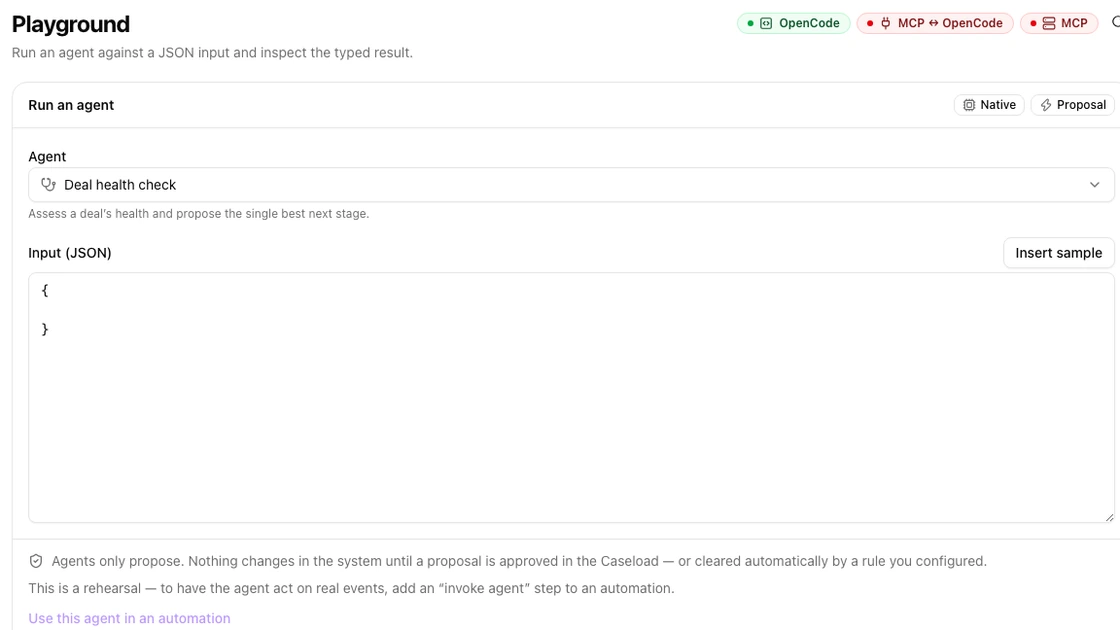
What a module ownsSee how a module owns records, operations and screens, how the app discovers it, and how neighboring modules cooperate.Run your first Open Mercato appCreate a local Open Mercato app with the released starter, bring its services online and sign in to the back office. A hosted sandbox is also available.How Open Mercato stores business dataFollow a business record into PostgreSQL. Learn how entities, references and tenant scope fit together, and when to add a custom field.Add a page from your own moduleRegister an app-owned module, give it a feature permission and expose a new backend page through the Open Mercato module registry.Commands, events and workflowsFollow an order from a command to an event, then into a workflow that waits for a dispatcher to review it.Give a role access to the right recordsSee how tenant scope, organization visibility and feature permissions work together. Verify a dispatcher can read a visit without being able to change it.Run an agent in PlaygroundRun the Enterprise Deal health check agent on a fictional deal, read its proposed stage change and follow it into a reviewable workflow.Receive stock from a supplierUse an advance shipping notice to check a delivery, record quality control and move accepted stock from staging to a warehouse bin.Connect a storefront to a buyer’s cartResolve the current store, retrieve products for the buyer and build a basket using the Open Mercato storefront and cart APIs.
Reference
Introduction
Installation
Architecture
Framework
- ACL / Features
- Add widgets to existing admin pages
- Admin forms with CrudForm
- Agent Settings
- AI Agents
- AI Architecture
- AI Framework Overview
- AI Playground
- API Development Guide
- Attachments & Images
- Building a Gateway Provider
- Building API Modules
- Building data grids
- Building on the Communications Hub
- Built-in Subscribers
- Business rule services
- Business Rules Architecture
- Calendar event types
- Checkout
- Citations
- Commands
- Commands framework
- Communications Hub
- Concurrency & Record Locking
- configs module
- Core Modules
- Creating Workers
- Cross-Site Login Protection
- CRUD API Factory
- Currencies and Exchange Rates
- Current Extension Surfaces
- Custom entities (EAV)
- Custom field validation
- Dashboard widgets
- Data Engine (write layer)
- Data Model
- Decision Models
- Dependency injection container
- Dev Runtime Diagnostics
- Developer Guide
- Developing Official Modules
- Devices
- Encrypted Data Seeding
- Entities and migrations
- Entity Updates (UPDATE_ENTITY)
- Error Reporting
- Events
- Events and Subscribers
- Exporting agent traces to OpenTelemetry
- Extend module APIs
- Extending
- Extending data entities
- Extending the field registry
- Extending Workflows
- Extensibility Directory
- Extension features and implementation status
- Frontend Pages
- Global Launcher
- How feature toggles work
- Hybrid query engine
- Hybrid Search Module
- Injection Spots
- Input Moderation & Safety Identifiers
- Integration Enhancements
- Integrations & Data Sync
- JSONB indexing layer
- Markdown editor
- MCP Server (Claude Code & external clients)
- Messages System
- Module authoring & discovery
- Module overrides
- Modules catalog
- Mutation Approvals
- Notification Delivery
- Notifications System
- OAuth2 Grants for Integrations
- OTLP Telemetry Deployment
- Overrides
- Payment Gateways
- Pricing and tax overrides
- Progress Tracking
- Publishing Custom Modules
- Push Notifications
- Query engine
- Query Engine Extensibility
- Queue & Workers
- Rate Limiting
- Reference Example Module
- Request lifecycle
- Role-Based Access Control
- Routes and pages
- Run Outcomes
- Run State Presentation
- Running agent evals in CI
- Sales calculations
- Sales Module
- Sales services
- Scheduler Module
- Search indexes for sales records
- Shipping & Payment Providers
- Shipping Carriers
- Structured Logging
- System status variables
- Table perspectives
- Task Visibility
- Testing Workflows
- Trace capture policy and step metadata
- UI Parts
- UMES Phases (A-N)
- Web Research
- Webhooks
- Workflow Architecture
- Workflow services
- Workflows Framework
Customization
Tutorials
Using the back office
- Action Builder
- Adjustments
- AI Assistant
- Akeneo PIM Integration
- Attachments
- Audit & Access Logs
- Autopay Payment Gateway
- Business Rules
- Cache management
- Checkout Pay Links
- Communication Channels (per-user email)
- Companies workspace
- Condition Builder
- Create a sales document
- Creating Rules
- Creating Workflows
- CRM email integration
- Custom Webhooks
- Customers overview
- Deals workspace
- Edit orders and quotes
- Encryption setup
- Execution Logs
- Extend users with custom fields
- Fieldsets and groups for custom fields
- Find your way around the back office
- Inbox Ops
- Integration Marketplace
- Leave requests and availability
- Login & authentication
- Manage currencies and exchange rates
- Manage dictionaries
- Manage feature toggles
- Manage organizations
- Manage user entities
- Managing API keys
- Monitoring Workflows
- Notifications & Push
- Order items
- Orders and quotes
- Payment Transactions
- Payments
- People workspace
- Perspectives & sidebar customization
- Price kinds
- Products and sales channels
- Resources and resource types
- Rule Sets
- Rule Types
- Sales settings
- Scheduled Jobs
- Search the back office
- Self-service onboarding
- Set up Discord
- Set up Gmail
- Set up IMAP + SMTP
- Shipments
- Signals
- Step Types
- Storage Hub — S3 Integration
- Stripe Payment Gateway
- System status
- Taxes Overview
- Teams and team members
- Tpay Payment Gateway
- Transitions
- User Tasks
- Users, roles, and RBAC
- Workflow Activities
- Workflows Overview
REST API
- Attachments API
- Authentication and permissions API
- Business rule execution logs API
- Business rule sets API
- Business Rules API
- Cart API
- Catalog API
- Create and update business rules through the API
- Customers API
- Dashboard API
- Entities and custom fields API
- Execute business rules through the API
- Export data through the API
- Feature toggle API
- Integrations and data sync API
- Module registry API
- Payment gateway API
- Promotions API
- REST API Overview
- Scheduler API
- Tenant and organization API
- Vector Search API
Command-line tools
- API keys CLI
- CLI Overview
- mercato auth add-user
- mercato auth list-orgs
- mercato auth list-tenants
- mercato auth list-users
- mercato auth seed-roles
- mercato auth set-password
- mercato auth setup
- mercato auth sync-role-acls
- mercato configs cache
- mercato customer_accounts sync-customer-role-acls
- mercato eject
- mercato entities decrypt-database
- mercato entities install
- mercato example seed-todos
- mercato feature_toggles override-set-value
- mercato feature_toggles seed-defaults
- mercato feature_toggles toggle-create
- mercato feature_toggles toggle-delete
- mercato feature_toggles toggle-update
- mercato module add
- mercato module enable
- mercato module search
- Module CLI commands
- Scheduler CLI
- yarn db:generate
- yarn db:greenfield
- yarn db:migrate
- yarn dev:ephemeral
- yarn initialize
- yarn test:integration:ephemeral
- yarn test:integration:ephemeral:start