 DocsTopicsSearch docsAPI referenceDocsTopicsSearch docsAPI reference
Framework
Give a branch manager the ability to approve a visit without giving them access to every branch. A feature grant describes the operation. The account's organization scope determines where that grant can be exercised.
Open Mercato enforces access control through a two-layer RBAC system: role assignments scoped to organizations/tenants and feature permissions that gate specific capabilities. Modules describe the features they expose, and runtime metadata or services evaluate whether a request is allowed.
All server-side decisions use one shared feature policy. It rejects invalid scope, features removed with entry.overrides.acl.features[id] = null, and features owned by disabled modules before applying staff/portal admin bypasses or wildcard grants.
Every module must list the features it exposes in packages/<pkg>/src/modules/<module>/acl.ts (or apps/mercato/src/modules/<module>/acl.ts for app overrides). Export a features array with strings following the <module>.<action> convention:
export const features = [
  { id: 'auth.users.list', title: 'List users', module: 'auth' },
  { id: 'auth.users.create', title: 'Create users', module: 'auth' },
  { id: 'auth.users.edit', title: 'Edit users', module: 'auth' },
  { id: 'auth.users.delete', title: 'Delete users', module: 'auth' },
];
The generators collect these declarations into modules.generated.ts, making them available to admin UIs and DI services. Avoid introducing features dynamically at runtime – keep the list static so tooling can reason about permissions.
Pages, layouts, and API handlers can declare access requirements through colocated metadata files (page.meta.ts, <route>.meta.ts, etc.) or by exporting metadata directly:
import type { PageMetadata } from '@open-mercato/shared/modules/registry';

export const metadata: PageMetadata = {
  requireAuth: true,
  requireRoles: ['admin'],
  requireFeatures: ['auth.users.edit'],
};
requireAuth blocks anonymous access.requireRoles checks membership in any of the listed roles within the organization.requireFeatures ensures the caller has every listed feature through roles or user-level grants.Metadata-driven enforcement keeps module pages independent and discoverable by the auto-generated registry.
When you need conditional logic beyond declarative metadata – such as enabling certain operations on a page – you can use the DI-provided RBAC service. Inject it through handlers or controllers via Awilix:
const canEdit = await rbacService.userHasAllFeatures(userId, ['auth.users.edit'], {
  tenantId,
  organizationId,
});
tenantId and organizationId to respect multi-tenant boundaries.userHasAllFeatures for strict gates.authorizeFeatures from @open-mercato/shared/security/featurePolicy; do not match the raw grants directly.getEffectiveFeatures for browser capability payloads. Effective arrays contain concrete active IDs and never * or module.*.Keep module features granular enough to capture real application actions:
billing.invoices.refund) instead of overloading broad ones.When extending another module, declare additional features in your module's acl.ts. Features remain scoped to the defining module even if multiple modules contribute to the same UI flow.
Include feature-aware tests alongside APIs or pages:
Because RBAC relies on generated module metadata, run yarn generate whenever you add or remove features before executing tests or type checks.
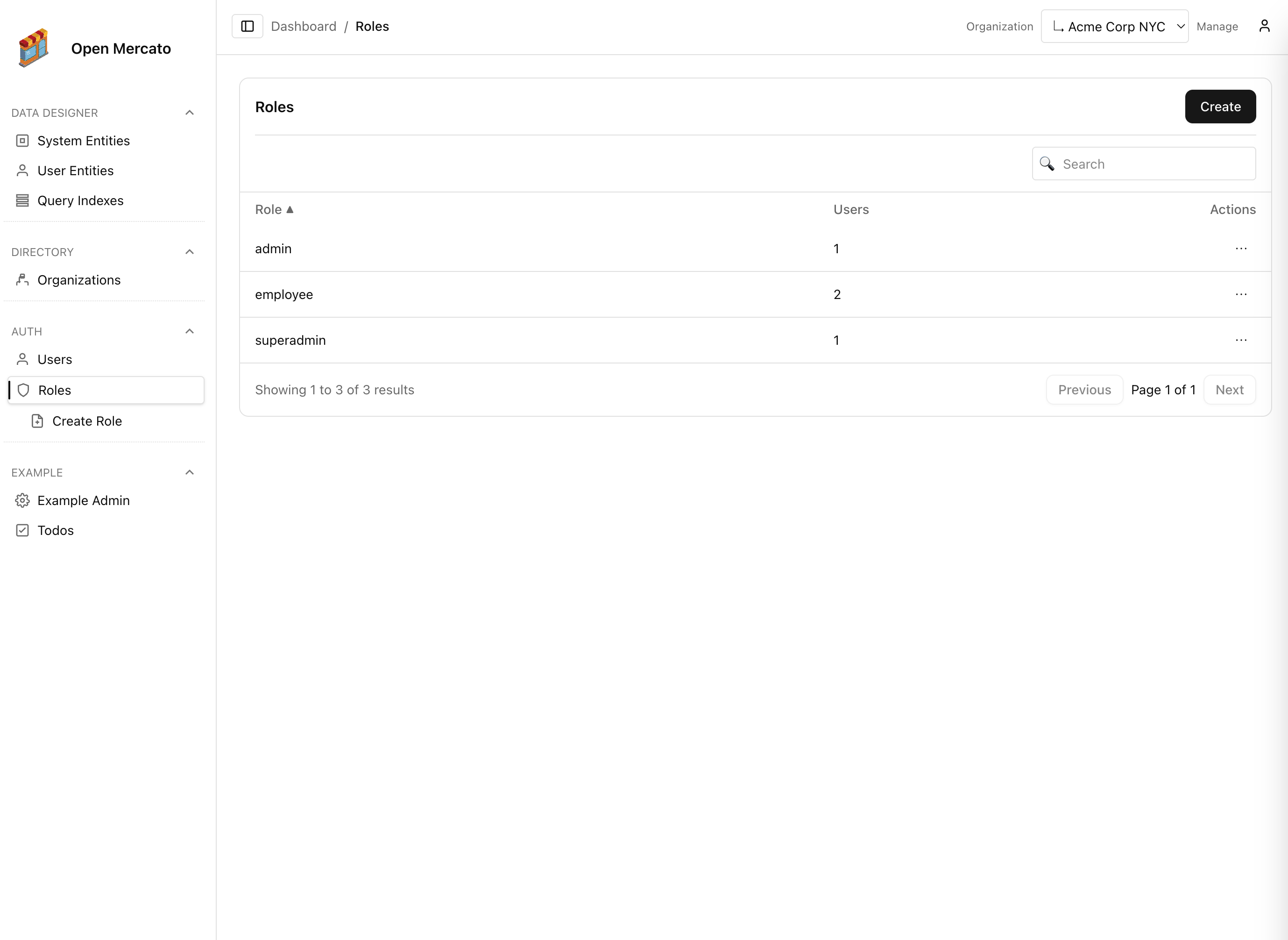
Roles group feature permissions. Administrators assign features per role in the Roles screen, then apply roles to many users at once.
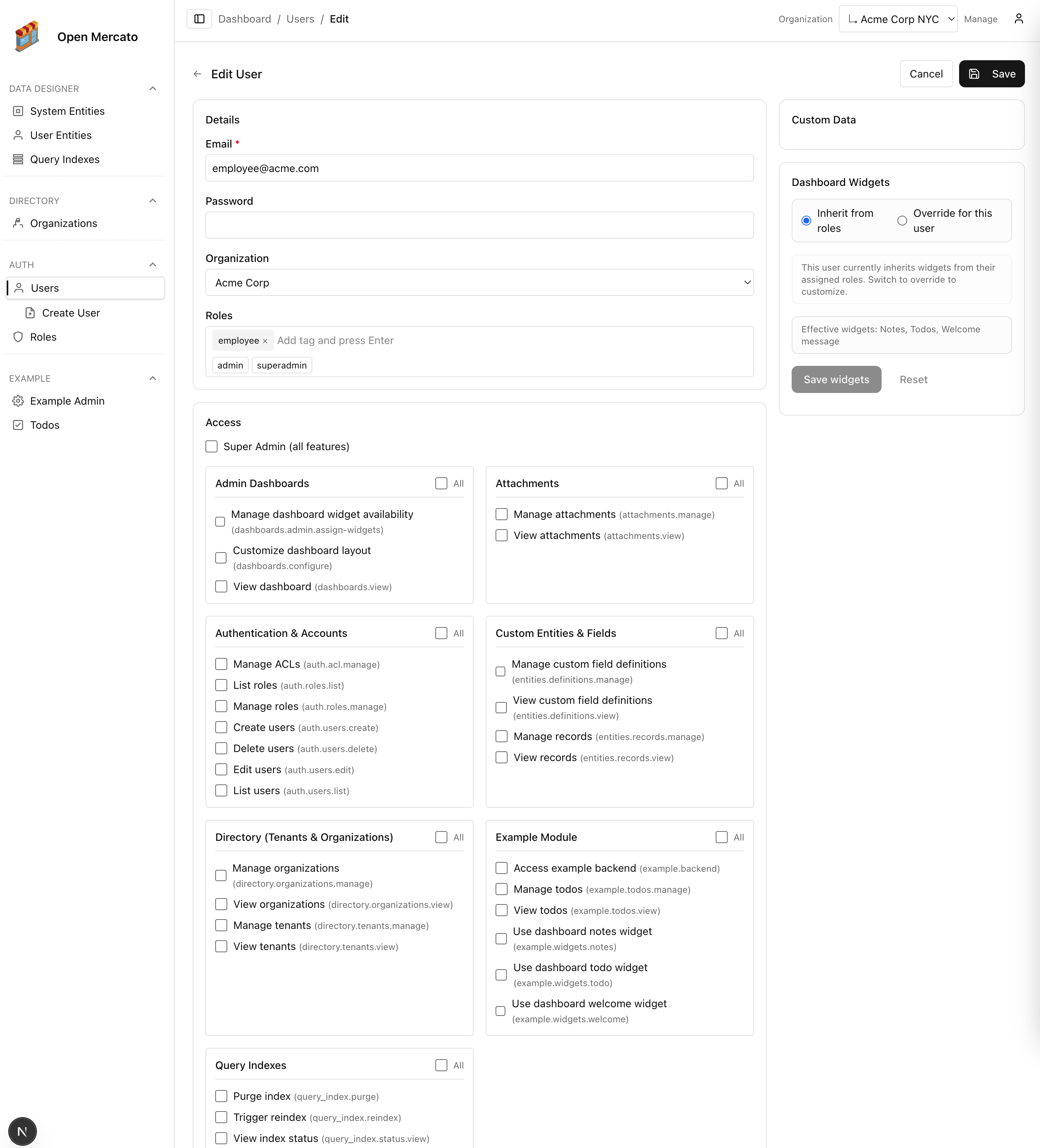
User-level overrides let you fine-tune access for individuals – grant additional features or revoke ones inherited from roles without creating more roles.
Give a test role the view feature in one organization. Verify a read in that organization, then check a record outside its permitted scope. An administrator seeing both records cannot tell you whether the role assignment is correct.
Previous: Progress Tracking · Next: Data Engine (write layer)