 DocsTopicsSearch docsAPI referenceDocsTopicsSearch docsAPI reference
Installation
Deploy the application and its services with Docker Compose on a Linux server. Prepare the host and domain before enabling public traffic.
The Compose stack runs the application alongside PostgreSQL, Redis and Meilisearch.
Info · Shared production gate
Complete the provider-neutral Production Readiness checklist before sending production traffic here. This guide keeps the VPS-specific Compose, nginx, networking, and volume procedures.
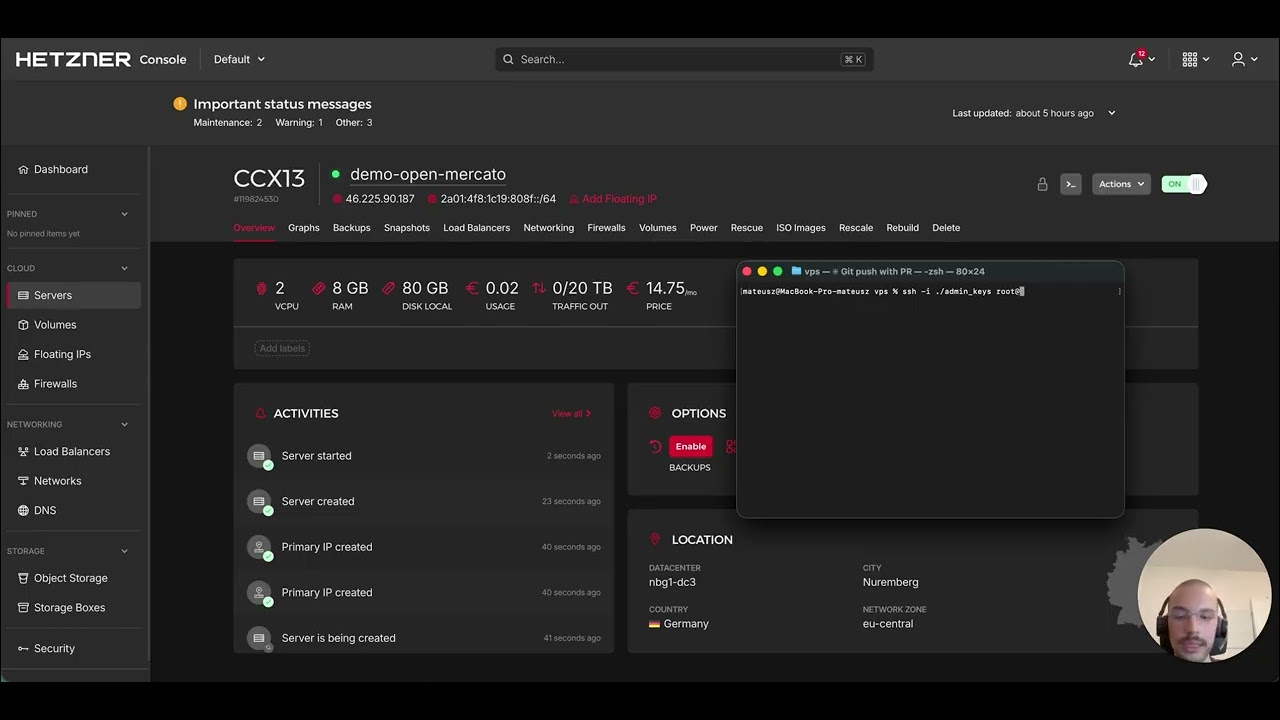
Install Docker on Ubuntu:
sudo apt update
sudo apt install -y docker.io docker-compose-v2
sudo usermod -aG docker $USER
newgrp docker
git clone https://github.com/open-mercato/open-mercato.git
cd open-mercato

cp apps/mercato/.env.example .env
# Edit .env — the file next to the compose file — with your production values (see below)

# The stack refuses to start without a signing secret. Generate one now:
echo "JWT_SECRET=$(openssl rand -hex 32)" >> .env

docker compose --project-directory . -f starters/docker/compose.fullapp.yml up --build -d
The application will be available at http://your-server-ip:3000/backend.
Sign in with the default admin credentials printed during first-run initialisation.
Edit the .env file in the repository root – the directory holding docker-compose.fullapp.yml – before starting. Compose interpolates ${...} values from that file only; a value written in apps/mercato/.env cannot override a variable the compose file already passes into the container, so secrets placed there are silently ignored.
At minimum, set:
# Database
POSTGRES_USER=postgres
POSTGRES_PASSWORD="<postgres-password>"
POSTGRES_DB=open-mercato
DATABASE_URL=postgres://postgres:<url-encoded-password>@postgres:5432/open-mercato

# Authentication — required, no default. Generate with `openssl rand -hex 32`.
# The app refuses to start in production when this is missing, shorter than 32
# characters, or set to a placeholder value published in these docs.
JWT_SECRET=

# Application
APP_URL=https://your-domain.com
NODE_ENV=production
# NODE_OPTIONS=--max-old-space-size=3072  # default; raise for larger hosts — see Troubleshooting
OM_WEBHOOK_MAX_BODY_BYTES=1048576

# Cache
CACHE_REDIS_URL=redis://redis:6379
CACHE_STRATEGY=redis

# Search (optional but recommended)
MEILISEARCH_HOST=http://meilisearch:7700
MEILISEARCH_API_KEY="<meilisearch-api-key>"
MEILISEARCH_MASTER_KEY="<meilisearch-master-key>"

# AI features (optional)
OPENAI_API_KEY="<openai-api-key>"

# Vector search auto-indexing is disabled by default in the shipped example env.
# Enable it explicitly when you want automatic embedding jobs.
OM_DISABLE_VECTOR_SEARCH_AUTOINDEXING=false
If you leave OM_DISABLE_VECTOR_SEARCH_AUTOINDEXING=true, vector search can still be configured and reindexed manually. The legacy alias DISABLE_VECTOR_SEARCH_AUTOINDEXING=1 remains supported for existing deployments.
Generate strong secrets:
openssl rand -hex 32   # for JWT_SECRET
openssl rand -hex 24   # for MEILISEARCH_MASTER_KEY
Warning
The container hostnames (postgres, redis, meilisearch) match the service names in starters/docker/compose.fullapp.yml. Use these exact names in your connection strings – not localhost.
JWT_SECRET signs every staff and customer-portal token, so rotating it invalidates all of them: everyone is logged out and has to sign in again. Plan the rotation for a quiet window.
# 1. Write the new secret into the .env next to the compose file
sed -i "s/^JWT_SECRET="$JWT_SECRET" rand -hex 32)/" .env

# 2. Restart the stack so every process picks it up
docker compose -f docker-compose.fullapp.yml up -d
Two variables bound how long tokens signed with the previous scheme keep working. Set both before a rolling deployment that must preserve those sessions; without a valid absolute cutover, legacy fallback stays disabled because a token signer controls its own iat:
| Variable | Default | Description |
|---|---|---|
JWT_LEGACY_GRACE_MINUTES | 480 (8 hours – one token lifetime) | How long after a token was issued the pre-migration raw-secret verification still accepts it. 0, false or off disables it outright (hard cutover) |
JWT_LEGACY_CUTOVER_AT | unset (fallback disabled) | Required to enable fallback. Set a near-term ISO-8601 instant after which every pre-migration token is refused regardless of its claimed issue time |
Once the window closes, every token must carry a session id (sid) bound to a live session row, which is what makes logout and password reset revoke access immediately. Set JWT_LEGACY_GRACE_MINUTES=0 on a fresh install: it has no pre-migration tokens to protect.
Inside the window, a customer-portal token without a sid still has to prove the customer is signed in somewhere: it is accepted only while that customer has at least one live session row, so revoking their sessions cuts the legacy token off too. Staff tokens do not get that fallback check – a sessionless staff token is accepted for the rest of the window.
Warning
Never leave the grace window open indefinitely "just in case". The absolute cutover is mandatory because anyone holding the former raw secret can choose a fresh iat, and while fallback is open a sessionless token is bound to no individual session row – so it cannot be revoked one device at a time, only by ending every session the account has.
# Start in detached mode
docker compose --project-directory . -f starters/docker/compose.fullapp.yml up -d

# View logs — all services
docker compose --project-directory . -f starters/docker/compose.fullapp.yml logs -f

# View logs — app only
docker compose --project-directory . -f starters/docker/compose.fullapp.yml logs -f app

# Rebuild after pulling new commits
docker compose --project-directory . -f starters/docker/compose.fullapp.yml up --build -d

# Stop all services
docker compose --project-directory . -f starters/docker/compose.fullapp.yml down

# Apply new migrations (after upgrade)
yarn docker:db:migrate
# or directly:
docker compose --project-directory . -f starters/docker/compose.fullapp.yml exec app yarn db:migrate
Data is stored in named Docker volumes that survive container restarts. Volume names end with your DEPLOY_ENV value (local by default):
| Volume | Contents |
|---|---|
mercato-postgres-data-local | PostgreSQL database |
mercato-redis-data-local | Redis cache and events |
mercato-meilisearch-data-local | Meilisearch indexes |
mercato-attachments-storage-local | Uploaded attachments |
Backup PostgreSQL:
docker compose --project-directory . -f starters/docker/compose.fullapp.yml exec -T postgres pg_dump -U postgres open-mercato > backup-$(date +%Y%m%d).sql
Restore PostgreSQL:
cat backup.sql | docker compose --project-directory . -f starters/docker/compose.fullapp.yml exec -T postgres psql -U postgres -d open-mercato
For production, put a reverse proxy in front of the app. Example with nginx:
server {
    listen 80;
    server_name your-domain.com;
    return 301 https://$host$request_uri;
}

server {
    listen 443 ssl;
    server_name your-domain.com;

    ssl_certificate /etc/letsencrypt/live/your-domain.com/fullchain.pem;
    ssl_certificate_key /etc/letsencrypt/live/your-domain.com/privkey.pem;

    location ~ ^/api/(webhooks/inbound/|shipping[-_]carriers/webhook/|communication_channels/webhooks?/|inbox_ops/webhook/inbound$) {
        client_max_body_size 1m;
        proxy_pass http://localhost:3000;
        proxy_set_header Host $host;
        proxy_set_header X-Real-IP $remote_addr;
        proxy_set_header X-Forwarded-For $proxy_add_x_forwarded_for;
        proxy_set_header X-Forwarded-Proto $scheme;
    }

    location / {
        proxy_pass http://localhost:3000;
        proxy_set_header Host $host;
        proxy_set_header X-Real-IP $remote_addr;
        proxy_set_header X-Forwarded-For $proxy_add_x_forwarded_for;
        proxy_set_header X-Forwarded-Proto $scheme;
    }
}
The webhook-only nginx client_max_body_size value matches the configured OM_WEBHOOK_MAX_BODY_BYTES application cap without restricting unrelated uploads. If you change the global value or set INBOX_OPS_WEBHOOK_MAX_BODY_BYTES, split or update the matching webhook location so each ingress ceiling matches its effective application value. Payment gateway handlers use provider-registration limits instead of the global setting; add a dedicated proxy location only when its ceiling matches that provider's configured maxBodyBytes.
Use Certbot for free Let's Encrypt certificates.
Use the shared Production Readiness checklist for the complete security, access, observability, rollout, and rollback gate. For this Compose topology, also verify:
.env used by Compose contains the production values; do not rely on apps/mercato/.env to override values passed by the Compose file.JWT_SECRET, POSTGRES_PASSWORD, and MEILISEARCH_MASTER_KEY are unique strong values. Set JWT_LEGACY_GRACE_MINUTES=0 for a fresh install, or close the temporary migration window after an upgrade.If deploying a generated standalone app on a VPS, also follow the Readiness Scanner guide: scan locally before deployment and inside the staging and production application containers with their injected environment. Use runtime secret injection and keep plaintext secret files out of the release image. The framework-monorepo checkout used in this page's quick start is not a supported scanner target; complete the shared checklist manually for that topology.
Container fails to start:
docker compose --project-directory . -f starters/docker/compose.fullapp.yml logs app
Database connection errors:
# Check PostgreSQL is running
docker compose --project-directory . -f starters/docker/compose.fullapp.yml ps postgres

# Check the DATABASE_URL matches the container config
grep DATABASE_URL apps/mercato/.env
Out of disk space:
docker system df            # check usage
docker system prune -a      # clean unused resources (does not touch named volumes)
App container keeps restarting (OOM killed):
Check the effective V8 heap limit inside the running container:
docker compose --project-directory . -f starters/docker/compose.fullapp.yml exec app node \
  -e "const s=require('v8').getHeapStatistics(); \
      console.log(Math.round(s.heap_size_limit/1024/1024)+' MB heap limit')"
If the value is below 1 GB, raise NODE_OPTIONS in apps/mercato/.env then restart:
| Host RAM | NODE_OPTIONS value |
|---|---|
| 4 GB | --max-old-space-size=3072 (default) |
| 8 GB | --max-old-space-size=5120 |
| 16 GB+ | --max-old-space-size=8192 |
docker compose --project-directory . -f starters/docker/compose.fullapp.yml up -d
Full reset (deletes all data):
docker compose --project-directory . -f starters/docker/compose.fullapp.yml down -v
docker compose --project-directory . -f starters/docker/compose.fullapp.yml up --build -d