User guide
Deals workspace
Use the board to find deals by pipeline stage. Open a deal to update its details or record the next activity without losing the history of the opportunity.
The deals workspace delivers kanban-style pipeline management alongside structured deal records. Grant customers.deals.view for read access and customers.deals.manage to let operators create, update, and move opportunities between stages.
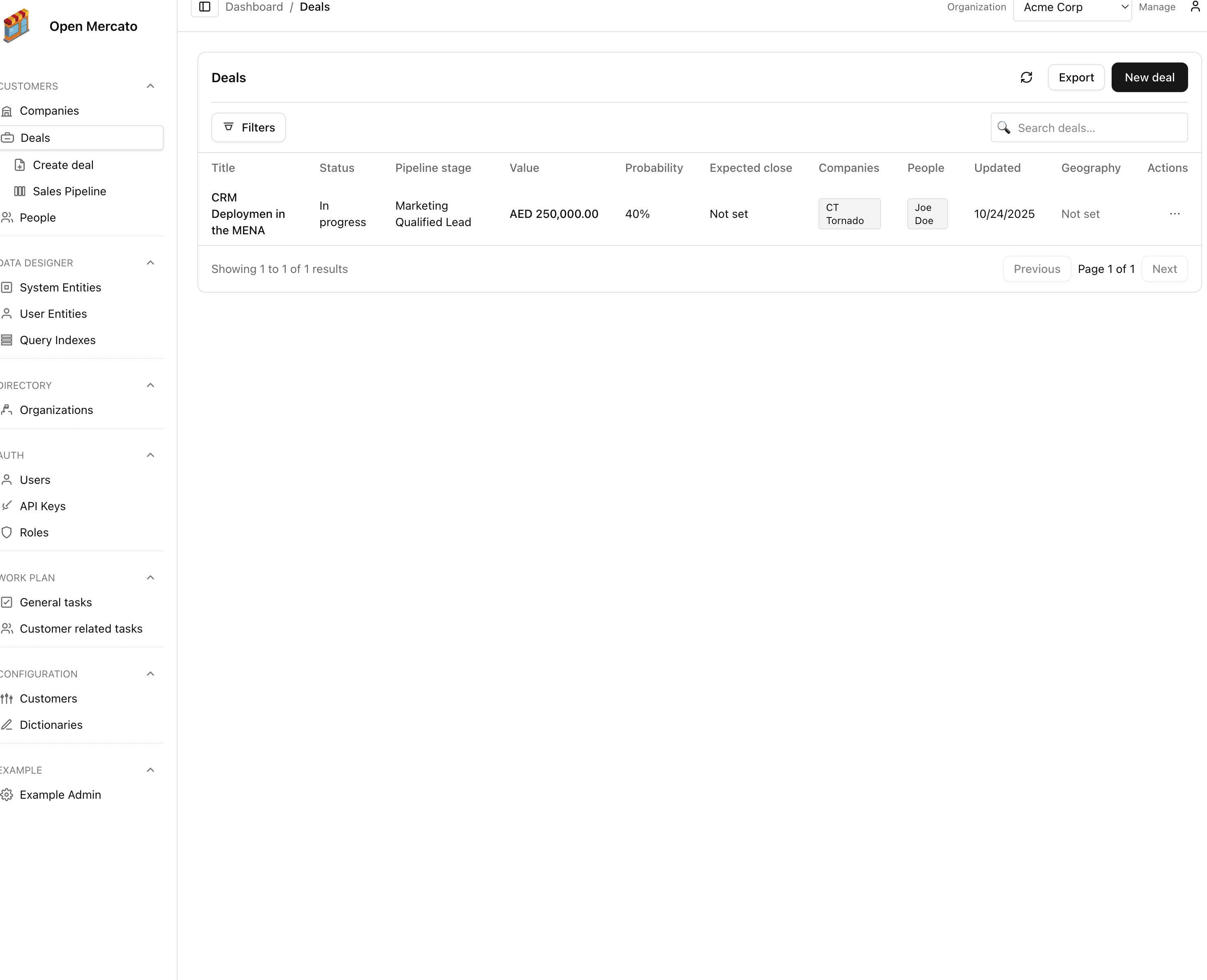
- List view under Customers → Deals offers a sortable table with stage, probability, expected close, linked people and companies, and last update. Filters help sales leaders zero in on specific segments or owners.
- Export triggers a CSV of the current slice so pipeline reviews can happen offline. Every column maps to the deal entity exposed by
/api/customers/deals.
- Inline actions open the deal, duplicate it, or jump straight to activity logging.
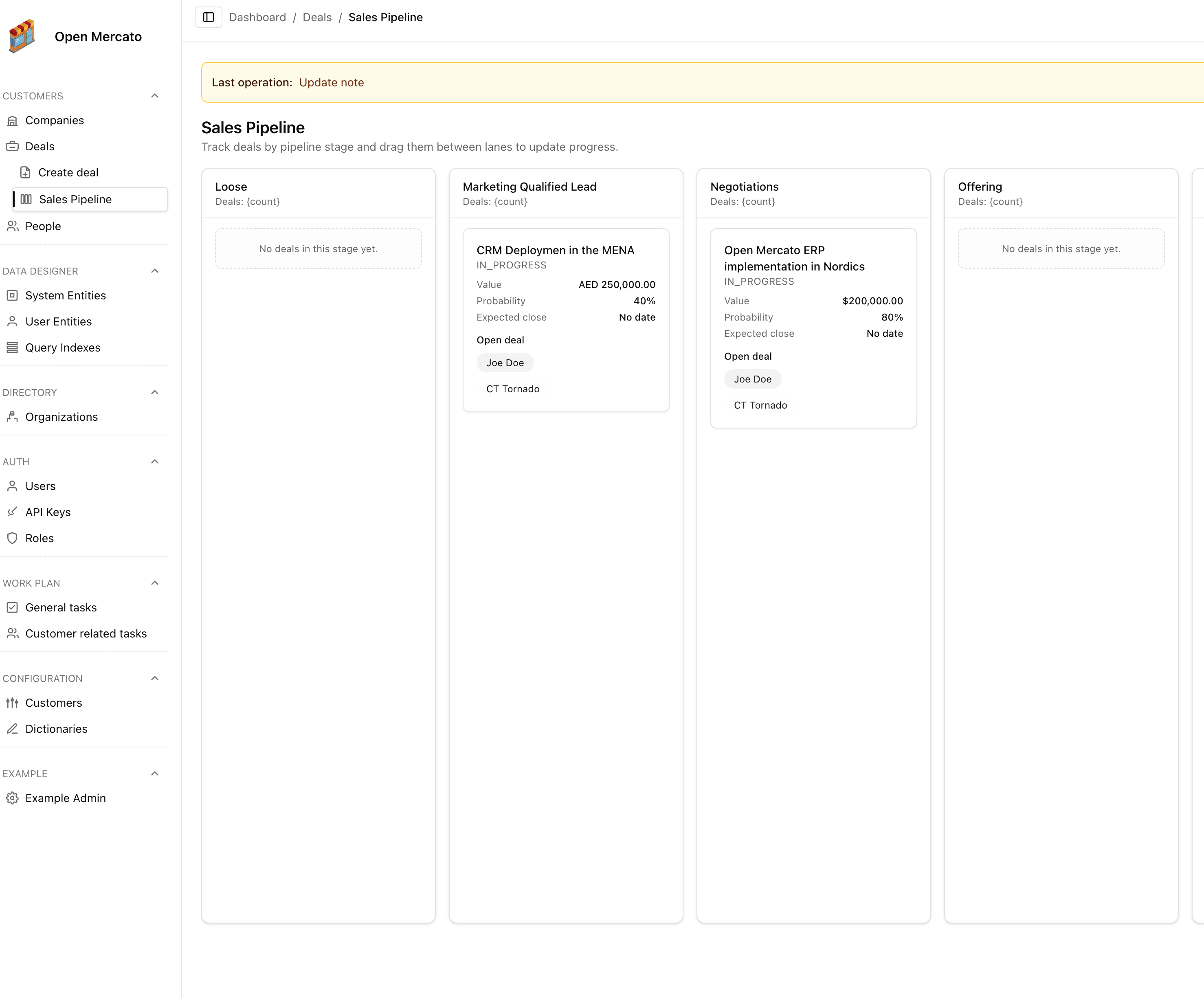
Kanban pipeline board
- Sales pipeline presents stages as draggable columns. Drag deals between stages to update status instantly; undo prompts appear after each change to make corrections painless.
- Stage configuration pulls from the dictionary under Customers → Configuration → Deal stages. Each stage can expose colour coding to match the board headers and provide visual cues.
- Lane metrics show deal counts per stage, helping teams spot bottlenecks without leaving the board.
Create and edit deals
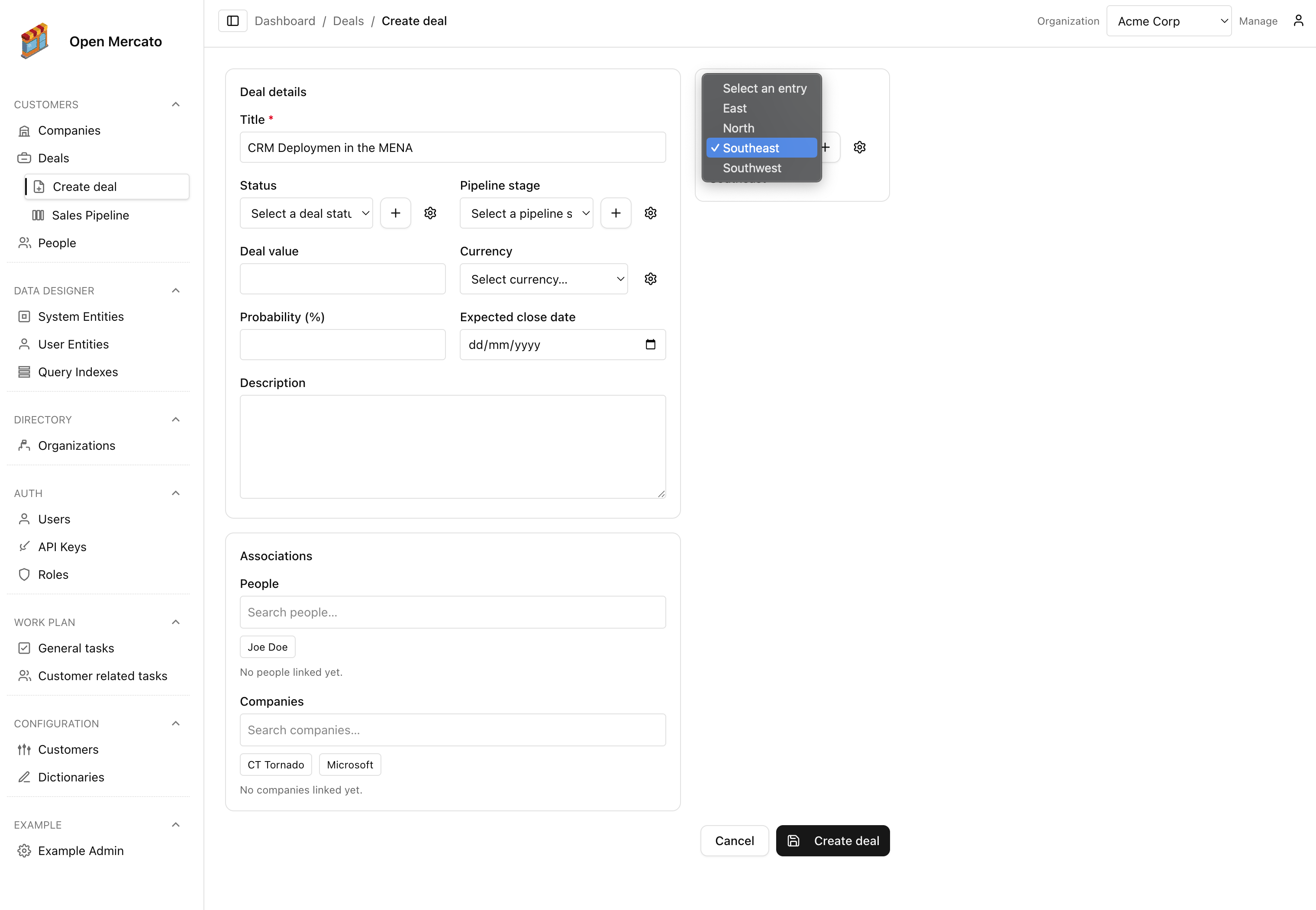
- Deal form captures title, status, pipeline stage, value, currency, probability, and expected close date. Dictionaries power dropdowns, and custom fields appear in the panel on the right.
- Associations allow linking people and companies while creating or editing a deal. Search surfaces lifecycle badges so sellers can validate the right contact in seconds.
- Undo support keeps edits safe – each save operation includes an undo toast with
Undo action.
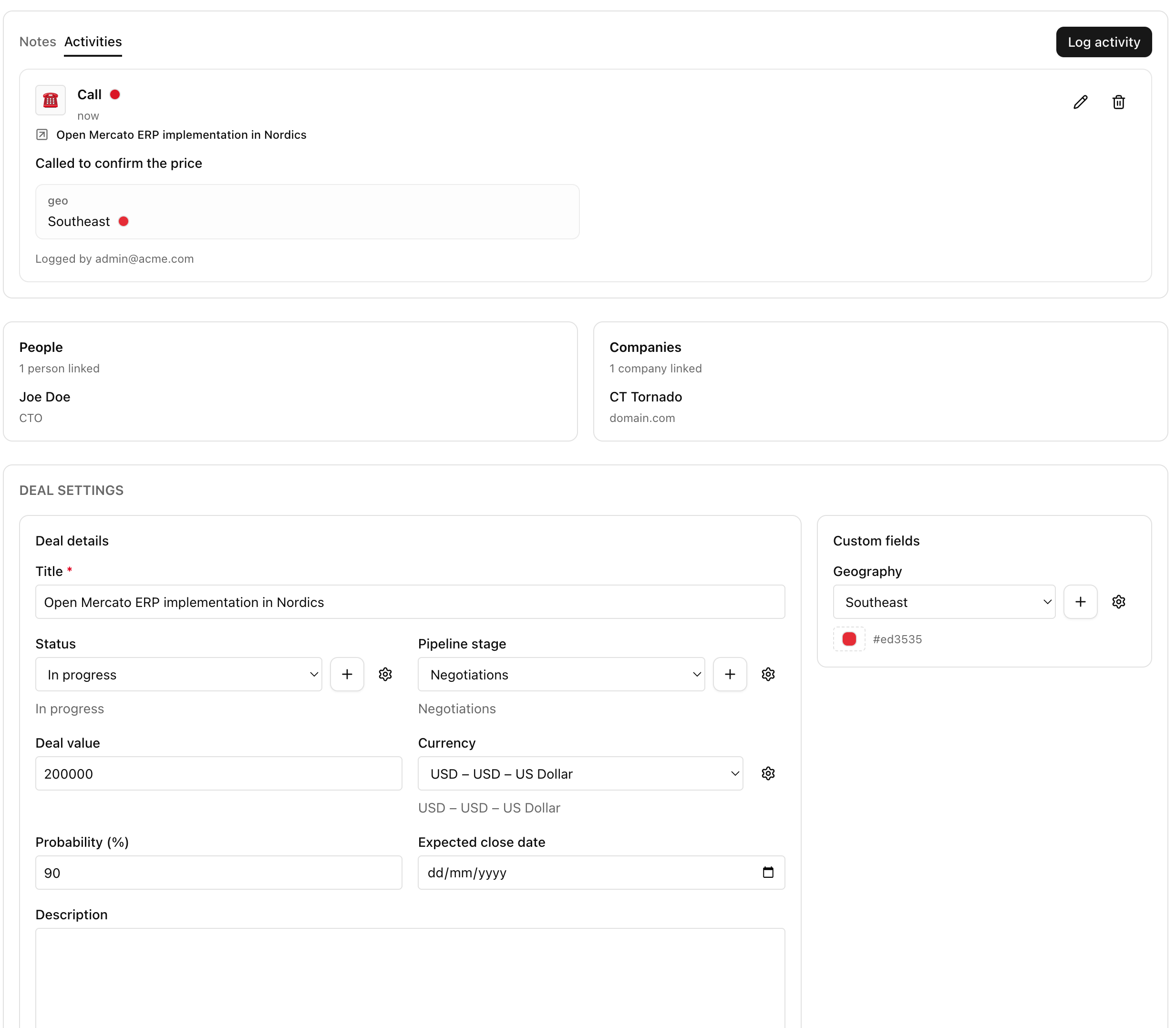
Collaborate on deal timelines
- Highlights display the key metrics at the top of the deal page: stage, probability, value, and expected close. Use the inline
Edit deal details action to tweak them.
- Notes let teams leave free-form updates. Keyboard shortcuts (
Cmd/Ctrl + Enter to submit, Escape to close) mirror the rest of the app.
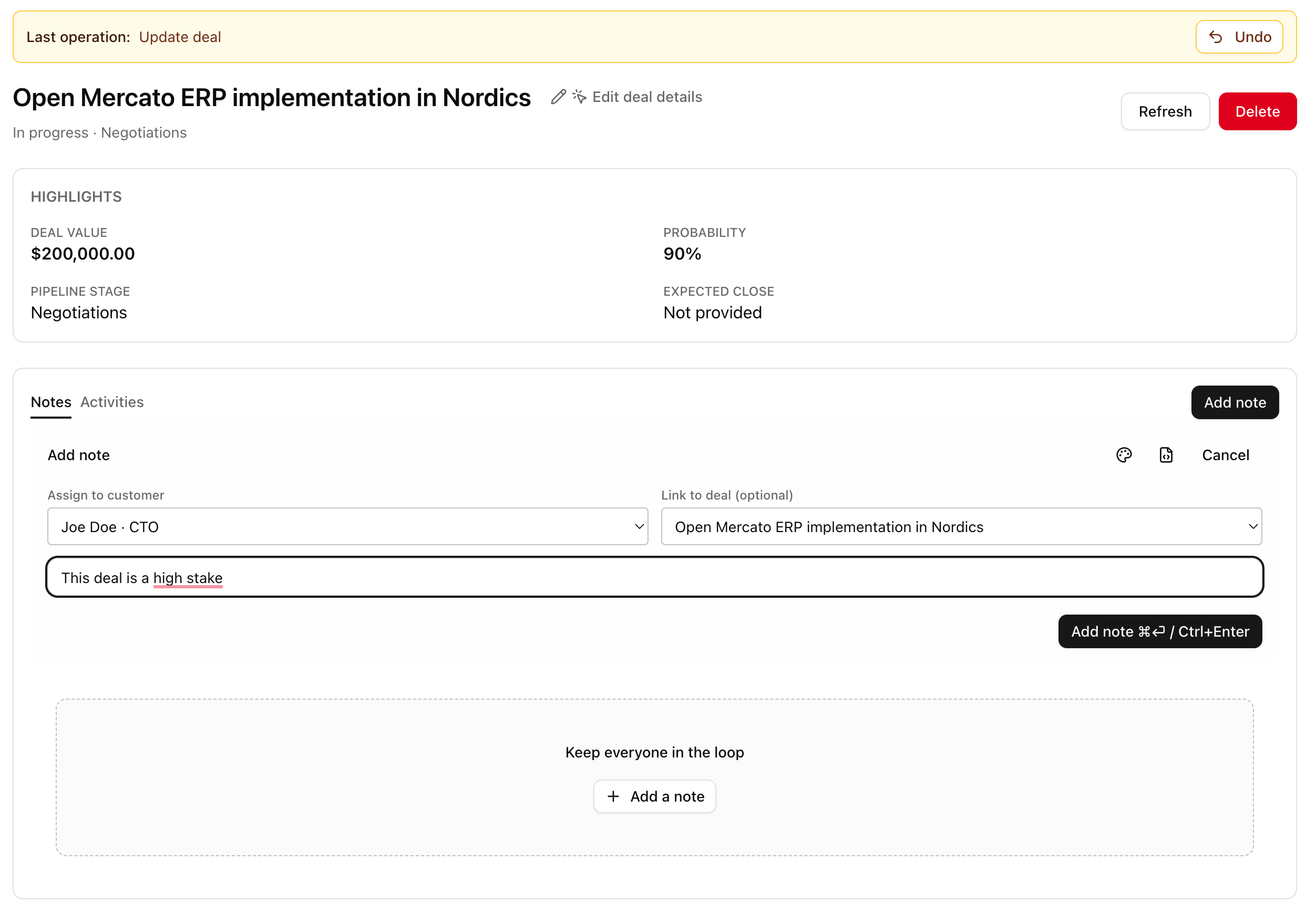
- Activities track structured interactions tied to the deal. Logging a call or meeting automatically links the selected people and company, reinforcing a full-funnel timeline across entities.
- Log activity dialog honours dictionary-driven activity types and custom fields, ensuring consistent reporting downstream.
- Deals:
customers.deals.view (read) and customers.deals.manage (create/update).
- Activities:
customers.activities.view for the timeline plus customers.activities.manage to log or edit entries.
- Widgets: customer dashboards expose the
Sales pipeline widget to anyone with customers.widgets.new-customers or custom dashboard privileges.
 DocsTopicsSearch docsAPI reference