User guide
Payments
Record a payment on its sales document and choose the method and status. Check the document balance after saving to see how much remains outstanding.
Payments attach financial events to orders and quotes, feeding totals and outstanding balance. Access requires sales.payments.manage plus order/quote manage rights.
Add or update a payment
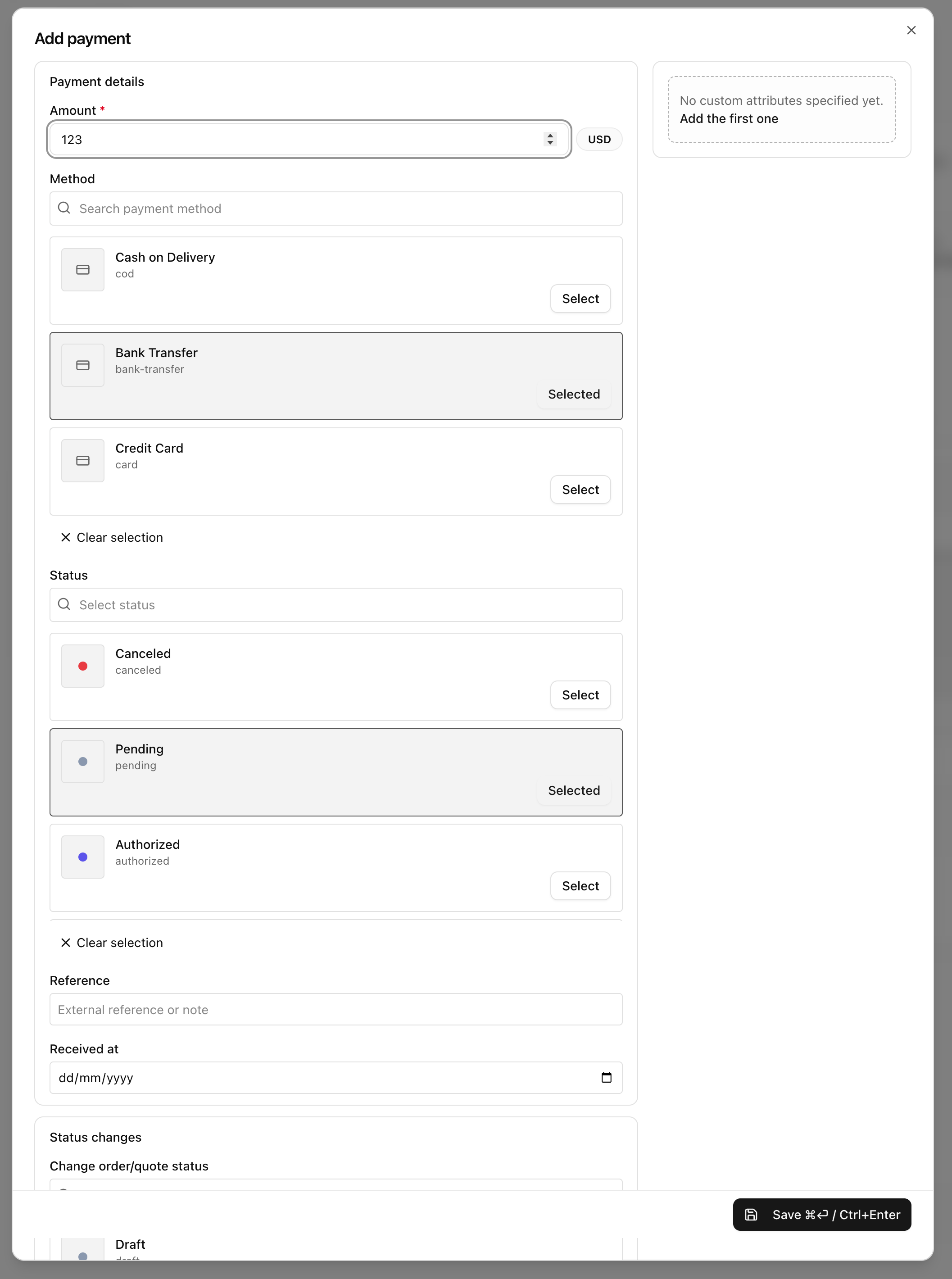
- Open the Payments tab on an order or quote and click Add payment.
- Enter the amount (document currency is preset), choose a payment method, and pick a status (authorized, captured, pending, etc.).
- Optionally set reference, received at, and trigger a status change on the underlying order/quote.
- Save with
Cmd/Ctrl + Enter; Escape cancels.
How payments affect totals
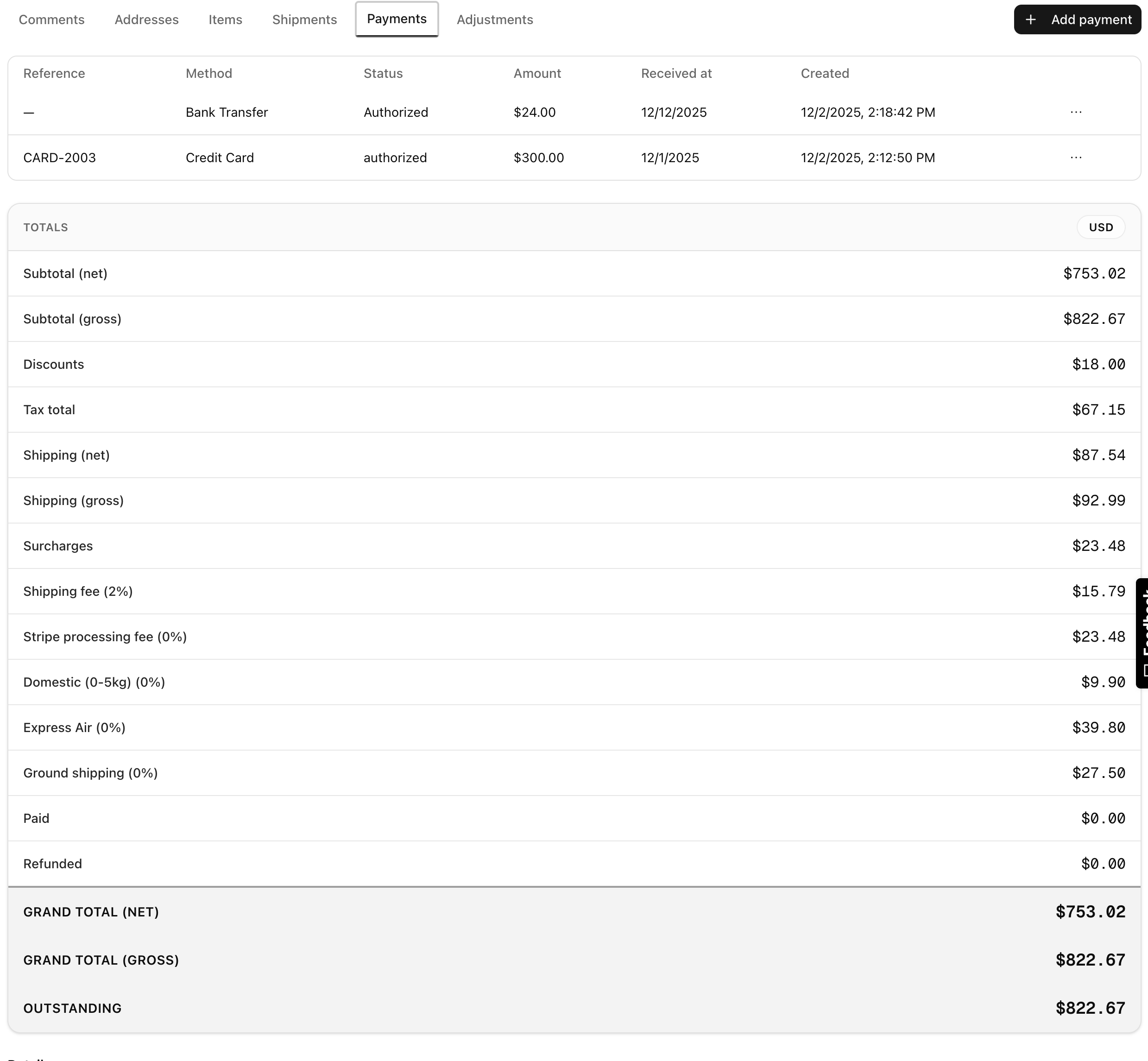
- Captured/received amounts reduce the outstanding balance.
- Refunded entries increase refunded totals and adjust outstanding accordingly.
- Failed and Canceled payments are ignored: they never count toward the paid total or reduce the outstanding balance.
- Each payment stores its method and status from your dictionaries so reporting stays consistent.
Tips
- Use Bank transfer + Pending for manual settlements; flip to Received once funds arrive.
- Capture multiple payments on a single document; totals aggregate across entries.
- Keep methods and statuses curated under Sales settings → Payment methods / Payment statuses.
 DocsTopicsSearch docsAPI reference