 DocsTopicsSearch docsAPI referenceDocsTopicsSearch docsAPI reference
Enterprise
Imagine two operators editing the delivery address on the same order. Decide what the second editor should see, how the first person's changes are protected, and who can release a lock after its owner leaves.
Record locks help teams avoid accidental overwrites when multiple users edit the same record at the same time.
Record locking supports two strategies:
You can apply locking only to selected resources and tune timeout/heartbeat values.
Open Settings → Record locking and configure the behavior for your workspace.
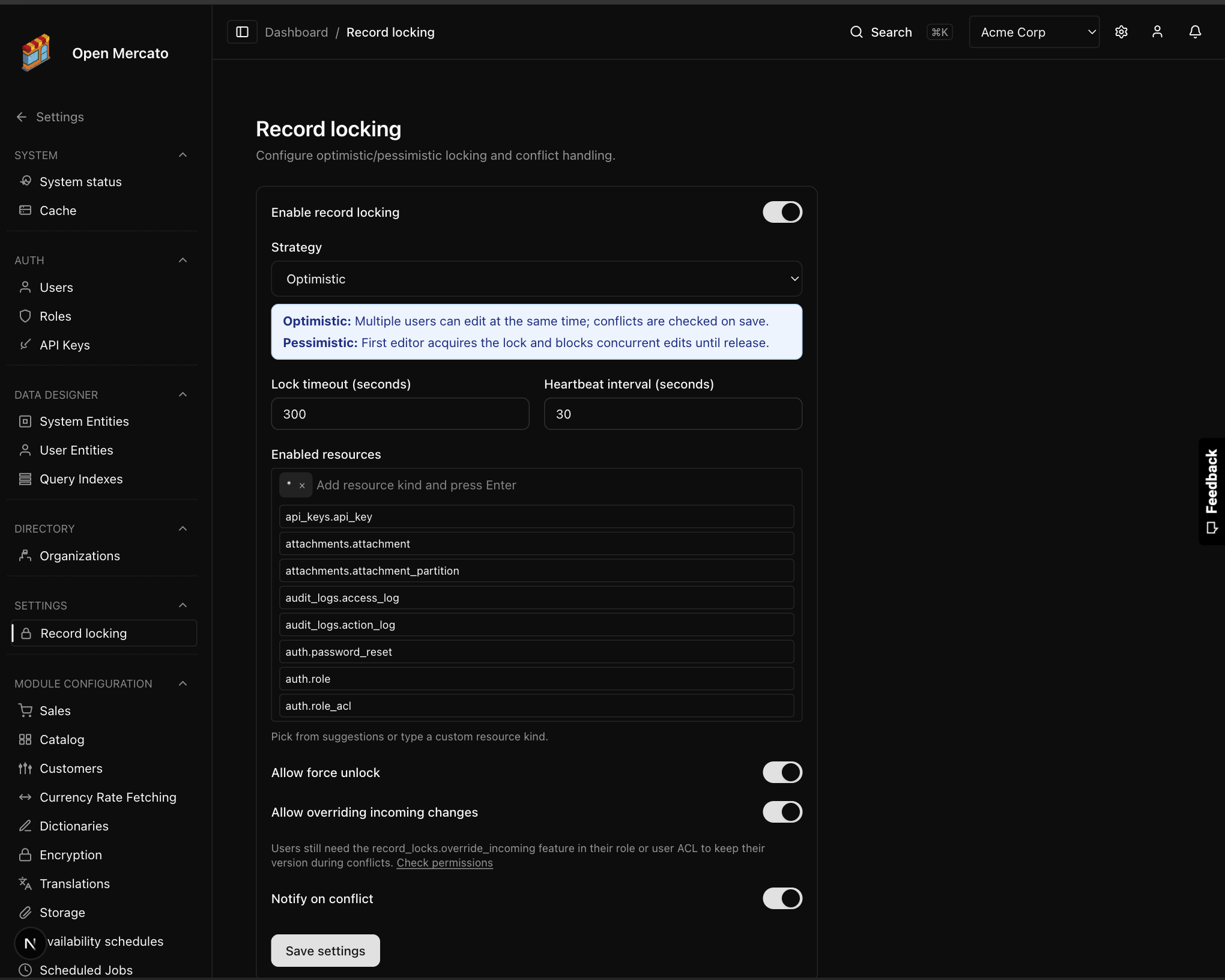
Key settings:
When another user opens the same record, participants are shown on the record page and notifications are sent.
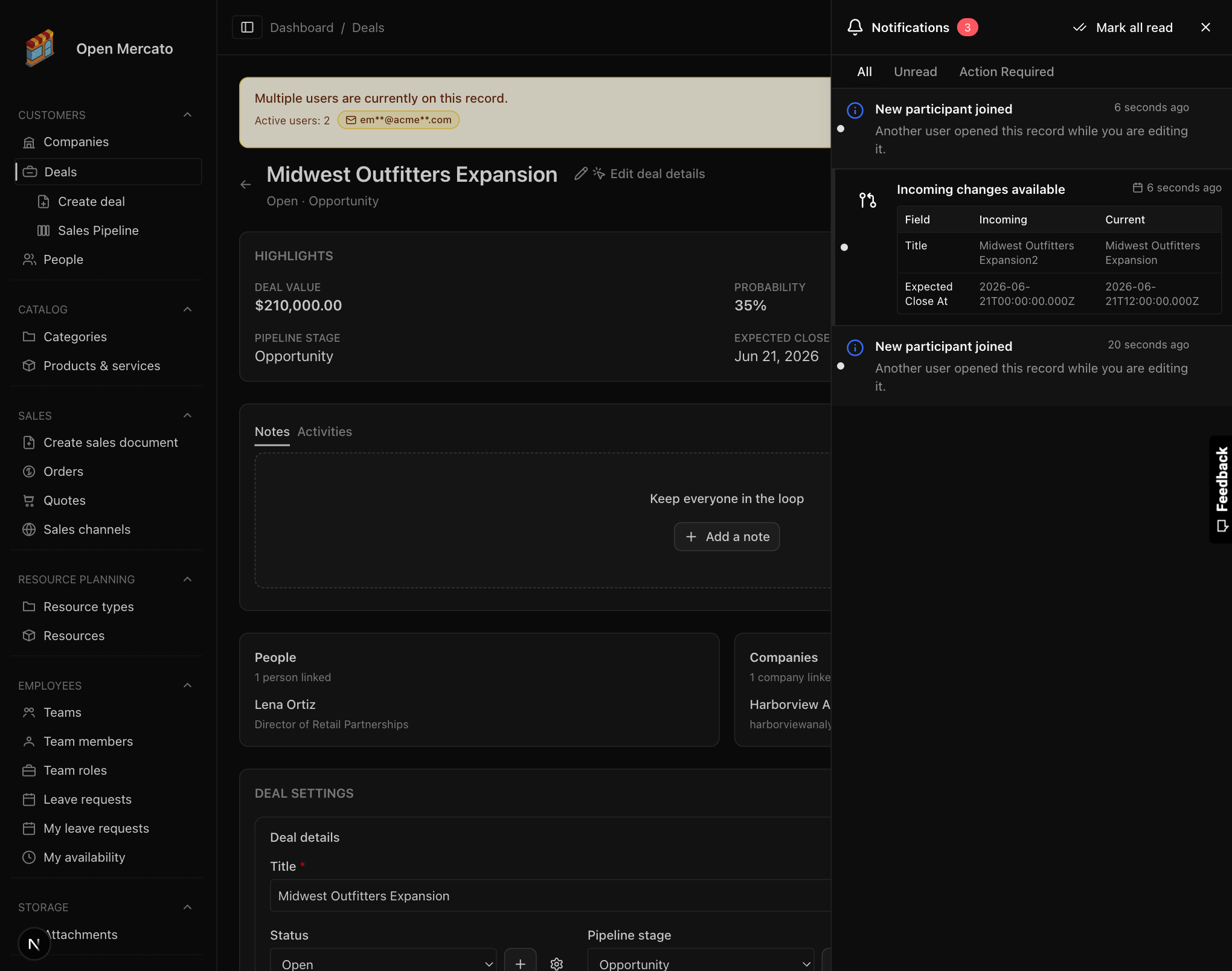
Record lock UI is mounted through the backend record context spot (backend:record:current) and participates in non-CrudForm mutation hooks via GLOBAL_MUTATION_INJECTION_SPOT_ID (which resolves to backend:record:current).
This means lock presence, notifications, and conflict dialogs can work on both:
CrudForm pagesCrudForm (for example Customers and Sales custom editors)When optimistic locking detects incoming changes, users get a field-level comparison and can choose how to proceed:
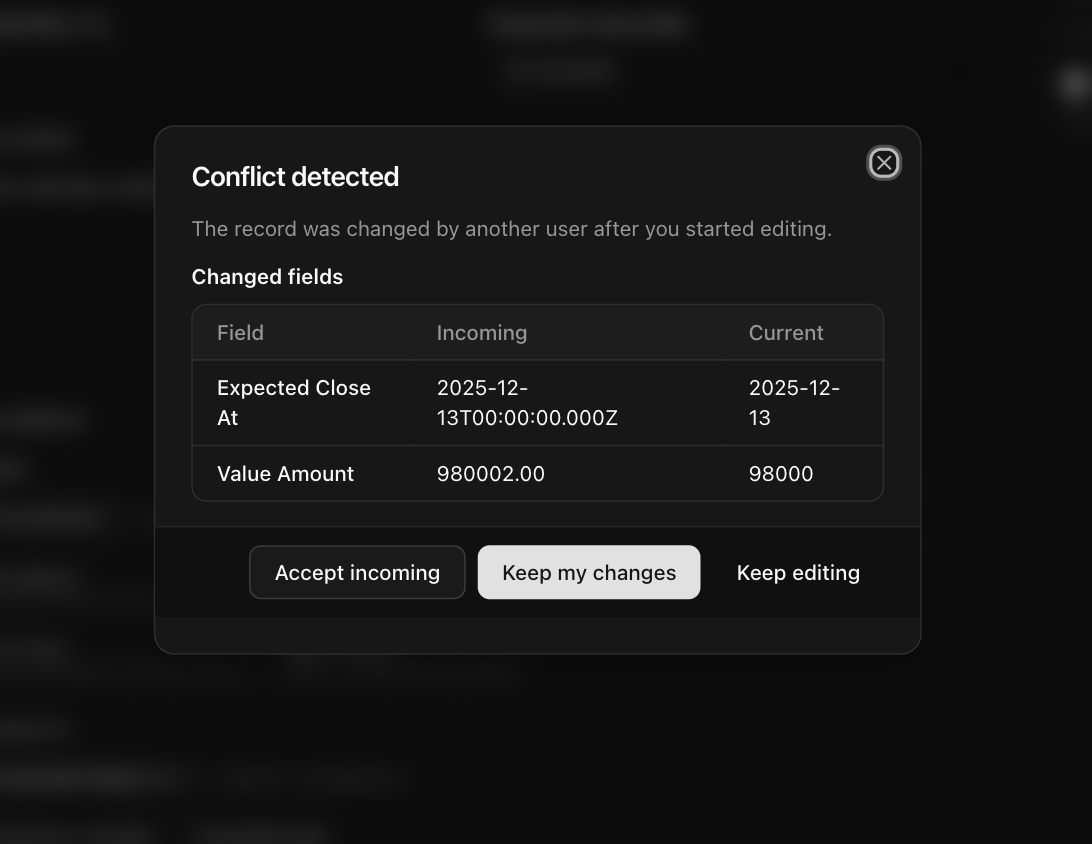
If incoming-change overrides are enabled globally, users still need the corresponding ACL/role feature to keep local edits during conflicts.
Open one test record in two separate browser sessions. Save a change in the first and try to save the older form in the second. Repeat for a resource outside the configured lock scope so you can identify which protection each operator is seeing.
Previous: Agent Orchestrator overview · Next: Change Password