 DocsTopicsSearch docsAPI referenceDocsTopicsSearch docsAPI reference
Enterprise
Someone who signed in this morning may still have an open session this afternoon. Require a fresh identity check at selected operations, and enforce that requirement in the server action as well as the browser prompt.
Sudo is a step-up authentication mechanism that requires users to re-verify their identity before executing a sensitive operation, even within an active session.
It is orthogonal to role-based access control. RBAC determines whether a user is authorized to perform an action at all. Sudo determines whether the current session credential is fresh enough to authorize that specific action right now.
When a protected action is triggered, the system intercepts it and presents a verification challenge before allowing the request to proceed. On success, a short-lived sudo token is issued and attached to the outgoing request. The server validates the token before executing the operation.
The challenge method depends on the policy configured for the target:
| Method | Behavior |
|---|---|
auto | Uses the strongest credential available for the user (MFA if enrolled, password otherwise) |
password | Always requires the user's password, regardless of MFA enrollment |
mfa | Always requires a second factor; fails if the user has no MFA method configured |
Tokens are scoped to a specific target identifier. A token issued for one target cannot be reused for another.
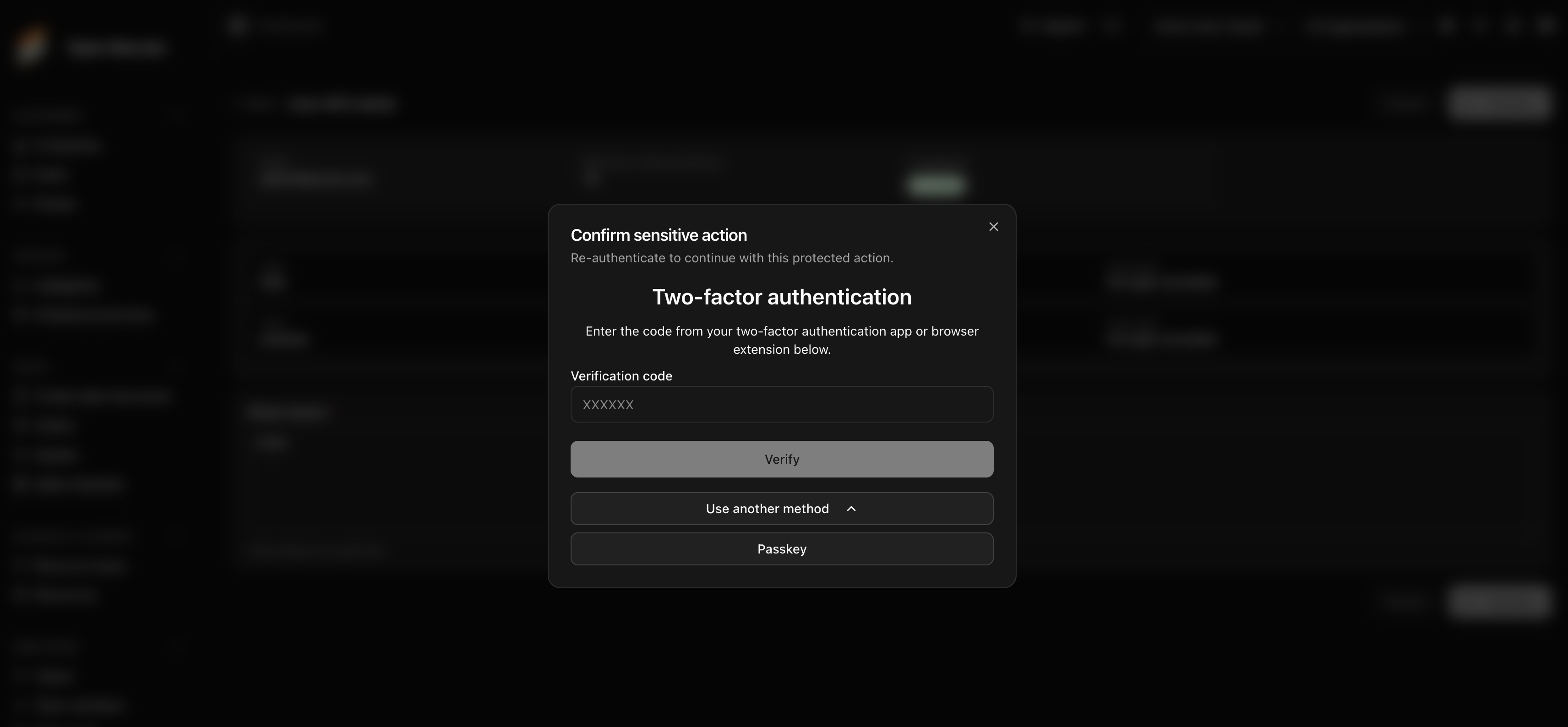
Sudo policies are resolved hierarchically. A more specific scope takes precedence over a broader one:
Developer-declared defaults in security.sudo.ts serve as the baseline. Admins can override any field – including TTL, challenge method, and scope – without changing application code.
Typical operations protected with sudo:
The following steps describe how to protect a custom module feature with sudo using @open-mercato/enterprise/modules/security.
Create security.sudo.ts in your module directory:
import type { SecuritySudoTarget } from '@open-mercato/enterprise/modules/security'

export const sudoTargets: SecuritySudoTarget[] = [
  {
    identifier: 'inventory.adjust-stock',
    challengeMethod: 'auto',
    ttlSeconds: 300,
  },
]
Run yarn generate after adding this file. The declared target will appear in the admin sudo configuration as a developer default and provides a secure fallback before any admin override is created.
Use identifiers that are stable and tied to business semantics, not UI labels.
Call requireSudo at the top of the route handler. If the token is missing or invalid, the call throws and the operation does not execute.
import { NextResponse } from 'next/server'
import { requireSudo } from '@open-mercato/enterprise/modules/security'

export async function POST(req: Request) {
  await requireSudo(req, 'inventory.adjust-stock')

  await adjustStock()
  return NextResponse.json({ ok: true })
}
The targetIdentifier on the server must match exactly what the client passes. The token is cryptographically bound to that value.
Wrap the page or section that contains protected actions in SudoProvider:
import { SudoProvider } from '@open-mercato/enterprise/modules/security'

export default function InventoryPage() {
  return (
    <SudoProvider>
      <InventoryDangerZone />
    </SudoProvider>
  )
}
Call requireSudo from useSudoChallenge before sending the mutation. If the resolved policy requires no challenge, it returns null – the request proceeds without a token and the server-side guard is also a no-op.
'use client'

import { useSudoChallenge } from '@open-mercato/enterprise/modules/security'
import { apiCallOrThrow } from '@open-mercato/ui/backend/utils/apiCall'

function InventoryDangerZone() {
  const { requireSudo } = useSudoChallenge()

  async function handleAdjustStock() {
    const sudoToken = await requireSudo('inventory.adjust-stock')

    await apiCallOrThrow('/api/inventory/adjust-stock', {
      method: 'POST',
      headers: {
        'content-type': 'application/json',
        ...(sudoToken ? { 'x-sudo-token': sudoToken } : {}),
      },
      body: JSON.stringify({ delta: -5 }),
    })
  }

  return <button onClick={() => void handleAdjustStock()}>Adjust stock</button>
}
Alternatively, use the withSudoProtection HOC to receive requireSudo and isSudoActive as props without calling the hook directly.
| Value | Recommended when |
|---|---|
auto | Default for most features – adapts to the user's configured credential |
password | MFA rollout is incomplete but a fresh confirmation is still required |
mfa | Action is high-risk and all users in scope are expected to have MFA configured |
Avoid hardcoding mfa if there is any chance that affected users have not enrolled yet – the challenge will fail with no fallback.
Admins can modify any field of a developer-declared default without a code change: