 DocsTopicsSearch docsAPI referenceDocsTopicsSearch docsAPI reference
Run your business
A supplier says ten fan motors are on their way. The delivery notice tells you what to expect. A count at the dock tells you what arrived. The destination bin tells the next picker where to find the motors. Open Mercato records those three facts separately.
Use an app with WMS enabled. You need a warehouse, a staging location, a destination bin and a catalog variant for the item. Use a test warehouse for this walkthrough because receiving and putaway create inventory movements. Operators need wms.view for the screens and the appropriate grants for their work: wms.manage_asn, wms.receive_inventory or wms.manage_putaway.
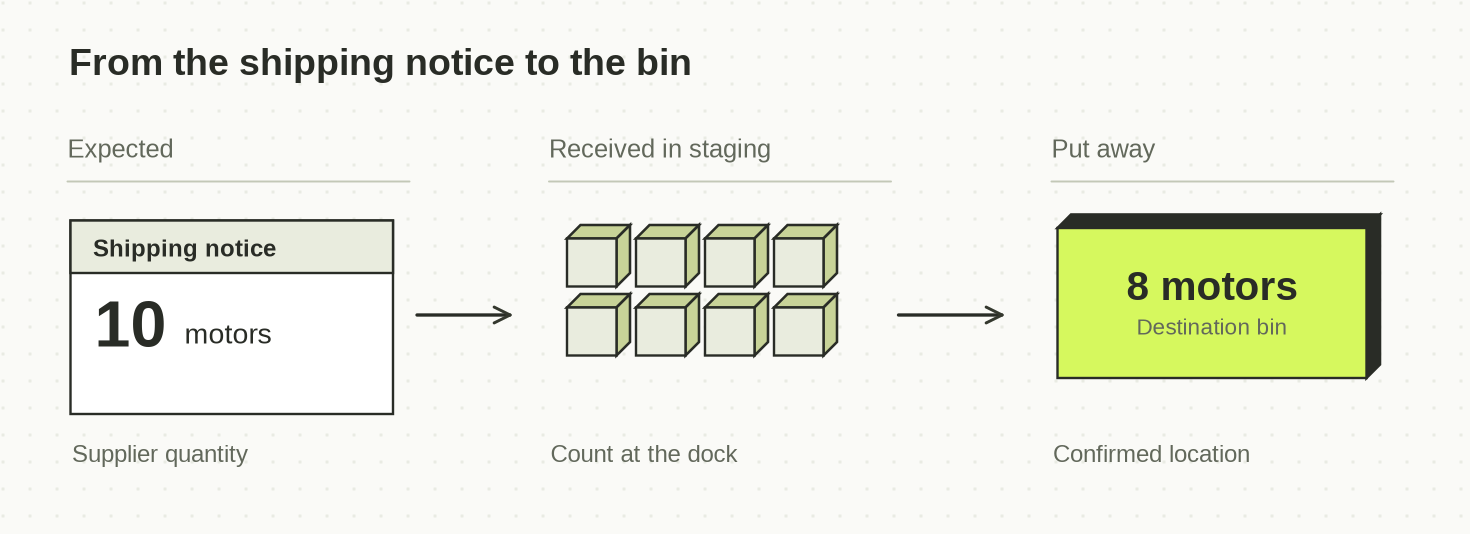
A passing receipt records the stock in staging and creates putaway work. Open WMS → Putaway. Find the task for the receipt, assign it and start it. At the destination, select Complete, confirm the quantity and target location, then choose Complete putaway. A failed quality check is recorded on the ASN and does not increase available stock.
If only eight motors arrived, enter eight. Keep the notice open while another delivery is expected. If the supplier confirms those eight are final, use Complete ASN and review the short-quantity confirmation. Compare the received quantity on the notice with the movement from staging to the bin. Together those records explain why the shelf contains eight while the supplier originally announced ten.
Receiving interface · Putaway interface · WMS access features
Previous: Run an agent in Playground · Next: Connect a storefront to a buyer’s cart