 DocsTopicsSearch docsAPI referenceDocsTopicsSearch docsAPI reference
User guide
Use the cache statistics to identify the affected segment before clearing it. Check the organization or tenant scope if stale data appears for only one group of users.
The Cache page gives operators a tenant-scoped view of CRUD response caches so you can keep long-lived environments tidy and avoid stale reads during development.
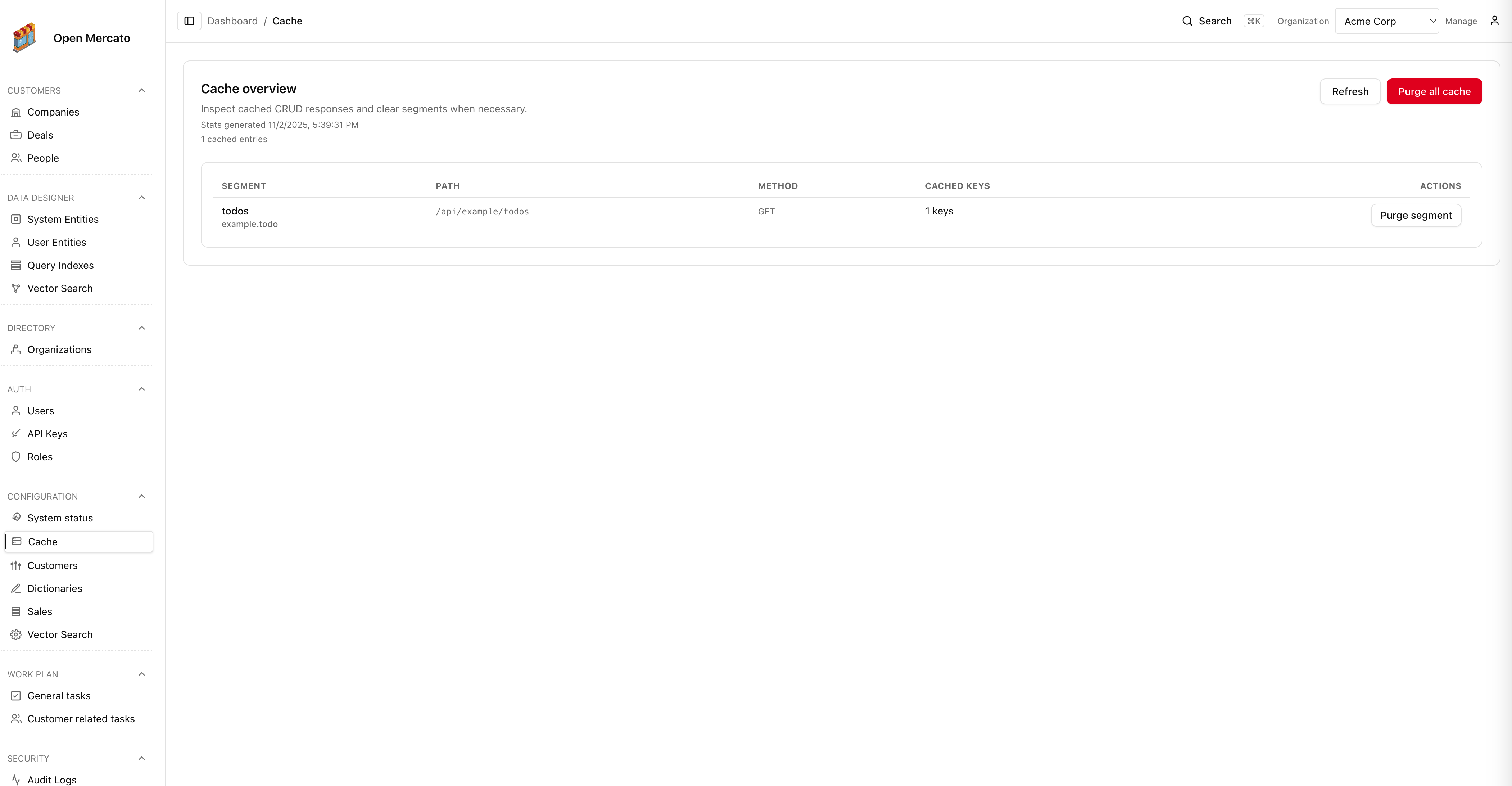
For terminal-driven work, the matching CLI is yarn mercato configs cache. It covers the same segment stats/purge path as the admin page and adds targeted purge modes for tags, exact keys, identifier tokens, patterns, and structural navigation cleanup.
configs.cache.view feature. Purge controls unlock only if you also hold configs.cache.manage./api/configs/cache endpoint and respects the underlying cache backend (Redis, SQLite, etc.).Use the CLI when you need repeatable or cross-tenant cleanup:
# same segment view as the page
yarn mercato configs cache stats --tenant <tenantId>

# clear one segment
yarn mercato configs cache purge --segment admin-nav --tenant <tenantId>

# clear navigation cache after structural app changes
yarn mercato configs cache structural --all-tenants
For internals, see the cache CLI architecture.