 DocsTopicsSearch docsAPI referenceDocsTopicsSearch docsAPI reference
User guide
Save a perspective when you often return to the same columns, filters or list layout. Share it with a role when other operators need the same view.
Perspectives remember how you slice data tables, while sidebar customization keeps the admin navigation focused on what the current team needs. Both features respect tenant and organization scope, so every user only sees content they are allowed to operate.
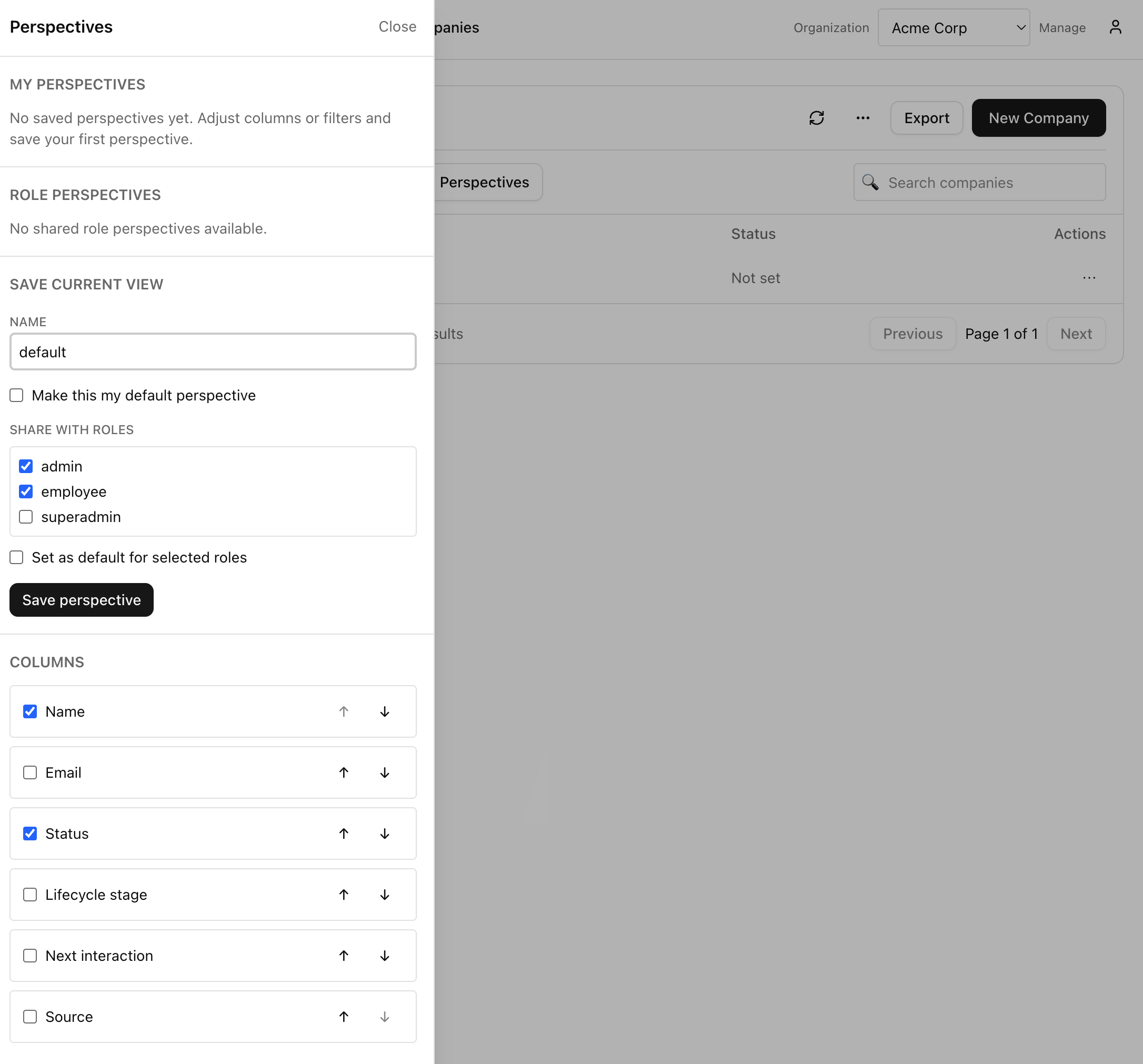
Perspectives toggle (customers, entities, audit logs, etc.) can persist multiple views.perspectives.use; sharing defaults to roles additionally needs perspectives.role_defaults.Saved perspectives follow you across sessions, tenants, and organizations. Switching scope reloads only the perspectives that were created in that context, so operators never inherit filters from other tenants by mistake.
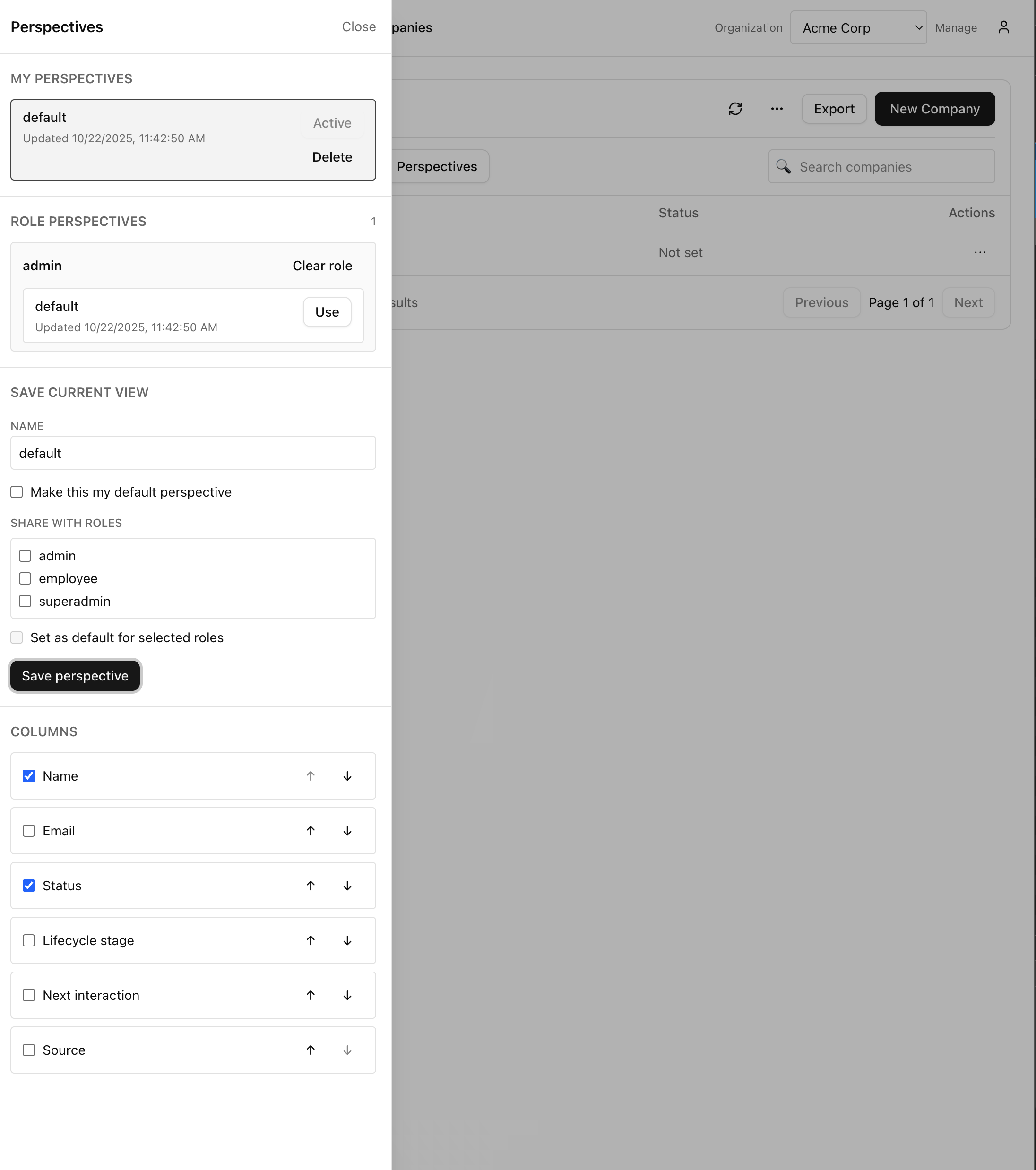
perspectives.role_defaults.Role perspectives can coexist with personal ones: users may adopt the role baseline and still tweak their own defaults without overwriting the shared configuration.
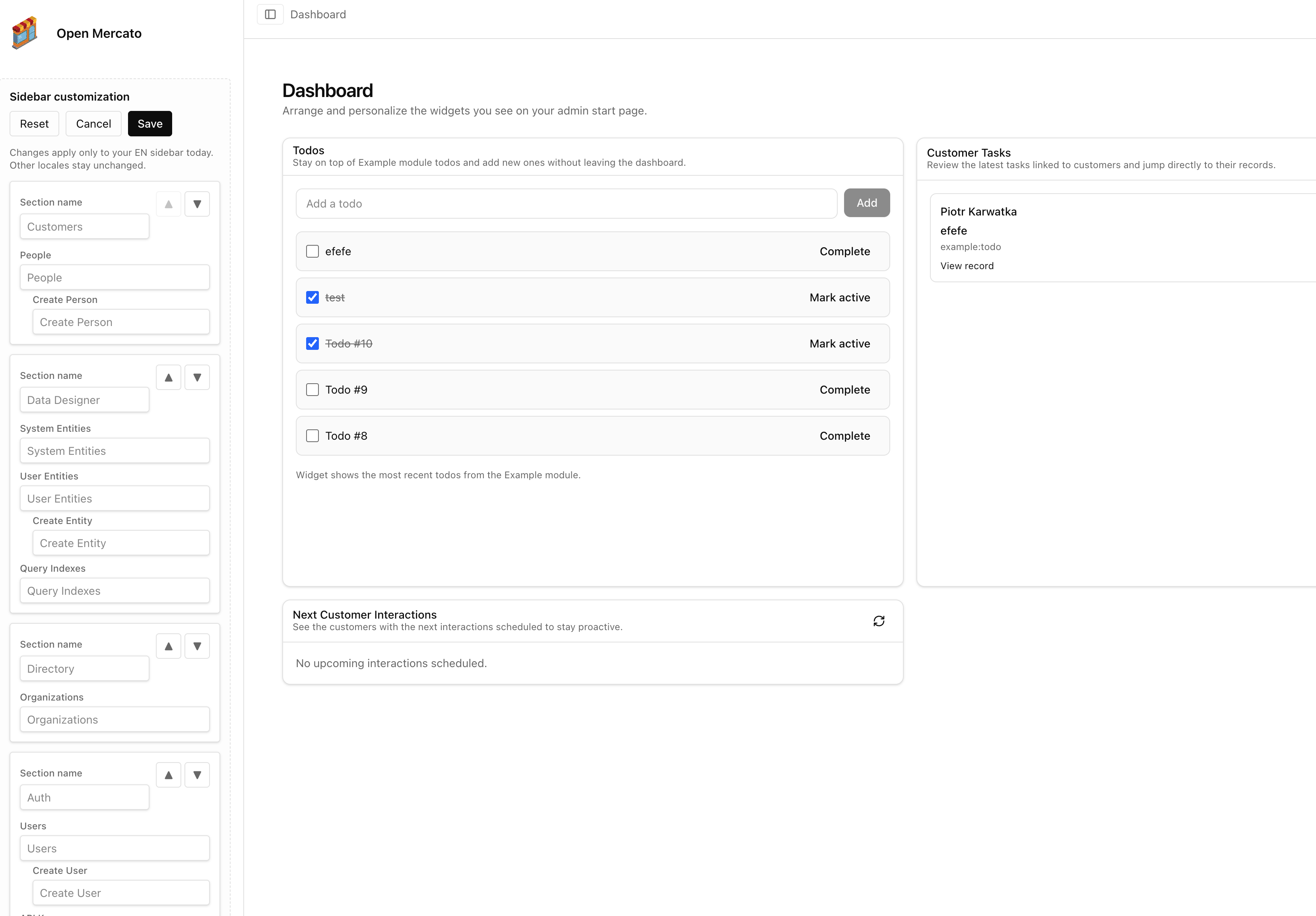
Sidebar customization is gated by the auth.sidebar.manage feature. Users without that feature do not see the Customize sidebar entry in the Settings sidebar and are denied (403) on the underlying preferences and variants APIs. Role presets configured by users with the feature still cascade to members the next time they sign in.
/backend) and navigate to Settings → Customize sidebar.To broadcast the layout to roles, pick Share with roles before saving – the same auth.sidebar.manage feature controls both personal customization and role apply.
yarn generate after pulling new modules to ensure the Perspectives API is generated.