User guide
Adjustments
Add an adjustment when a discount, surcharge or other amount changes a document total. Review the line items and totals afterward so the effect is clear.
Adjustments let you add charges or discounts without editing line items. They support percentage or fixed amounts and respect tax classes. Access requires order/quote manage plus sales.settings.manage to curate kinds and tax rates.
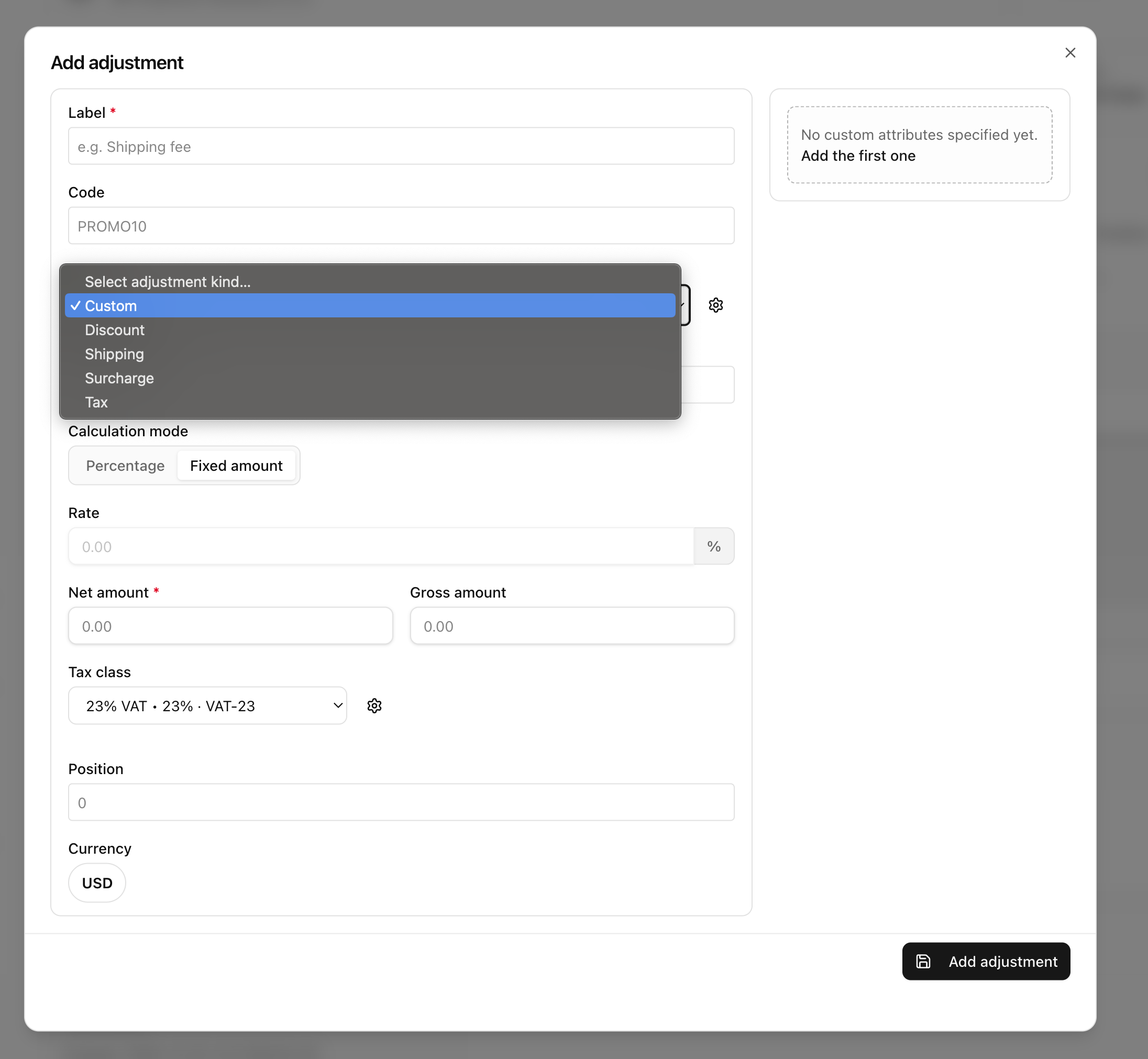
Add an adjustment
- Open Adjustments on the order/quote and click Add adjustment.
- Set label and optional code for reporting.
- Choose adjustment kind (Shipping, Discount, Surcharge, Tax, Custom).
- Pick calculation mode: Percentage or Fixed amount.
- Enter rate or net/gross amount; select a tax class if applicable.
- Set position to control ordering in totals (optional).
- Save with
Cmd/Ctrl + Enter; Escape cancels.
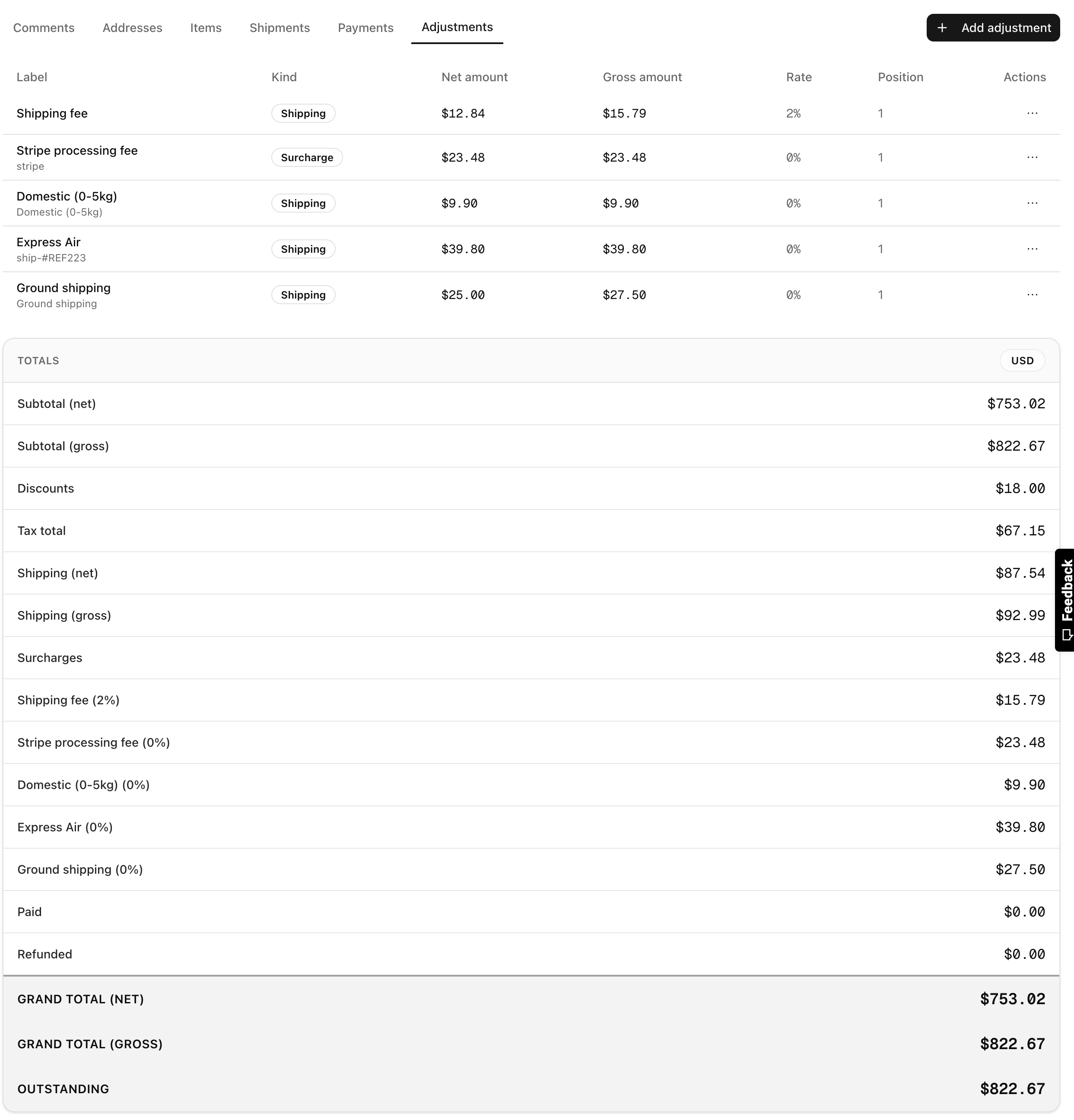
How adjustments roll into totals
- Each adjustment contributes to subtotals and grand totals based on kind and tax class.
- Shipping and surcharge entries increase totals; discounts reduce them; tax adjustments apply the selected rate or amounts.
- Order detail shows grouped totals (net, gross, discounts, surcharges, tax) for transparency.
Tips
- Predefine Adjustment kinds in Sales settings so operators pick from curated options.
- Use percentage for promos tied to the subtotal; use fixed amount for fees like “Stripe processing”.
- Keep tax classes aligned with your catalog pricing for consistent VAT handling.
 DocsTopicsSearch docsAPI reference