User guide
Order items
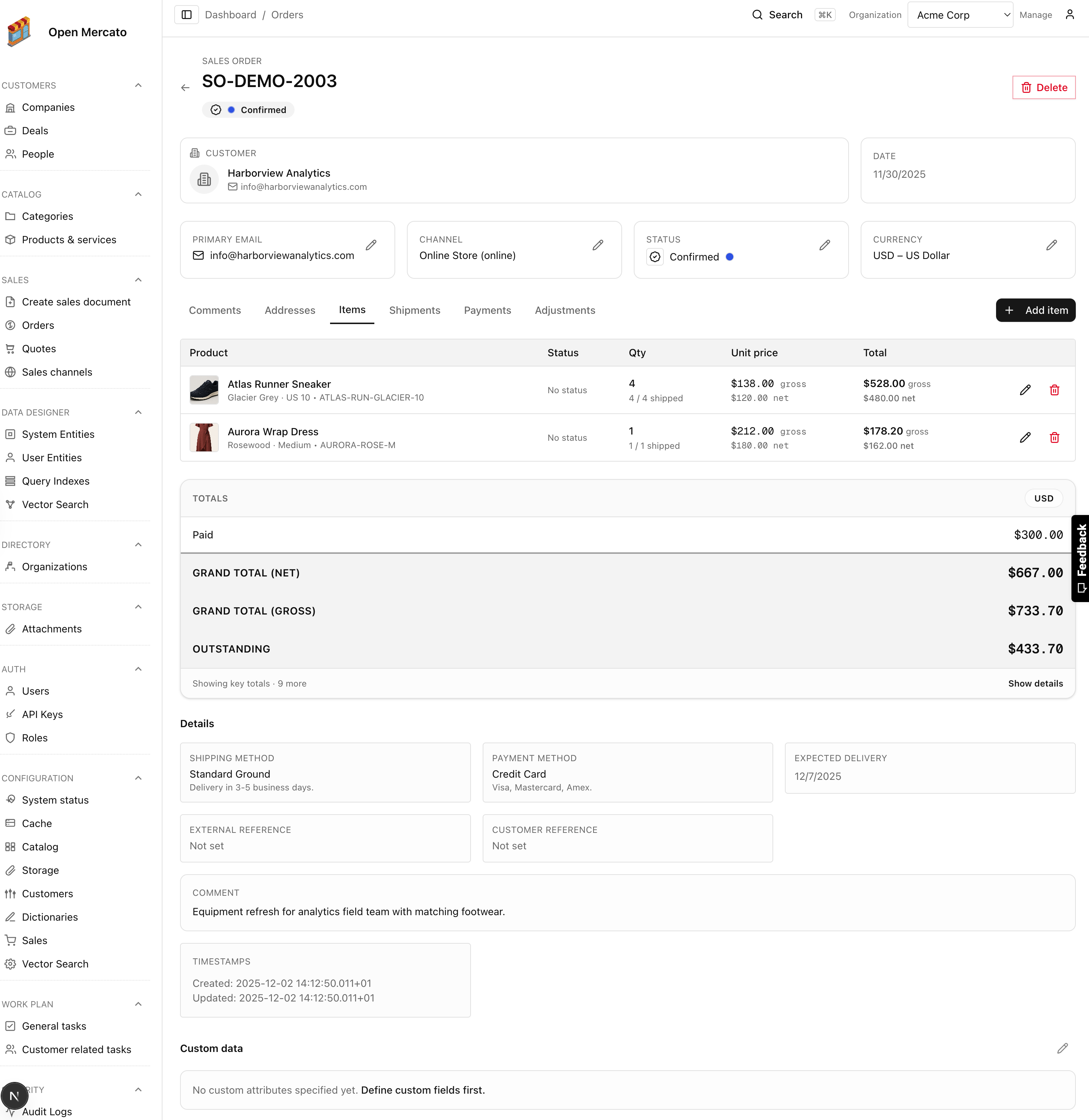
Add a product or edit an existing line to change what the customer is buying. Review quantity, price and the document totals together before saving.
Changes to a line can affect quantities available for shipment and the document's status.
Manage line items
- Open the Items tab to add products, set quantities, and adjust pricing.
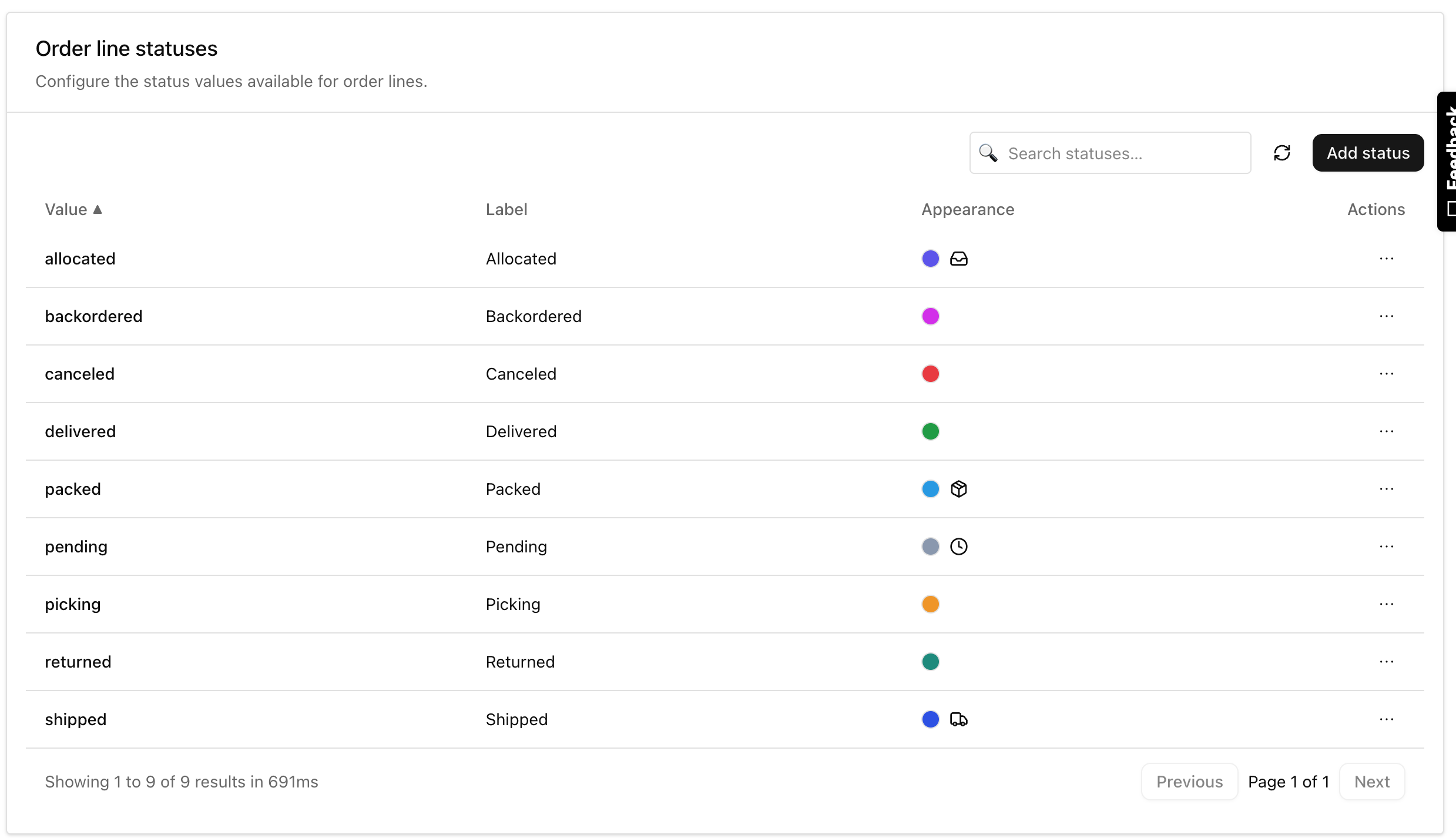
- Line-level statuses (from Order line statuses) track fulfillment stages such as pending, picking, packed, shipped, delivered, returned.
- Item edits recalc subtotals and downstream adjustments automatically.
Best practices
- Keep line statuses aligned with your warehouse states so shipment updates stay clear.
- Use discounts via Adjustments rather than manual price edits to preserve margin visibility.
- If catalog pricing differs by channel, ensure the order’s channel reflects the right offer before adding items.
 DocsTopicsSearch docsAPI reference