 DocsTopicsSearch docsAPI referenceDocsTopicsSearch docsAPI reference
User guide
Use the global search shortcut to find records or pages across enabled modules. Which results appear depends on indexed data, enabled search strategies and your access.
Press Cmd+K (Mac) or Ctrl+K (Windows/Linux) anywhere in the backend to open the global search palette.
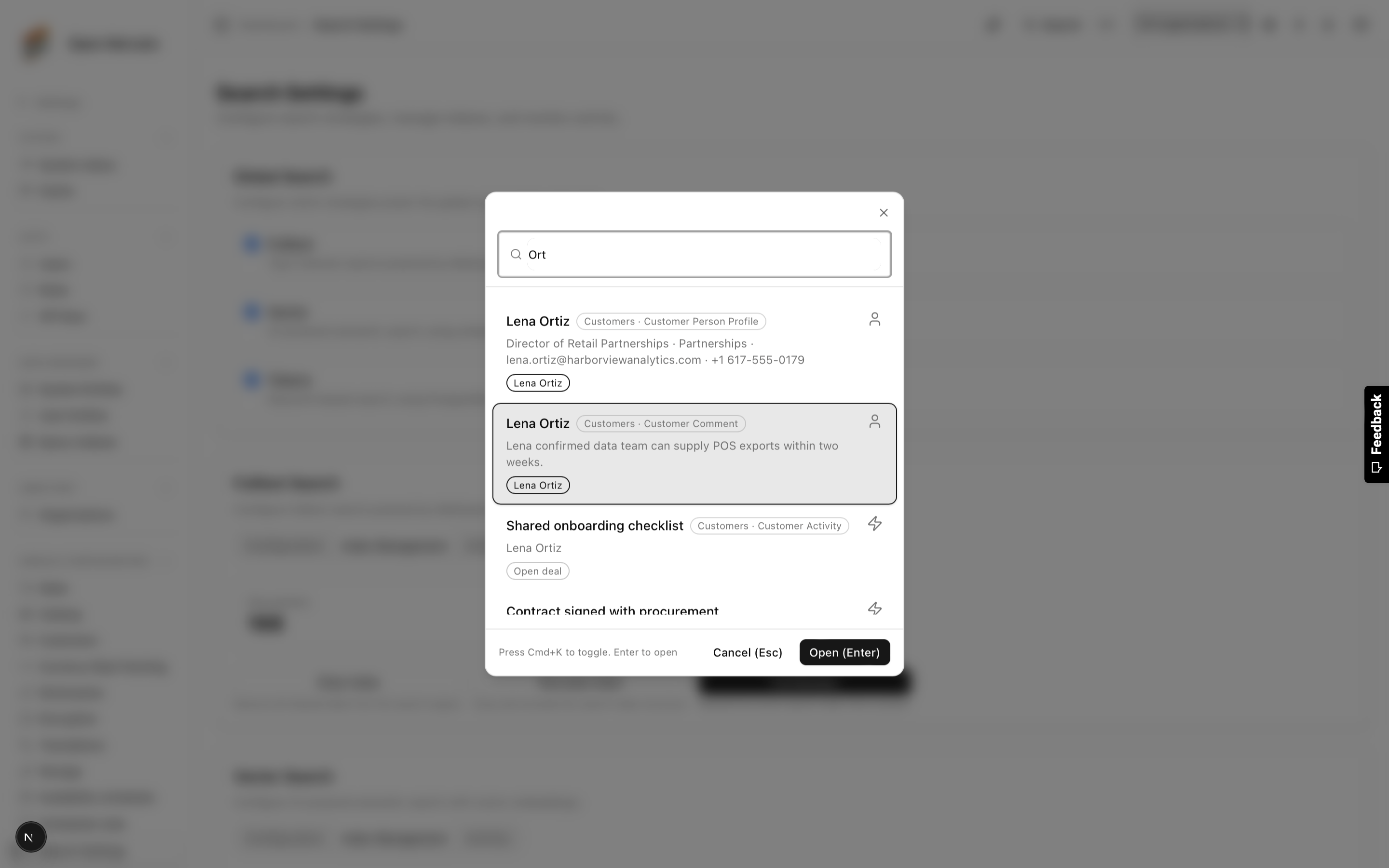
Enter to open the selected itemEsc to close without navigatingThe search palette shows results from customers, notes, deals, and todos with direct links to their detail pages.
Open Mercato supports three complementary search strategies:
| Strategy | Label | Description | Best For |
|---|---|---|---|
| Meilisearch | Fuzzy | Fast full-text search with typo tolerance | Quick keyword lookups, partial matches |
| Vector | Semantic | AI-powered search using embeddings | Conceptual queries, natural language |
| Tokens | Exact | Hash-based search in PostgreSQL | Always available, encrypted data |
When multiple strategies are configured, results are merged using RRF to surface the most relevant matches.
Meilisearch provides the fastest search experience with typo tolerance and instant results.
# Add to your .env
MEILISEARCH_HOST=http://localhost:7700
MEILISEARCH_API_KEY="<meilisearch-api-key>"
Run Meilisearch locally with Docker:
docker run -d --name meilisearch \
  -p 7700:7700 \
  -e MEILI_ENV=development \
  -e MEILI_MASTER_KEY="$MEILI_MASTER_KEY" \
  getmeili/meilisearch:latest
Vector search enables semantic understanding of queries. The shipped example env keeps vector auto-indexing disabled by default, so configure at least one embedding provider and then opt in to automatic indexing if you want live embedding updates:
| Provider | Environment Variable |
|---|---|
| OpenAI (default) | OPENAI_API_KEY="<openai-api-key>" |
| Google Generative AI | GOOGLE_GENERATIVE_AI_API_KEY="<google-generative-ai-api-key>" |
| Mistral | MISTRAL_API_KEY=... |
| Cohere | COHERE_API_KEY=... |
| Amazon Bedrock | AWS_ACCESS_KEY_ID, AWS_SECRET_ACCESS_KEY, AWS_REGION |
| Ollama (local) | OLLAMA_BASE_URL=http://localhost:11434 |
Without a configured provider, semantic search is disabled but other strategies continue working. With a provider configured and OM_DISABLE_VECTOR_SEARCH_AUTOINDEXING=true, you can still run manual vector reindex jobs; automatic indexing just stays off.
Token-based search requires no configuration. It uses hashed tokens stored in PostgreSQL, making it suitable for encrypted data.
Navigate to Settings > Module Configuration > Search Settings to manage:
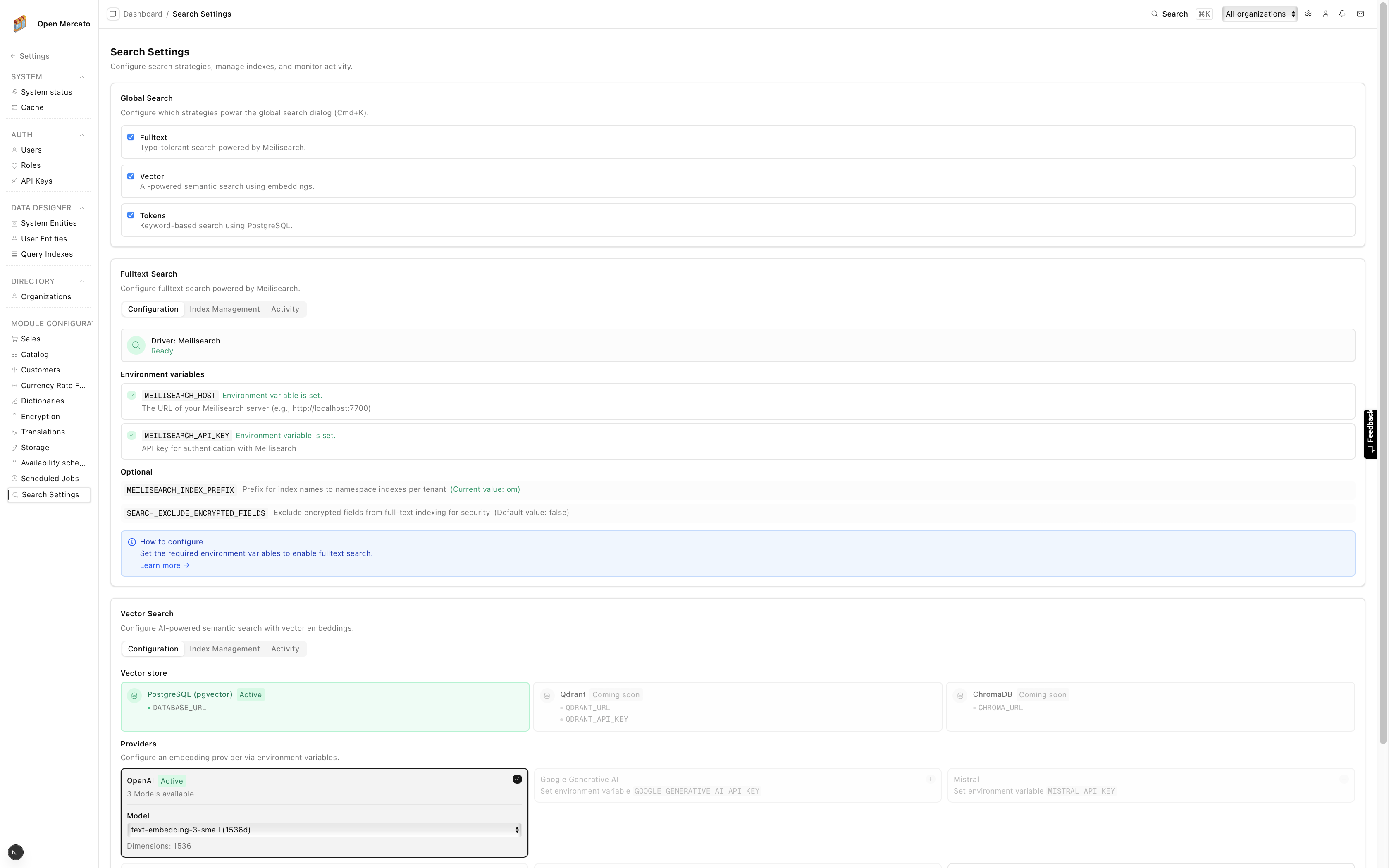
| Variable | Effect |
|---|---|
MEILISEARCH_HOST | Enables Meilisearch (Fuzzy) strategy |
MEILISEARCH_API_KEY | Authentication key for Meilisearch |
OPENAI_API_KEY (or other provider key) | Configures a vector embedding provider |
OM_DISABLE_VECTOR_SEARCH_AUTOINDEXING=true | Keeps automatic vector indexing disabled (default in shipped example envs) |
OM_DISABLE_VECTOR_SEARCH_AUTOINDEXING=false | Enables automatic vector indexing |
DISABLE_VECTOR_SEARCH_AUTOINDEXING=1 | Legacy alias for keeping automatic vector indexing disabled |
Modules define searchable entities via search.ts configuration files. The default installation includes:
Custom modules can opt-in by exporting a search.ts file alongside their module metadata.
# Reindex all strategies for a tenant
yarn mercato search reindex --tenant <tenantId>

# Reindex specific entity
yarn mercato search reindex --tenant <tenantId> --entity customers:person
# Meilisearch reindex
POST /api/search/reindex
{ "action": "reindex" }

# Vector embeddings reindex
POST /api/search/embeddings/reindex
{ "purgeFirst": true }
Use the reindex buttons in Settings > Module Configuration > Search Settings for:
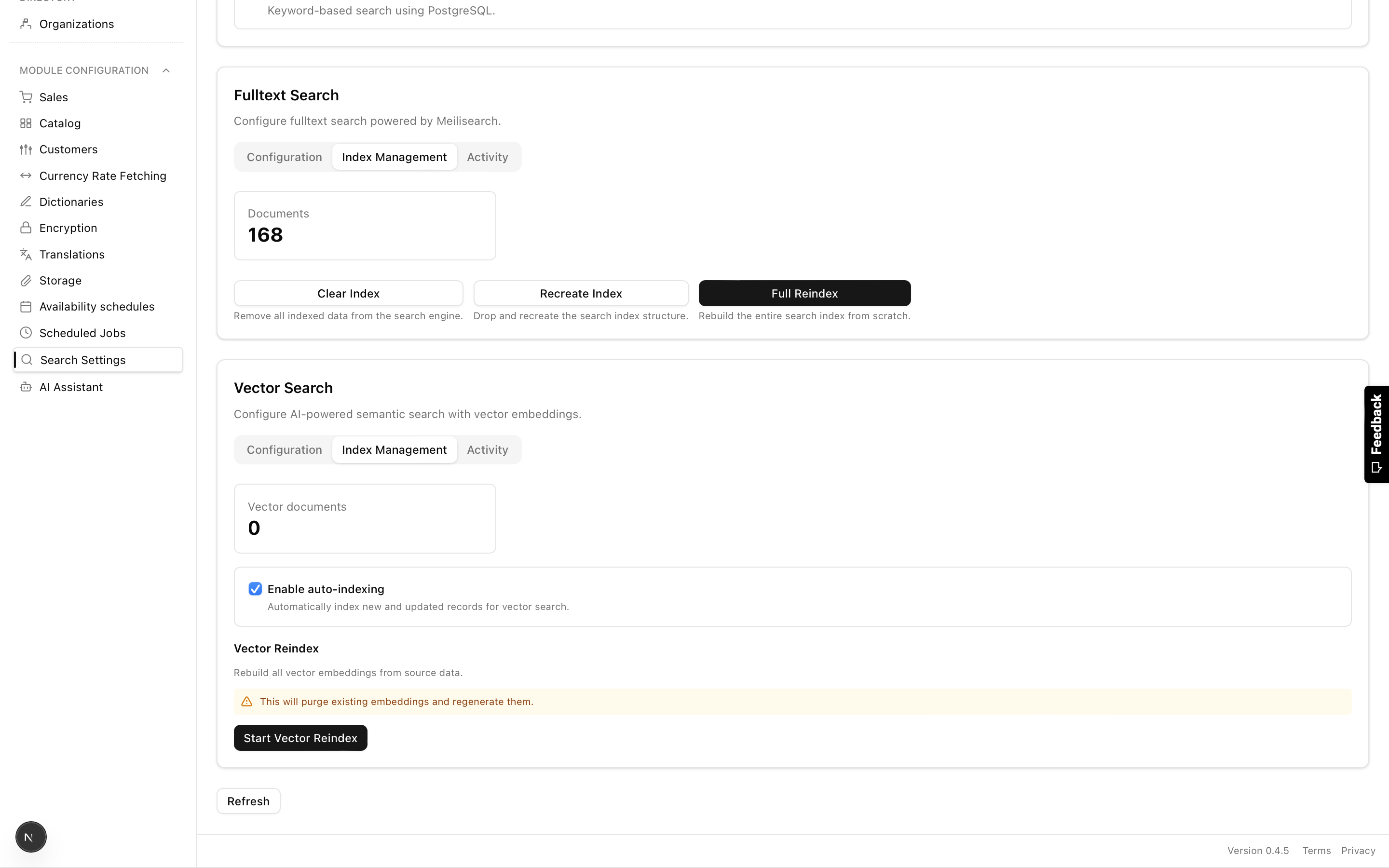
The search module automatically protects sensitive data:
Field policies are defined per entity in the module's search.ts configuration.
All search strategies enforce tenant isolation:
Warning · Changing embedding providers
Switching embedding providers or models requires a full reindex because embeddings from different models are incompatible. Vector search will be unavailable until reindexing completes.