 DocsTopicsSearch docsAPI referenceDocsTopicsSearch docsAPI reference
User guide
Create a key for the application that needs access, give it the required features and store its value when it is shown. Rotate or revoke the key when the integration changes.
Use API keys when automations or external systems must call the Open Mercato API without a username and password. Keys inherit RBAC rules, so you can grant narrow permissions to each integration and revoke them without disturbing human accounts.
api_keys.view to see existing keys, api_keys.create to mint new ones, and api_keys.delete to revoke secrets.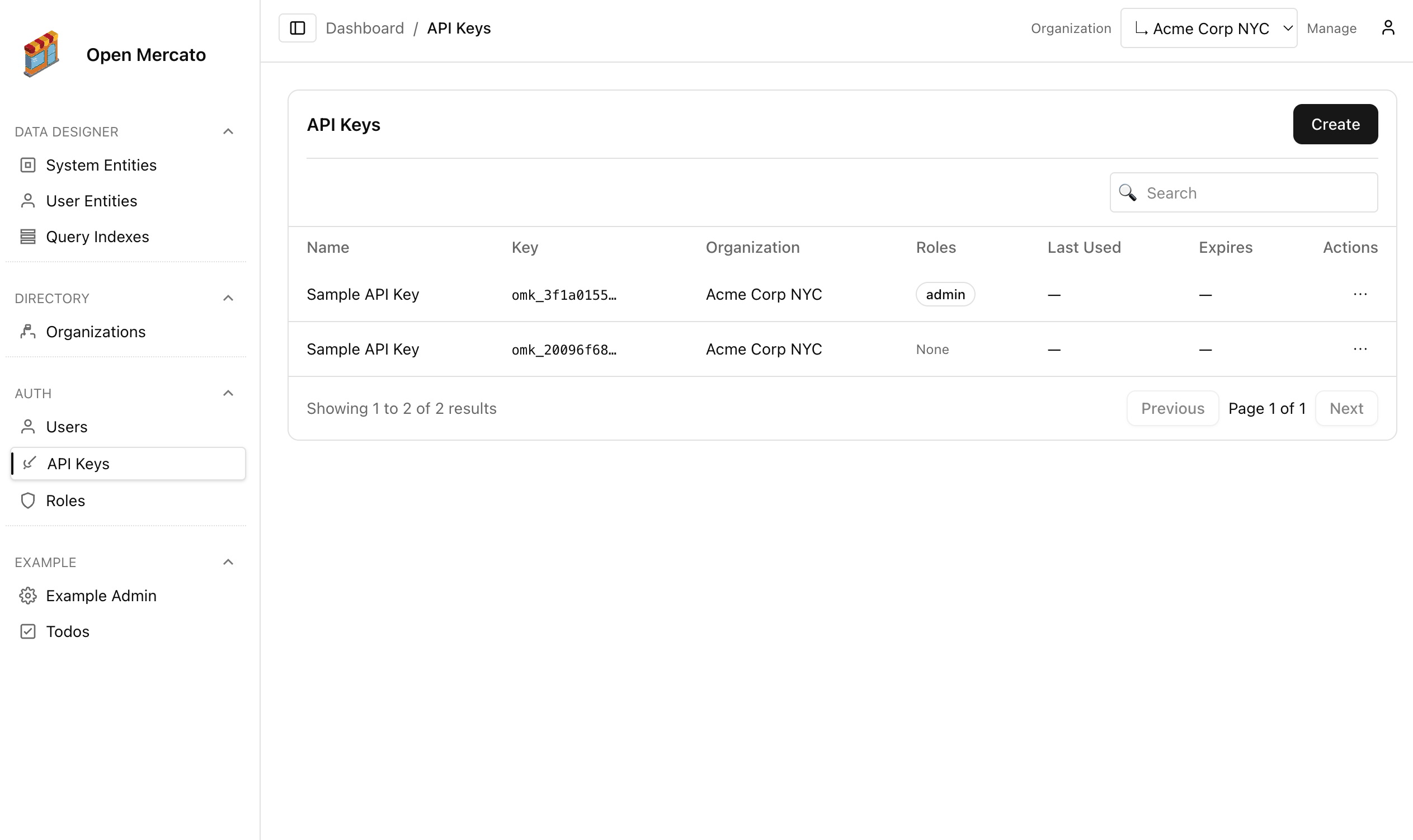
/backend/api-keys).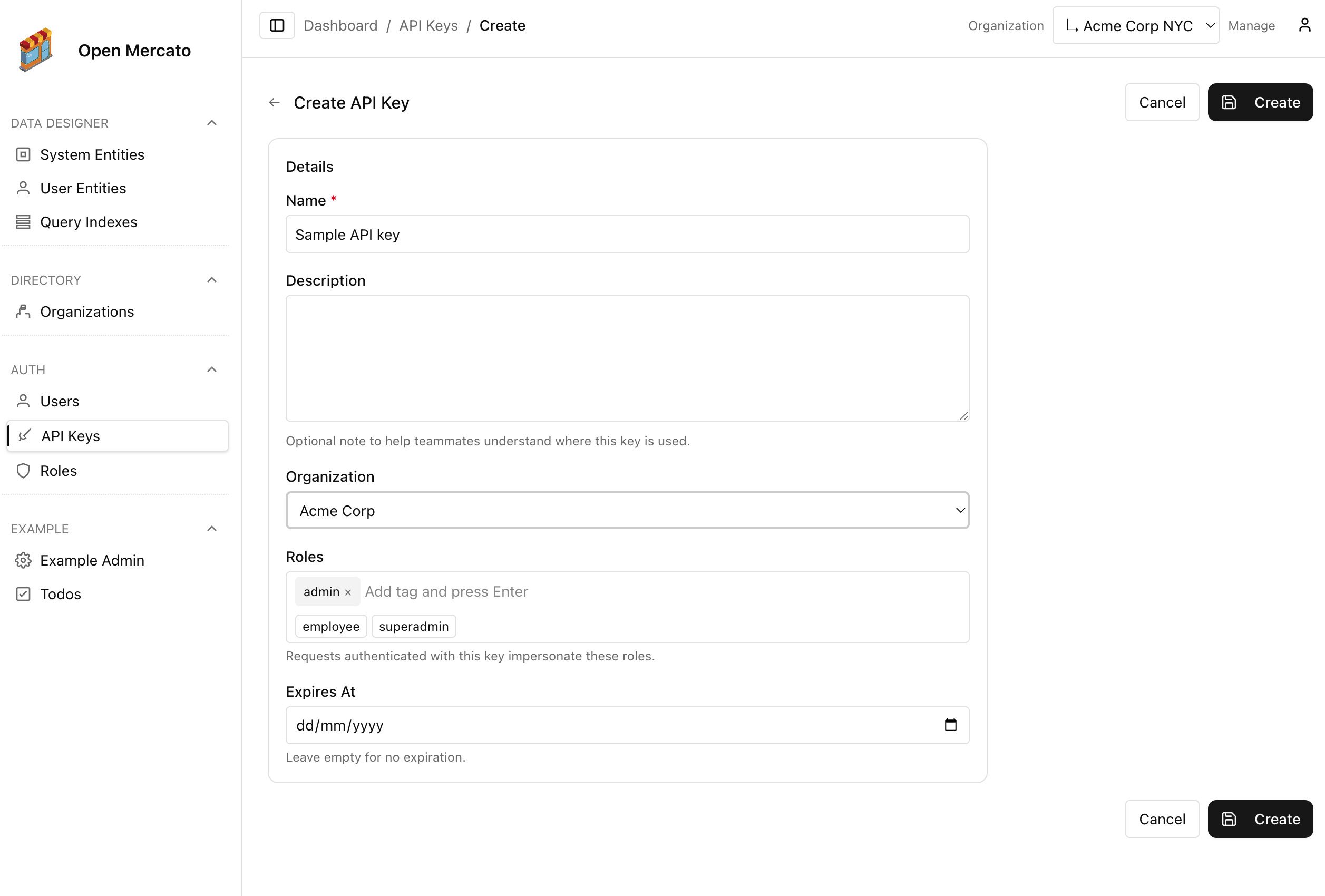
omk_xxxxxxxx part before the dot, also shown in the Key column) alongside the secret so auditors can correlate requests with this key.For scripted environments, the CLI mirrors the UI workflow. Run:
yarn mercato api_keys add \
  --name "CI deployer" \
  --tenantId 4c1378aa-1d27-4bc5-9a82-5afecf05c8f3 \
  --organizationId 6b4b3a5d-9a5d-4fcf-927f-830e1d9b3eee \
  --roles admin,employee
The command prints the API key secret once. Store it in your secret manager and never commit it to version control. See the CLI guide for API keys for full flag documentation and automation tips.