 DocsTopicsSearch docsAPI referenceDocsTopicsSearch docsAPI reference
User guide
Start with one decision you can state in plain language. Choose the rule type, enter its conditions and test with records that should pass and fail.
Step-by-step guide to creating a business rule, configuring fields, conditions, and actions.
ℹ️ Requires
business_rules.rules.createfeature permission.
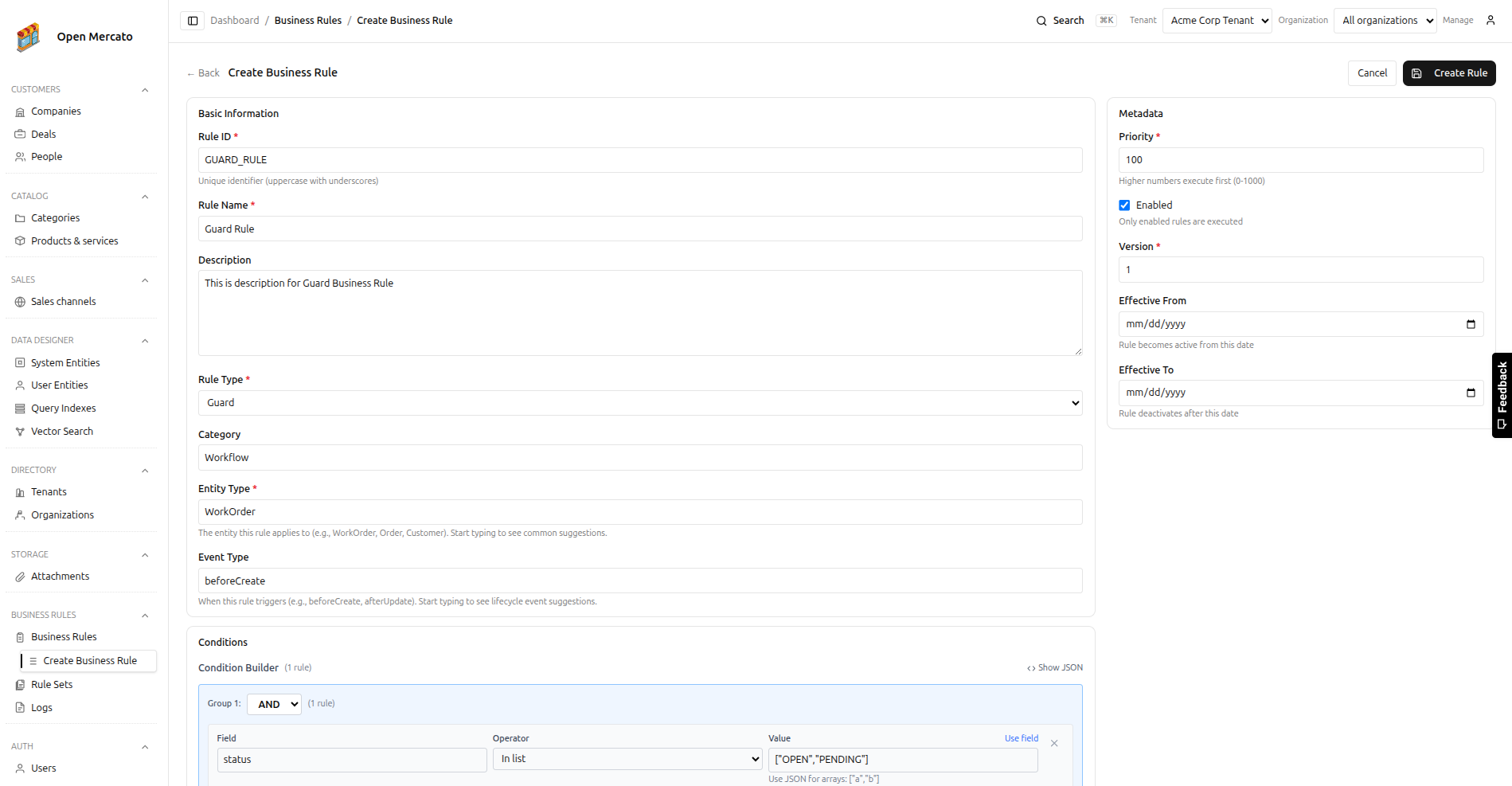
| Field | Required | Format | Description |
|---|---|---|---|
| Rule ID | Uppercase, _, max 50 chars | Unique identifier, auto-generated from name. Cannot change after creation. | |
| Rule Name | Text, max 200 chars | Human-readable name. Use clear, descriptive names (e.g., "Block Work Order Release Without Materials"). | |
| Description | Text, max 5000 chars | Business rationale, special cases, policy references, dependencies. | |
| Rule Type | Select | GUARD (block/allow), VALIDATION (validate data), CALCULATION (compute values), ACTION (side effects), ASSIGNMENT (auto-populate). See Rule Types. | |
| Rule Category | Text, max 50 chars | Logical grouping (e.g., "Material Planning", "Quality Control", "Approval Workflow"). | |
| Entity Type | Combobox, max 50 chars | Entity to apply rule to (WorkOrder, Order, Invoice, Customer, Product, User, Task, Ticket, Deal, Contact). Case-sensitive. | |
| Event Type | Combobox, max 50 chars | Lifecycle event trigger (beforeCreate/Update/Delete/Save, afterCreate/Update/Delete/Save, onStatusChange, onAssign). Leave empty for any event. |
| Field | Default | Range | Description |
|---|---|---|---|
| Priority | 100 | 0-9999 | Execution order (higher first). GUARD: 500-1000, VALIDATION: 300-500, CALCULATION: 200-300, ACTION: 50-200, ASSIGNMENT: 0-100. |
| Enabled | Boolean | Active/inactive. Only enabled rules execute. | |
| Version | 1 | Integer ≥1 | Audit trail. Increment for significant changes. |
| Effective From | Date | Rule becomes active. Leave empty for immediate activation. | |
| Effective To | Date | Rule becomes inactive. Leave empty for indefinite. |
Effective Date Use Cases:
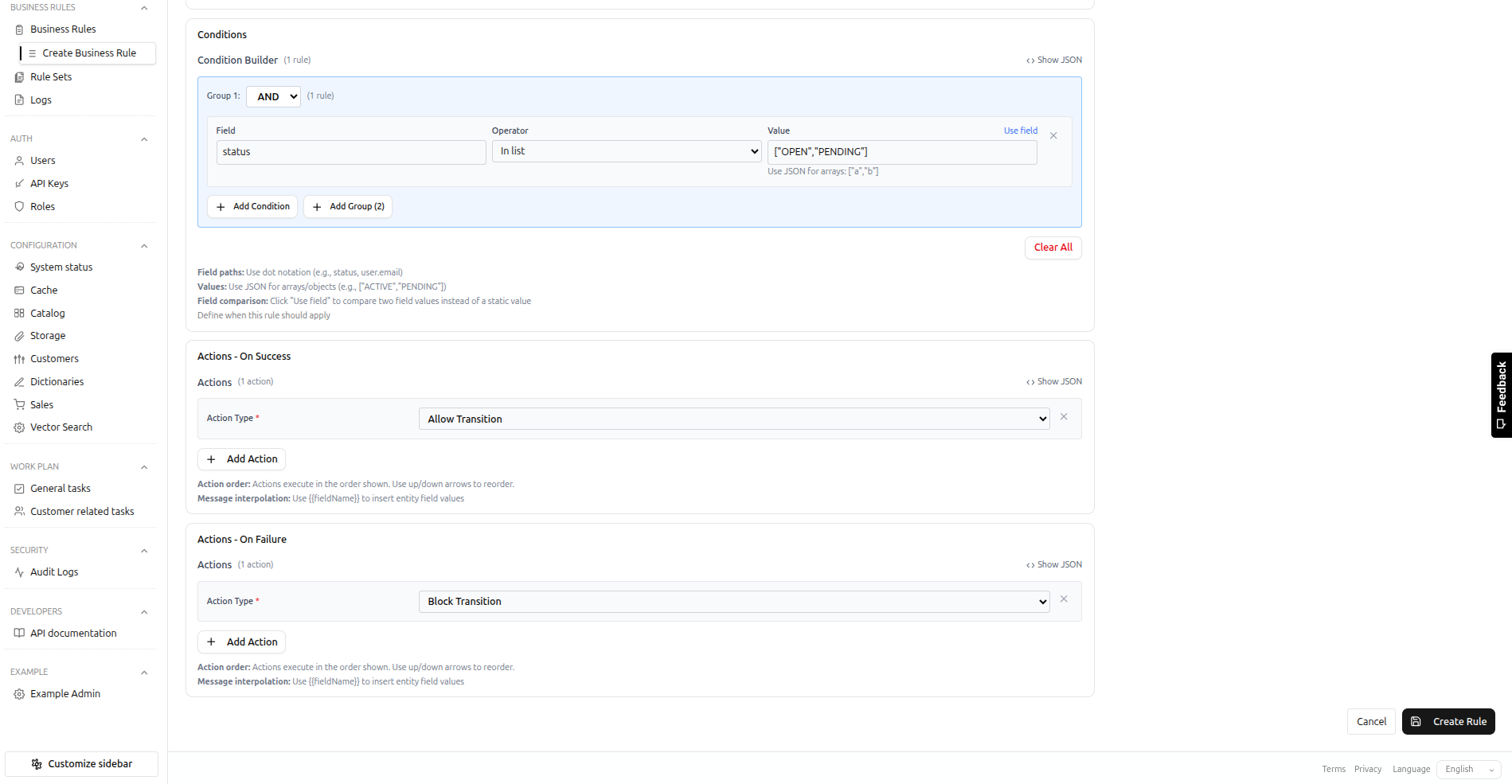
Define when the rule applies. See Conditions Guide for details.
Key Points:
user.email, address.city)(=, !=, >, <, IN, CONTAINS, STARTS_WITH, MATCHES, IS_EMPTY, etc.)Configure success (conditions true) and failure (conditions false) actions. See Actions Guide for details.
Key Points:
{{field}})Save:
Validation Errors:
dryRun: trueBasic Information:
BLOCK_WO_RELEASE_WITHOUT_MATERIALSMetadata:
Conditions:
AND:
  - newStatus = "RELEASED"
  - materialsAvailable = false
Failure Actions (execute when conditions true = block):
Success Actions: None (allow transition)