User guide
Leave requests and availability
Employees submit a leave request, and the responsible team reviews it. Use the resulting status when checking a person's availability.
Open Mercato separates personal leave workflows from manager approval views, so employees can self-serve while admins retain oversight.
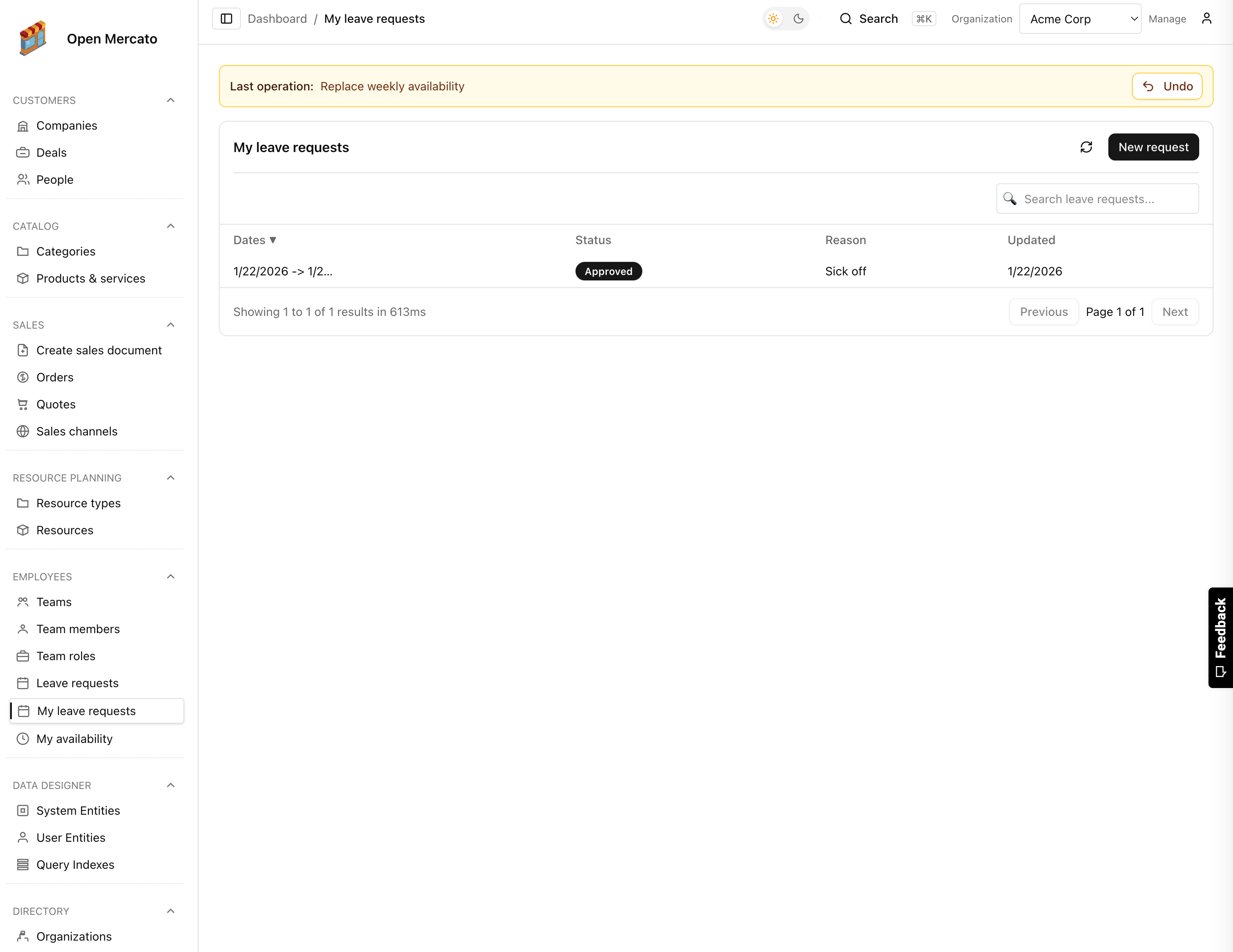
My leave requests
- Open Employees -> My leave requests to see your personal history and submit new leave requests.
- Track status (pending, approved, declined) without exposing other team members' data.
- Edit or cancel a request before it is processed, depending on your organization rules.
- The table layout is shared with the admin view, but your list is automatically filtered to your own requests.
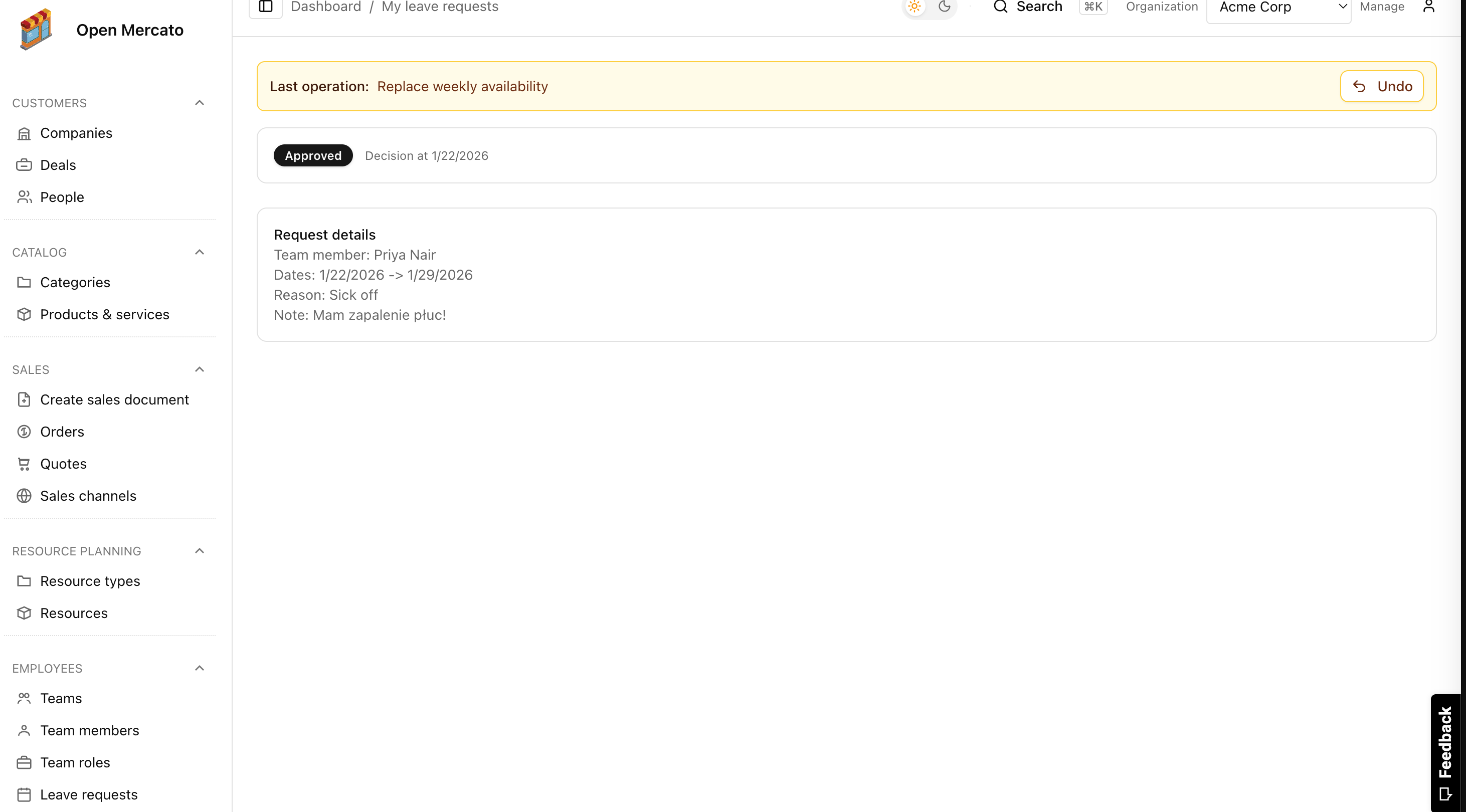
Admin leave requests
- Open Employees -> Leave requests to review the org-wide queue.
- Approve or decline requests to keep capacity accurate and ensure staffing coverage.
- Review request details such as team member, date range, reason, and notes before making a decision.
Request workflow
- Submit a request from the personal view.
- Await review by a manager with leave management permissions.
- Receive a decision that updates the request status and appears in the audit trail.
My availability
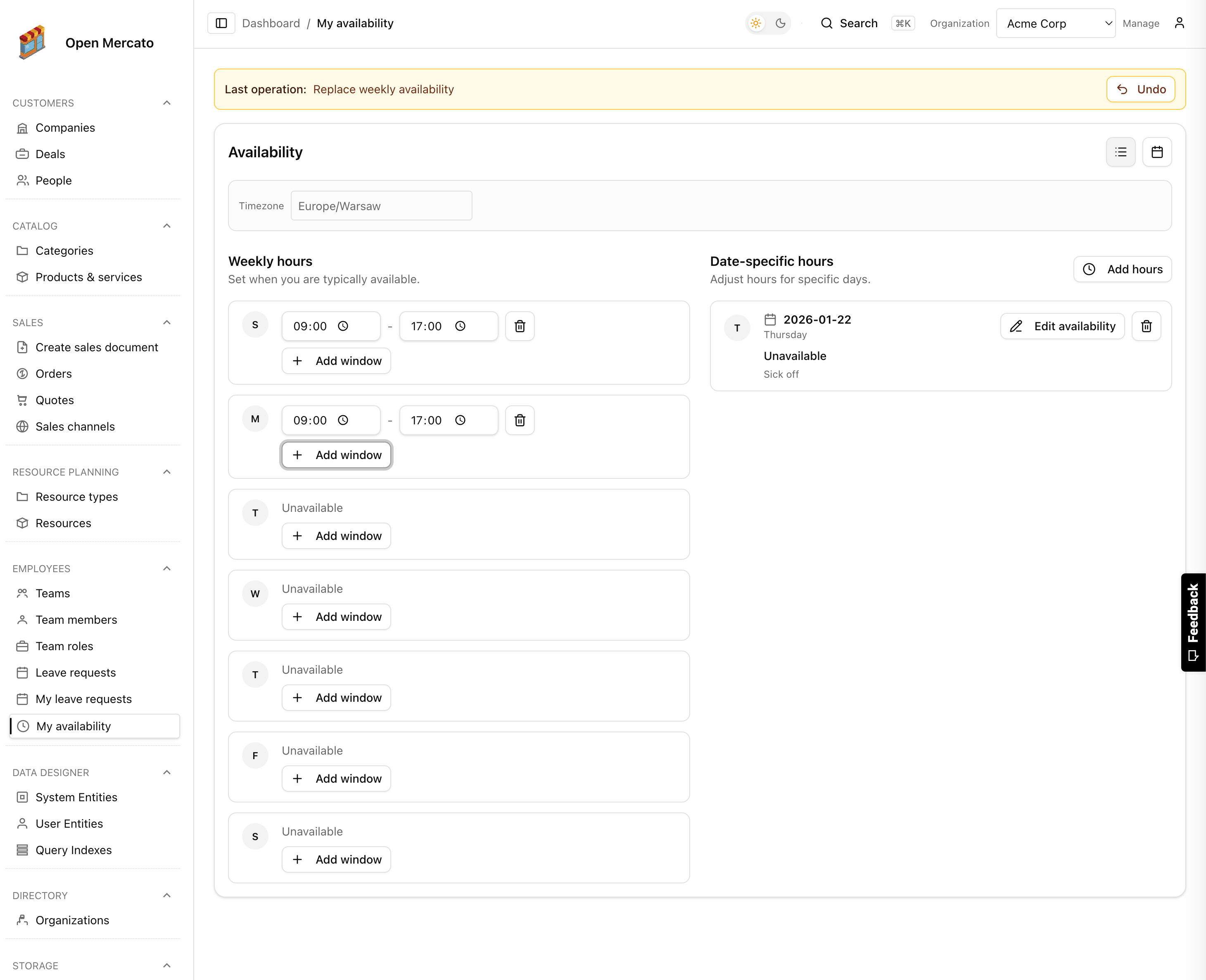
- Set weekly hours to define your default availability.
- Add date-specific hours for exceptions, sick days, or planned time off.
- Use unavailability reasons to clarify the context for schedule changes.
Access control
- Personal leave access uses
staff.my_leave_requests.view and staff.my_leave_requests.send.
- Manager access requires
staff.leave_requests.manage to approve or decline requests, plus staff.leave_requests.send to submit on behalf of others.
- Availability access uses
staff.my_availability.view, staff.my_availability.manage, and staff.my_availability.unavailability.
 DocsTopicsSearch docsAPI reference