 DocsTopicsSearch docsAPI referenceDocsTopicsSearch docsAPI reference
User guide
Open an integration to see its credentials, health and activity. Enabling it makes the integration available, while a successful connection or sync confirms it is working.
The Integration Marketplace is your central hub for connecting Open Mercato with external services – payment gateways, shipping carriers, data sync providers, and more. Navigate to External Systems → Integrations in the sidebar.
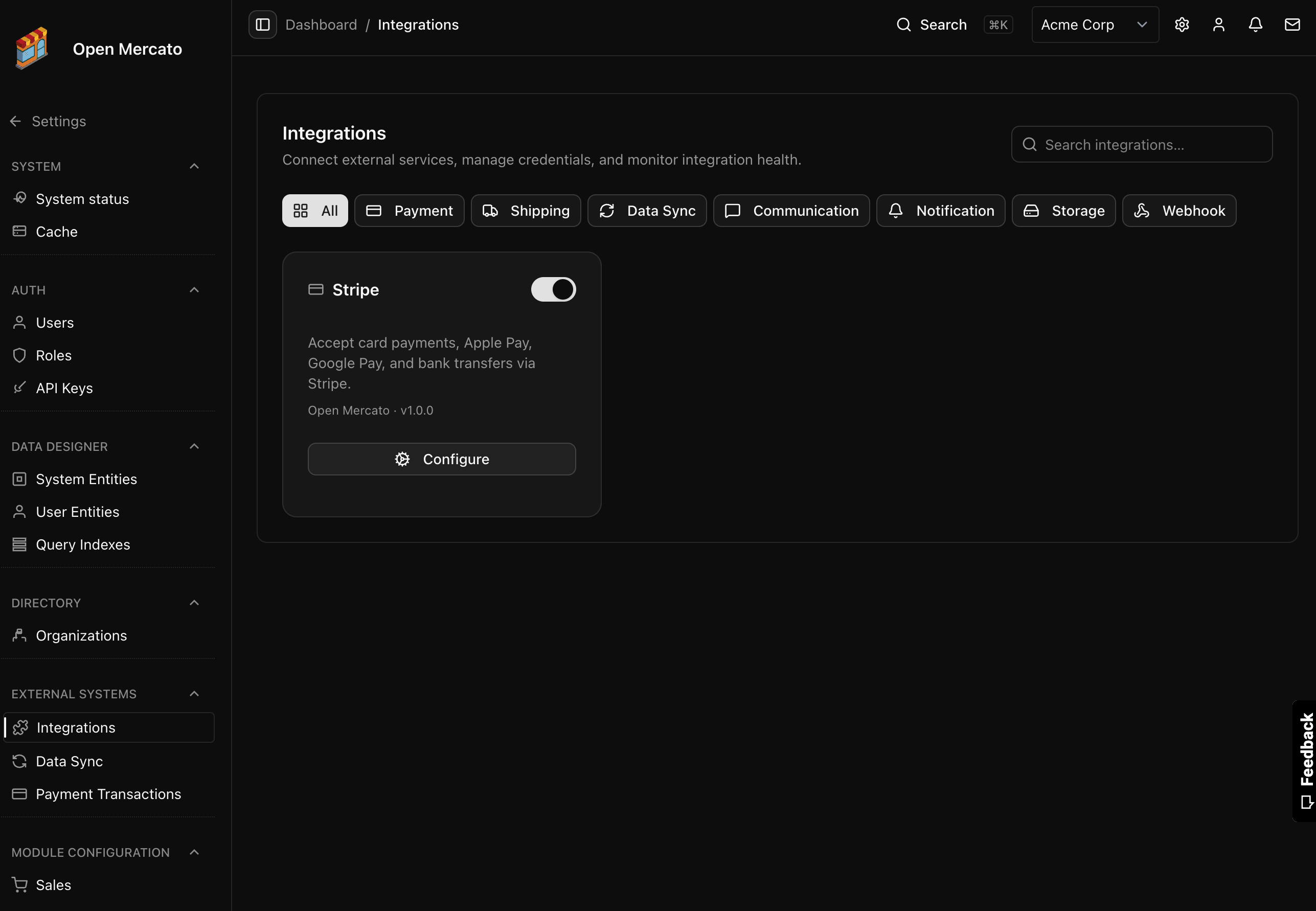
The marketplace lists every registered integration provider. Use the category filter tabs at the top to narrow by type:
Use the search box to find a provider by name. Each card shows the provider name, description, publisher, version, and current state (enabled/disabled toggle).
Click Configure on any integration card to open its detail page. Toggle the State switch to enable or disable the provider for your tenant.
Some integrations can extend this page with provider-specific tabs or tools. Providers can also hide built-in tabs when those sections are not relevant. For example, a payment gateway may expose diagnostics alongside the standard tabs, while Custom Webhooks replaces the generic view with a dedicated Settings tab and an aggregated Logs tab for delivery history.
Custom Webhooks is one of those providers. It adds a dedicated Settings tab for endpoint shortcuts and failed-delivery notifications, plus an aggregated Logs tab that shows delivery attempts across all webhook endpoints.
Each provider declares which credentials it requires (API keys, secrets, tokens). Open the Credentials tab to enter or update them.
Tip
Credentials are scoped per tenant and organization. Each tenant configures its own keys independently.
Providers can publish multiple versions. The Version tab shows all available versions with stability labels:
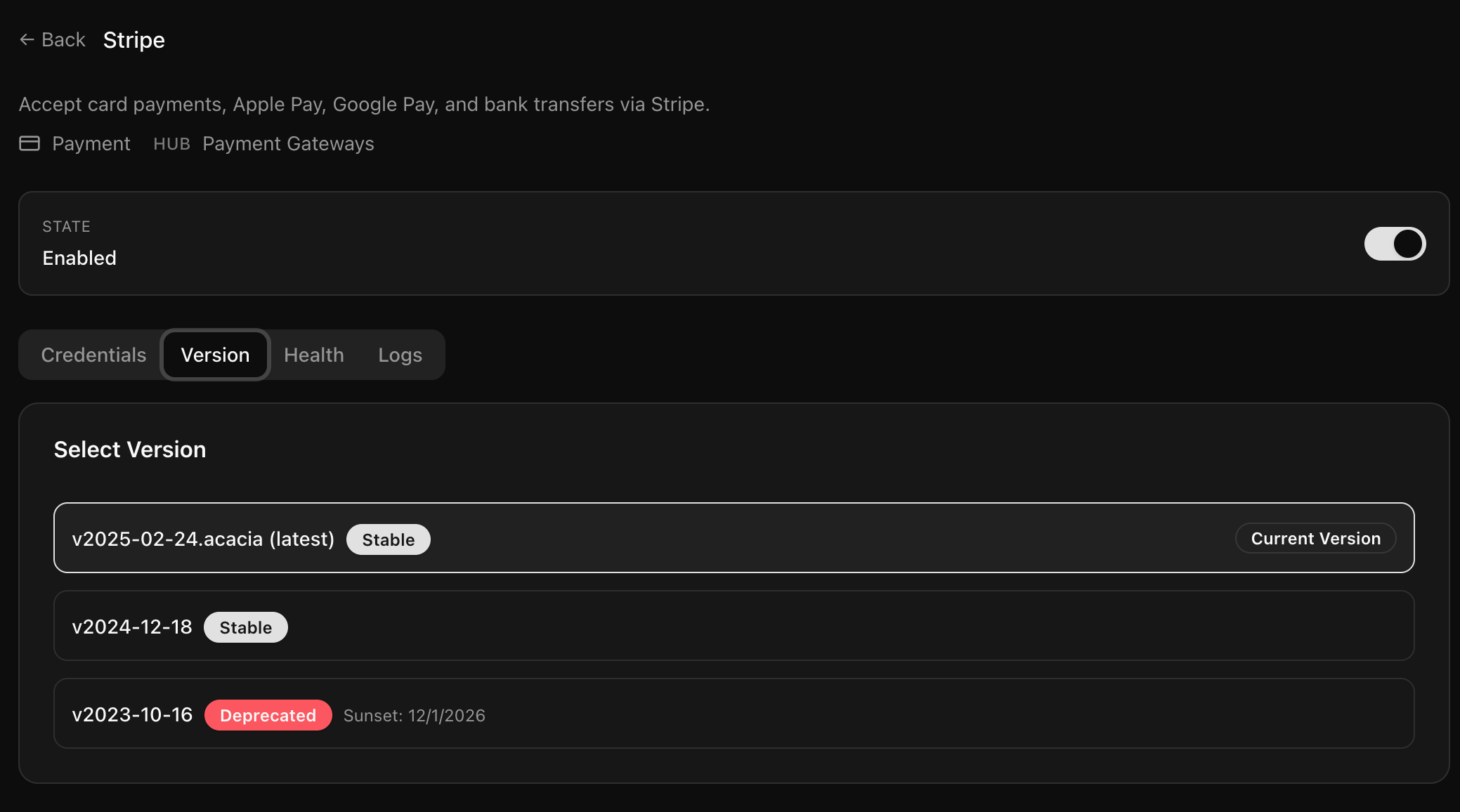
Select a version and click to switch. The currently active version is labeled Current Version. Deprecated versions display their sunset date so you can plan migrations.
The Health tab displays the current connectivity status and provider-specific diagnostics.

Use health checks after saving new credentials to verify they work before going live.
The Logs tab provides a chronological audit trail of all operations performed through the integration.
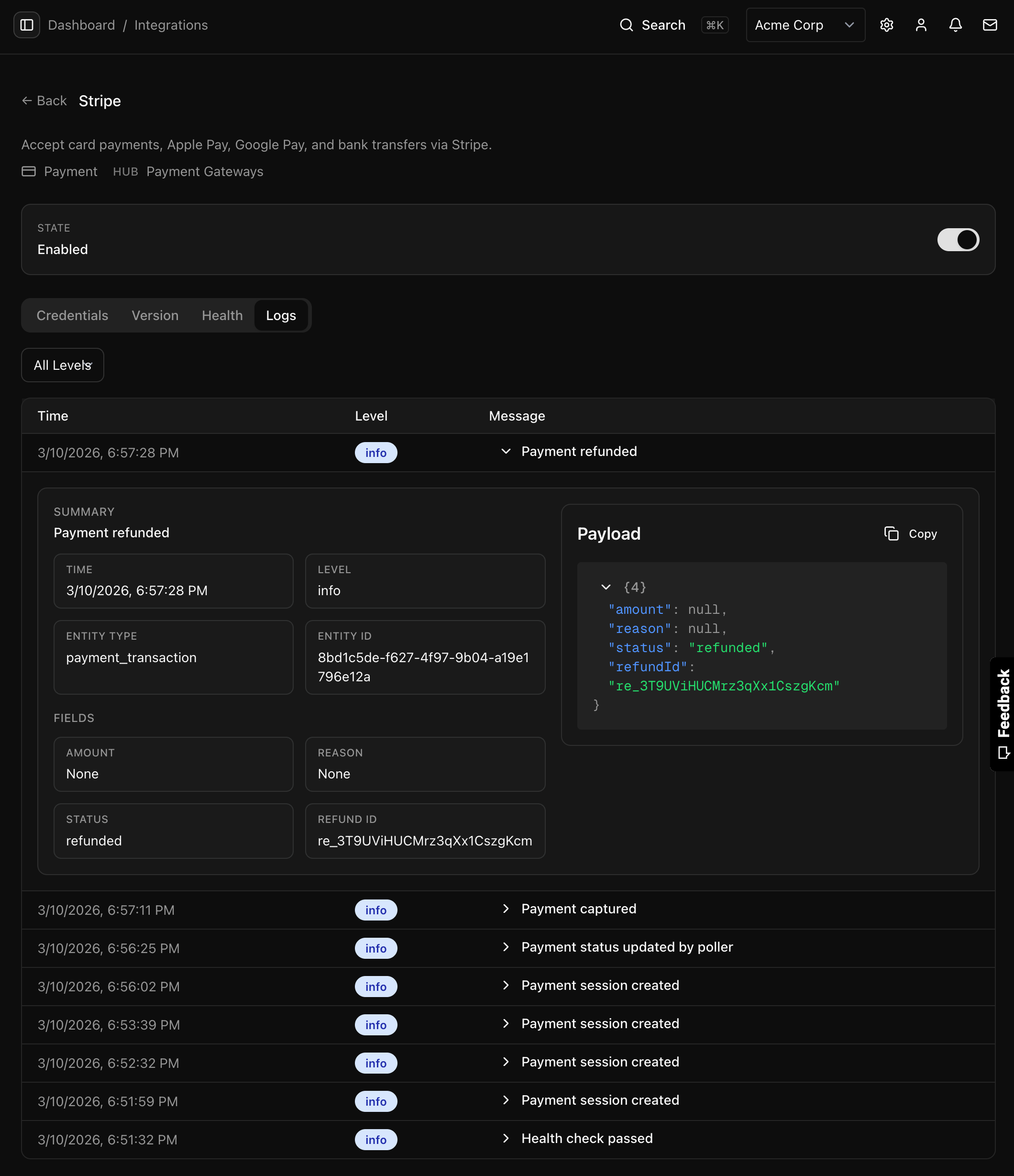
Logs are invaluable for debugging webhook deliveries, tracking payment lifecycle transitions, and auditing credential changes.