 DocsTopicsSearch docsAPI referenceDocsTopicsSearch docsAPI reference
User guide
Create a webhook endpoint for the application that should receive changes. Select the events, save the delivery settings and inspect a delivery before relying on the integration.
POST requests.integrations.manage feature if you need to enable or disable the integration.webhooks.view feature to inspect endpoints and deliveries.webhooks.manage, webhooks.secrets, and webhooks.test features if you need to create, edit, rotate secrets, or send test deliveries.Go to External Systems → Integrations and open Custom Webhooks.
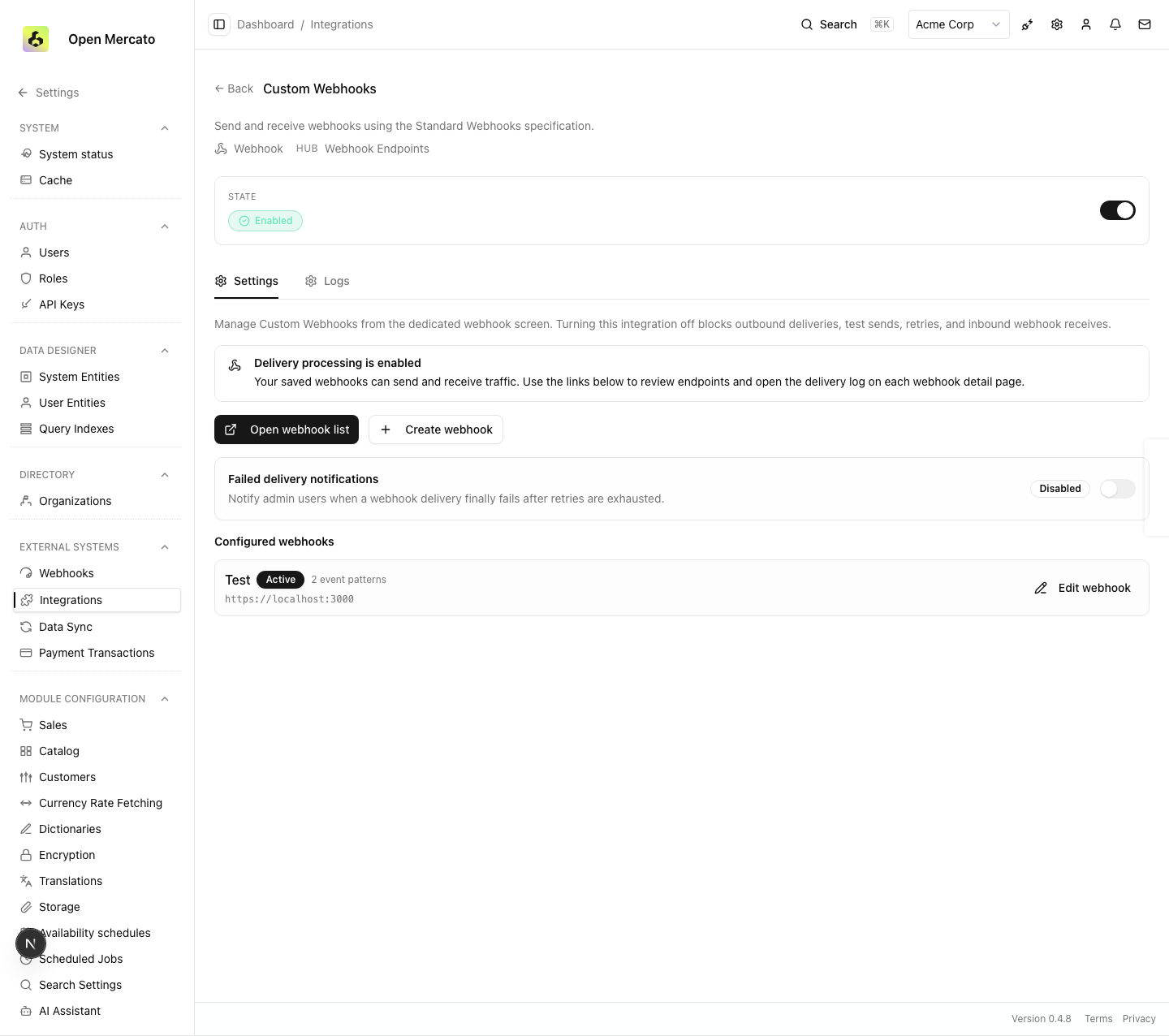
Use this screen for the integration-wide controls:
Tip
Use the integration toggle only when you want to pause the whole webhook subsystem. To stop a single destination, deactivate that specific webhook on its own detail page instead.
Open External Systems → Webhooks and click Create Webhook.
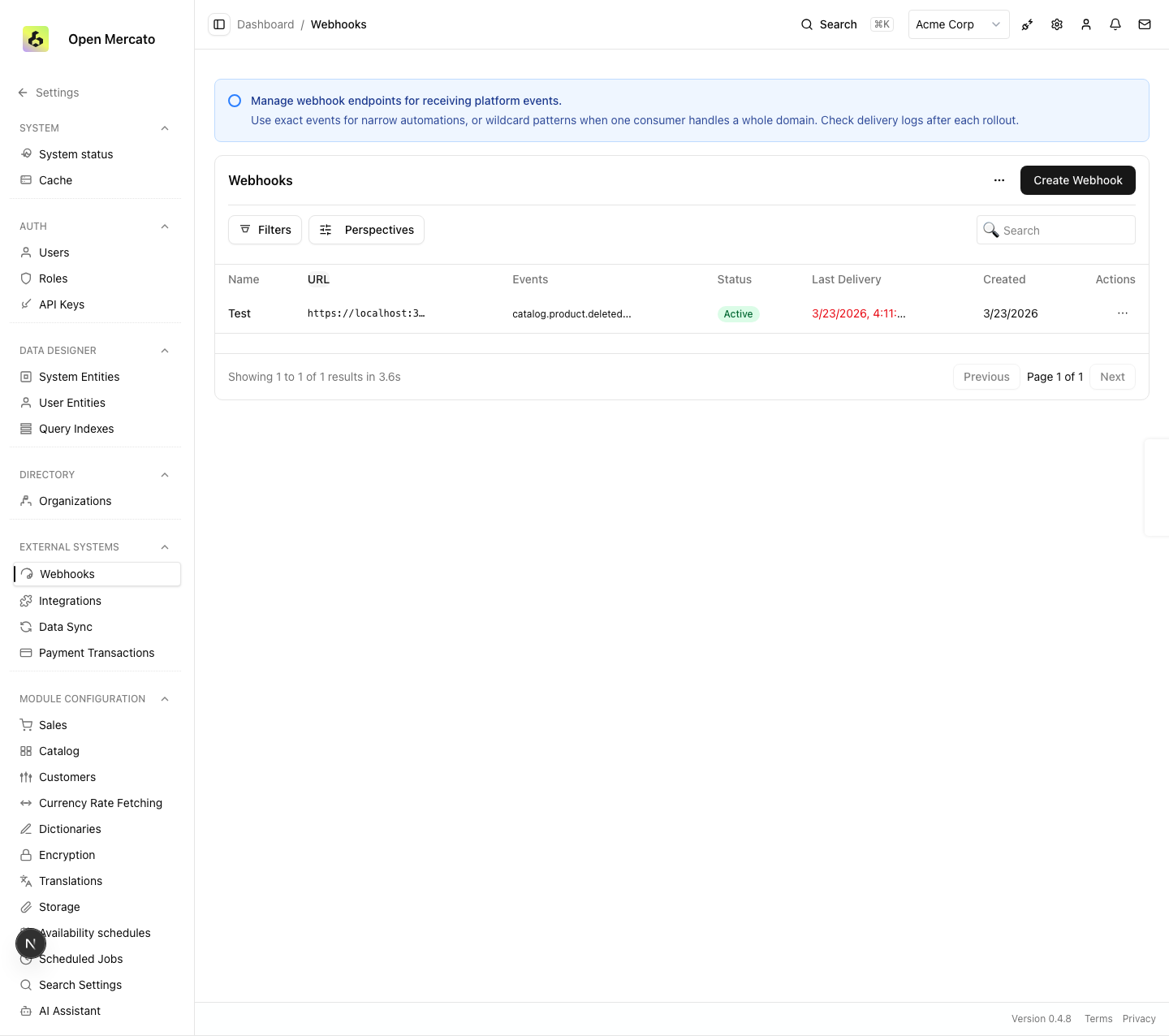
In the create form:
Open Mercato rejects webhook URLs that point at localhost, private networks, reserved IP ranges, or internal hostnames. This protects the delivery worker from sending server-side requests to services that only the Open Mercato host can reach.
For local development or CI, set OM_WEBHOOKS_ALLOW_PRIVATE_URLS=1 to allow endpoints such as http://localhost:3000/webhooks. Keep this disabled in production. Use a public HTTPS endpoint or a temporary public tunnel when testing a production-like environment.
After creating a webhook, Open Mercato reveals the signing secret only once. The same one-time reveal appears again after a secret rotation.
Important rules:
whsec_... value into your receiving service before closing the panel.webhook-id, webhook-timestamp, and webhook-signature on every request.Open the webhook detail page and use Send Test before enabling broad event patterns in production.
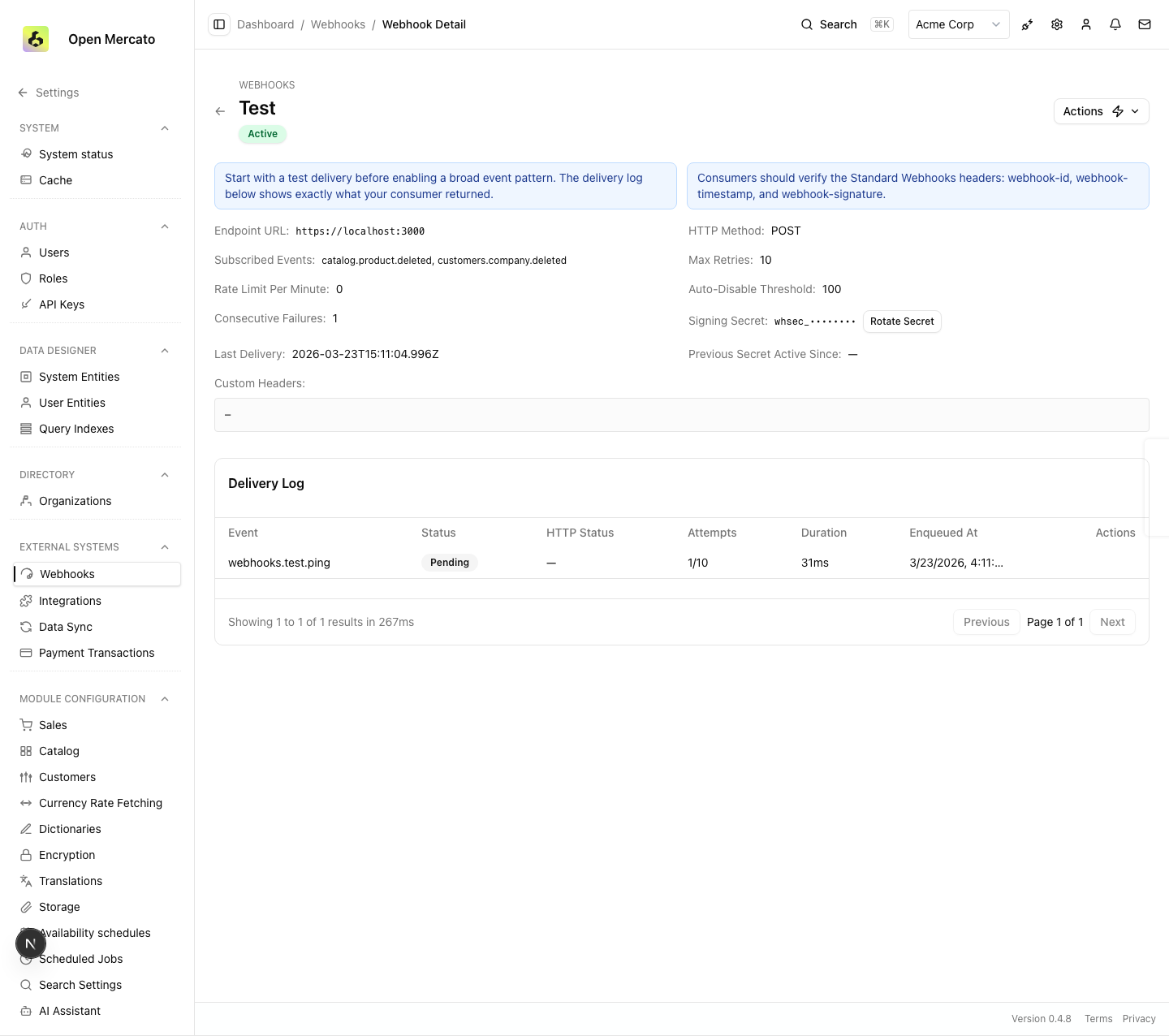
The detail page is the main operator view for one endpoint. It shows:
Use this page when:
The integration detail page also provides an aggregated delivery view across every configured webhook.
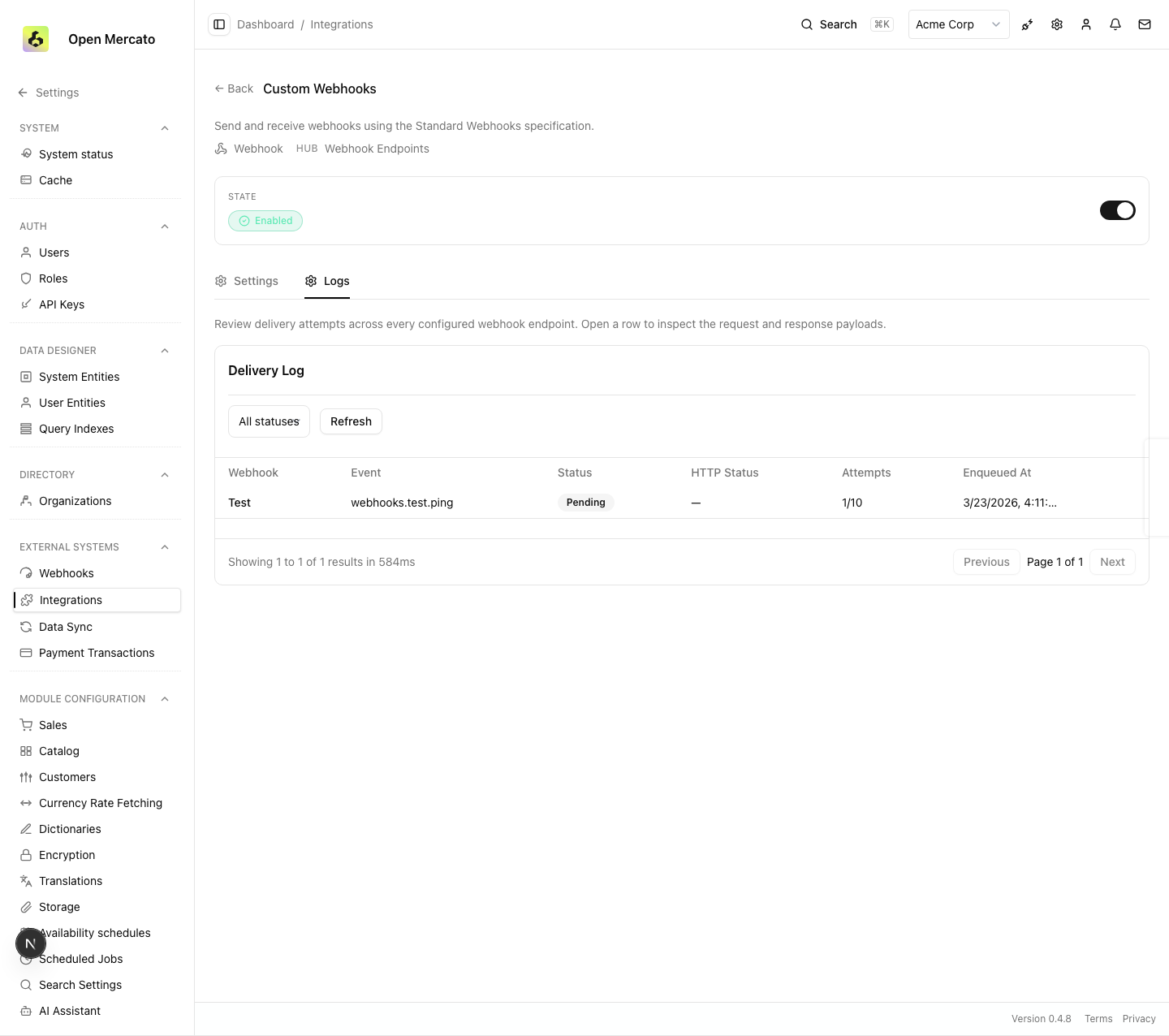
Use the Logs tab when you want to:
Custom Webhooks support exact event names and wildcards:
| Pattern | Matches |
|---|---|
catalog.product.deleted | Only that event |
customers.* | All customer events |
* | All platform events |
Prefer exact events when possible. Use broad wildcards only when your consumer is designed to handle a wider event surface.
| Problem | What to check |
|---|---|
| No deliveries appear | Confirm the integration is enabled and the webhook itself is active. Then verify the event pattern matches a real emitted event name. |
| Test delivery stays pending or fails | Open the webhook detail page and inspect the delivery log for the HTTP status, response body, and retry state. |
| Signature verification fails in the consumer | Make sure you copied the latest whsec_... value and verify the three Standard Webhooks headers exactly as sent. |
| You closed the secret reveal panel | Rotate the secret and copy the new value immediately. |
| You want alerts when retries are exhausted | Turn on Failed delivery notifications in the integration Settings tab. |
Previous: Users, roles, and RBAC · Next: Workflow Activities