User guide
Manage user entities
Create an entity when the business needs a whole new kind of record. Define its fields and validation, then publish it and open the generated admin screen.
User entities let you model line-of-business data structures without touching the codebase. Define the fields, validation rules, and presentation once, then expose the entity across the admin experience – lists, forms, navigation, and dashboards stay in sync automatically.
Create a new entity
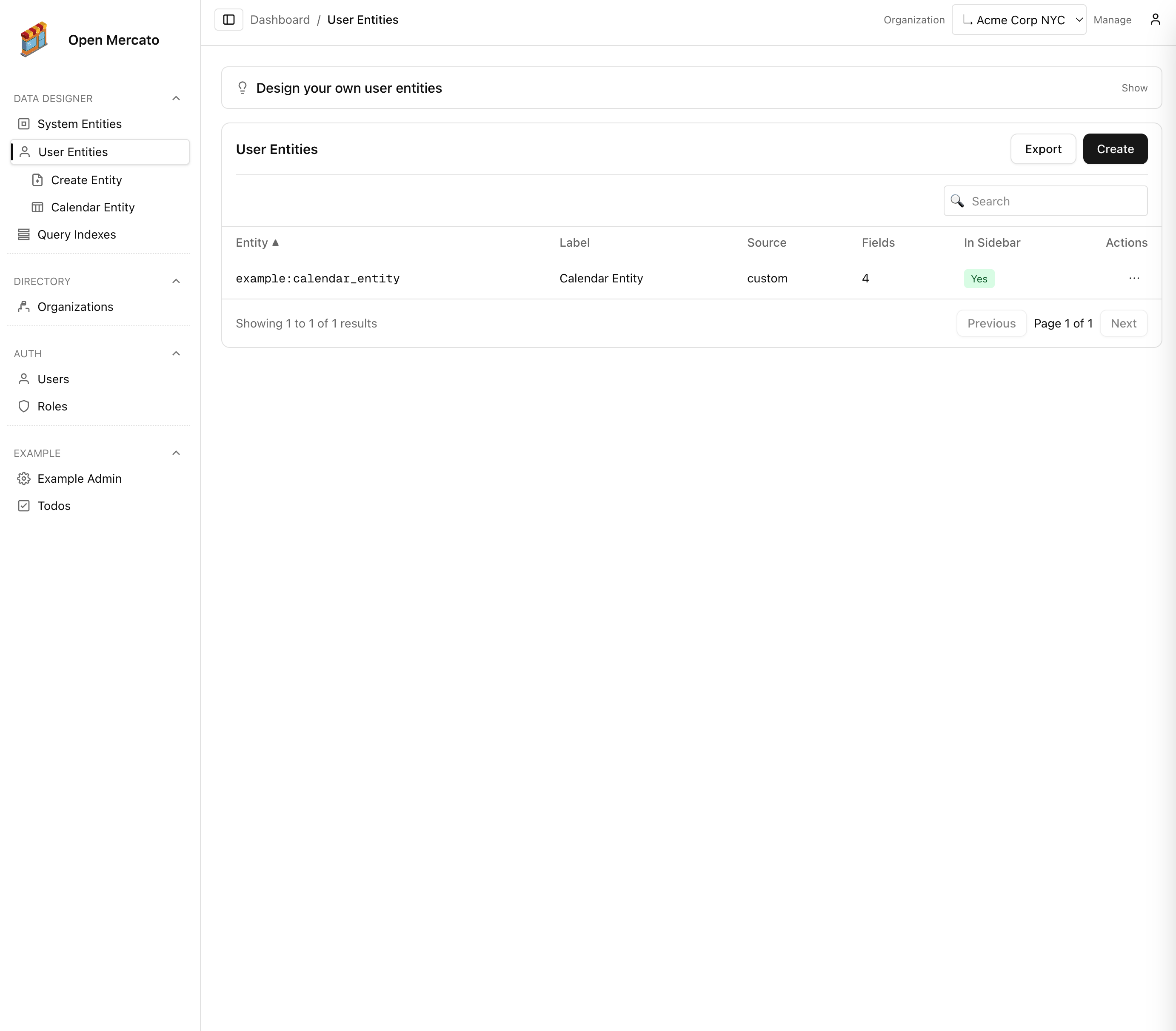
- Open Entities → User entities in the backend sidebar. You need the
entities.user-entities.manage feature to add or edit definitions.
- Click Create entity and supply a name, optional description, and a slug. The slug is used to generate API routes, table identifiers, and navigation links.
- Choose ownership settings (tenant or organization scoped) so the runtime enforces the right filters when querying records.
- Save the base definition – this unlocks field and layout configuration for the new entity.
Define fields and validation
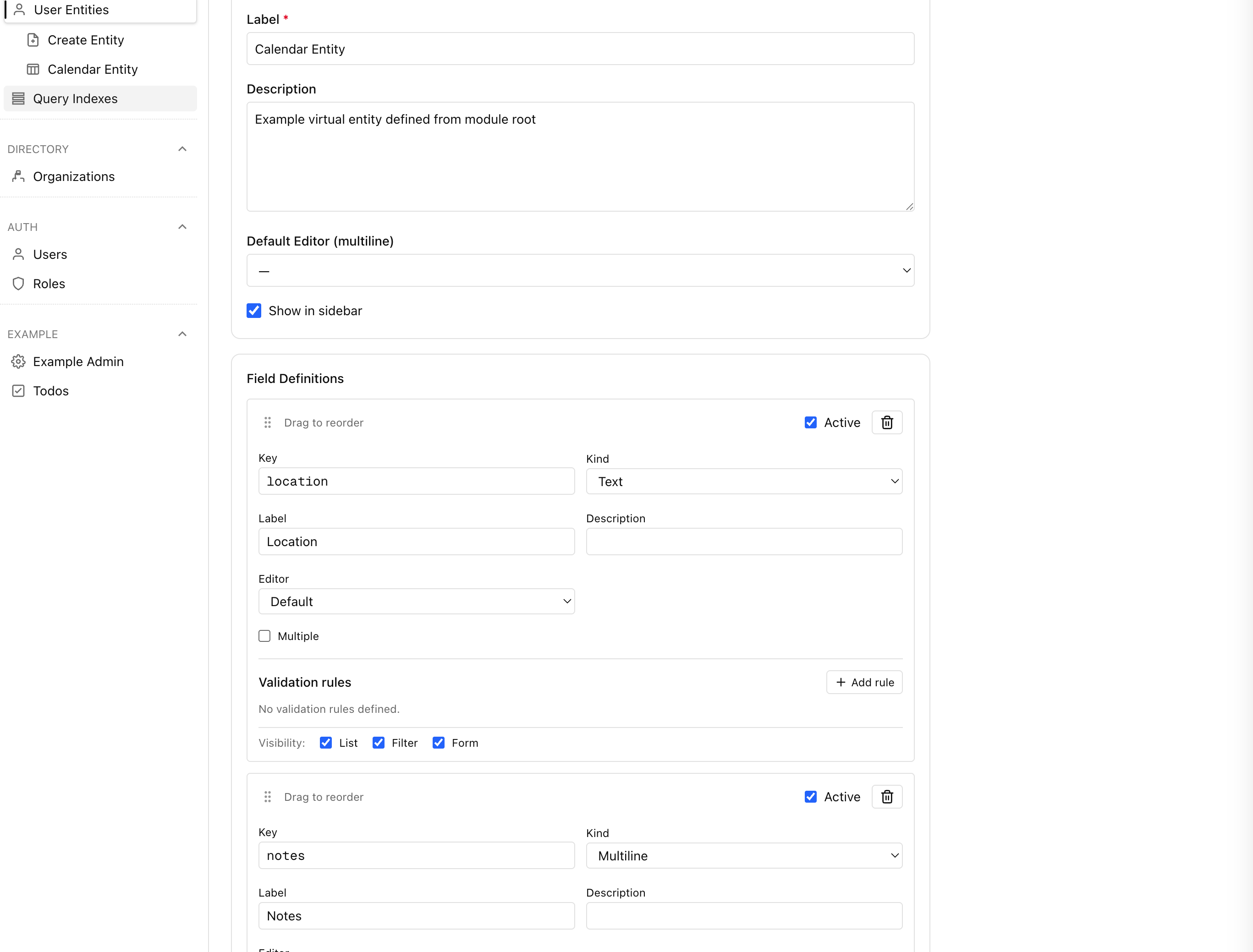
- Add fields using the designer. Each field captures its label, type, optional default value, and whether it is required.
- Apply validation with built-in rules (
minLength, maxLength, regex, numeric ranges, etc.). The runtime shares the same zod schema across APIs, forms, and imports, so invalid data never slips through.
- Group fields into sections to guide operators through complex forms. Section titles appear as collapsible groups in the generated UI.
- Preview the schema in the JSON viewer to double-check the resulting structure before you publish.
Publish to the admin UI
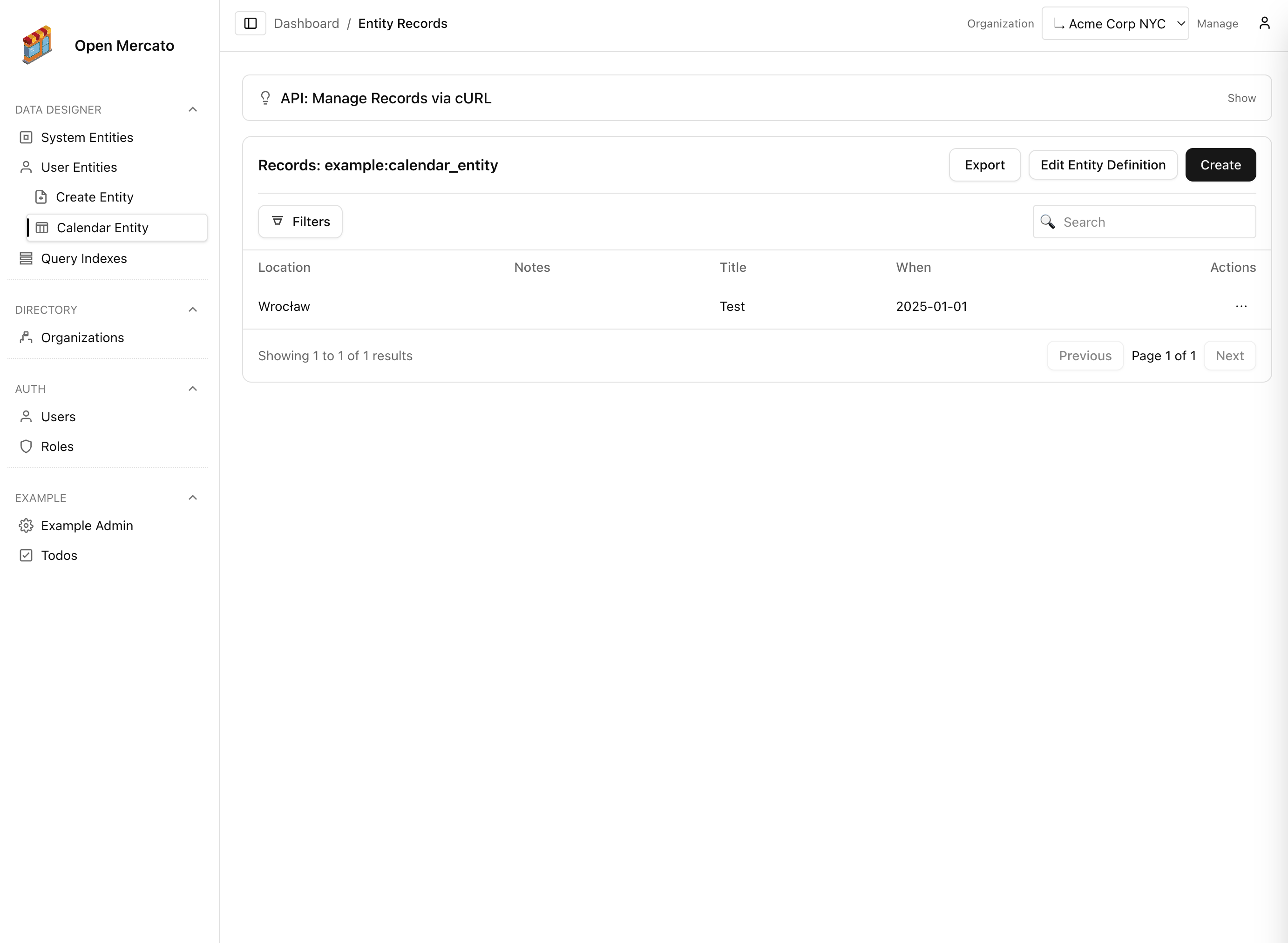
- Toggle availability to publish the entity. Published entities generate a records list, detail view, and CRUD form instantly.
- Pin to navigation by selecting a sidebar location. The item inherits feature checks, so only authorized roles see the new menu entry.
- Customize table columns by picking which fields surface in the list view. Columns can be reordered and marked sortable to match operator workflows.
- Leverage generated forms – every field renders with the correct widget, validation, and helper text. Files, select inputs, and relation-style dropdowns use shared UI components for consistency.
Manage records with confidence
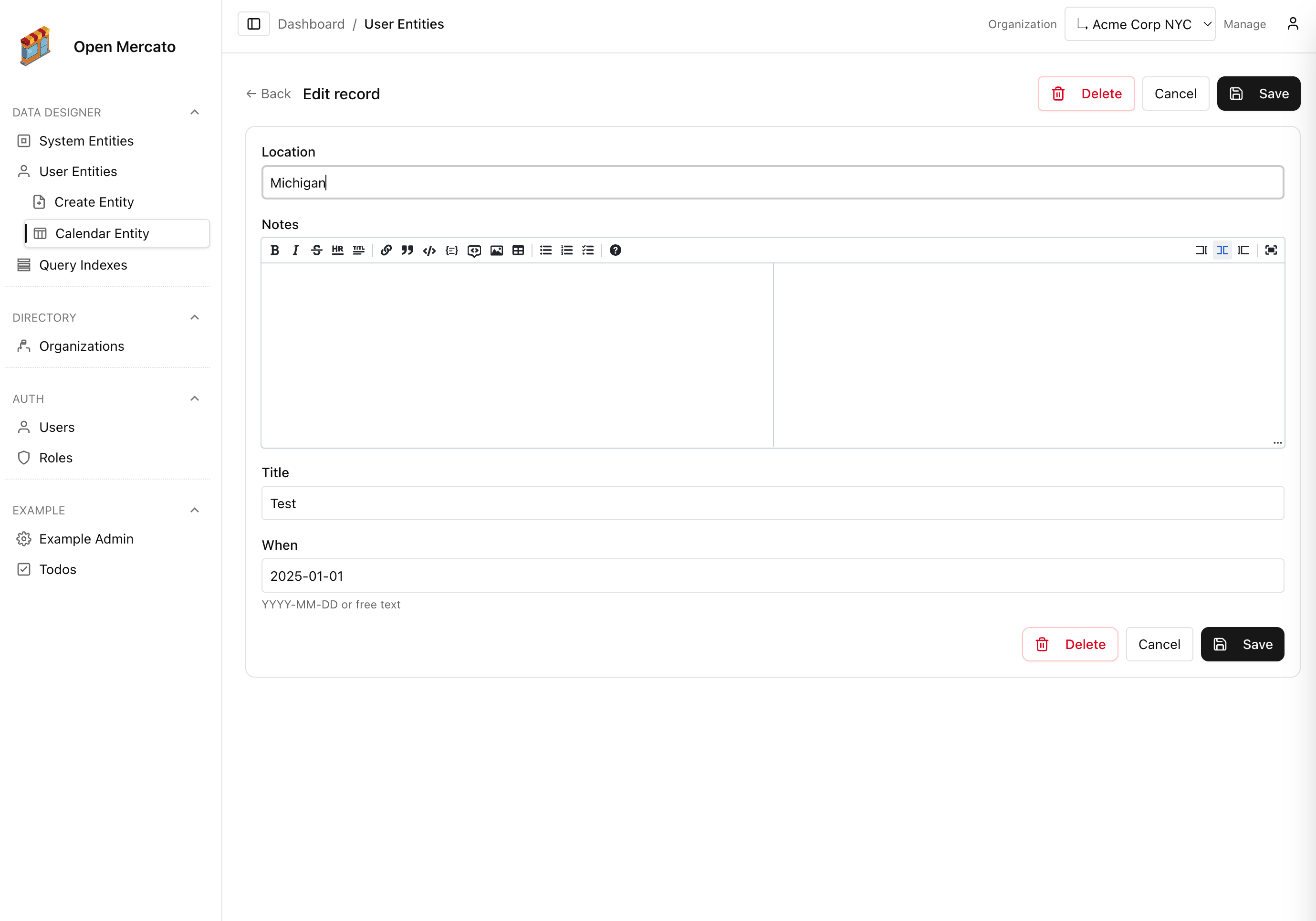
- Create and edit data from the generated CRUD screens. The submitted payload is validated against the entity schema, including tenant and organization scope.
- Filter and search using the fields you marked as filterable. The query engine automatically adds the correct
organization_id and soft-delete filters.
- Integrate with workflows by consuming the generated APIs (
/api/entities/<slug>) in automations or external systems. Tokens and RBAC features still apply.
- Iterate safely – updates to fields keep historical records intact. New fields default to
null and are rolled out in a single migration when you publish changes.
Next steps
 DocsTopicsSearch docsAPI reference