 DocsTopicsSearch docsAPI referenceDocsTopicsSearch docsAPI reference
Introduction
A module is the part of an Open Mercato application responsible for one area of the business. Customers knows about people and companies. Sales knows about orders. Each can own the data model, the operations that change it and the screens where people work with it. The application brings those pieces together.
Open the Sales module. Its data/ and migrations/ directories describe the records and how their storage evolves. Its commands/ directory implements changes such as creating an order. Its api/ and backend/ directories expose capabilities to software and people. Its events.ts lists the business events other code can listen for. A smaller module may need only a few of these pieces.
A standalone app lists its enabled modules in src/modules.ts. During generation, Open Mercato discovers contributions from those modules and builds registries for the running application. This is how an admin page from Sales, a route from Customers and a page from your own module can appear in the same application.
Keep a new capability in an application-owned module. If you need one extra panel on an existing screen, you can supply a widget at an extension point the screen exposes. In both cases your code stays in your project. Add a page from your own module · Module discovery reference
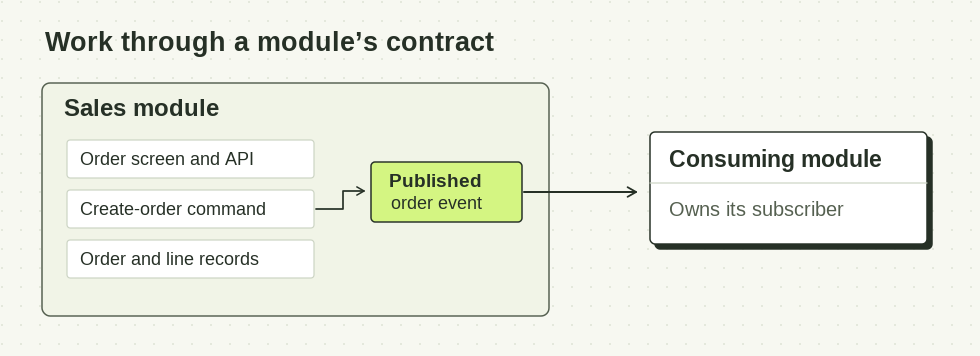
Follow the link from a sales order to its customer. Sales stores the customer ID. Customers owns the current contact record. Suppose someone deletes that contact. Customers emits customers.person.deleted. A subscriber in Sales hears it and clears the matching customer reference on its own orders and quotes. The sales documents and their saved snapshots remain.
This is a pattern you can use in your own modules. Store a stable ID for a record that belongs to a neighbor. Give the module that needs to react a subscriber for the relevant event. The customer deletion code can then serve other consumers without knowing which ones are installed. Read the Sales subscriber
Imagine adding field service. Customers can continue to maintain contact details. Your Service Visits module owns the visit date, technician assignment and the rule that decides when a dispatcher may reschedule. A calendar integration can listen for a visit being scheduled. A supervisor's overtime approval can become a workflow.
Carry the tenant and organization identifiers into follow-up work. A worker running after the dispatcher leaves the application needs that context to act on the right record. See how record scope works
To examine the registration process in detail, trace a request through the application. To see the modules already available, browse the module catalog.
Previous: How Open Mercato stores business data · Next: Commands, events and workflows