 DocsTopicsSearch docsAPI referenceDocsTopicsSearch docsAPI reference
User guide
Use a business rule when a condition should produce a repeatable decision or action. Inspect the execution log to see which rule ran and why.
The Business Rules Engine enables you to define, manage, and execute automated business logic without writing code. Rules are evaluated when specific events occur in your system, allowing you to enforce policies, validate data, calculate values, and trigger actions automatically.
Business rules are conditional statements that execute actions when certain criteria are met. They follow an "if-then" logic pattern:
Rules can be applied to any entity type in your system (Orders, WorkOrders, Customers, etc.) and triggered by lifecycle events (beforeCreate, afterUpdate, etc.).
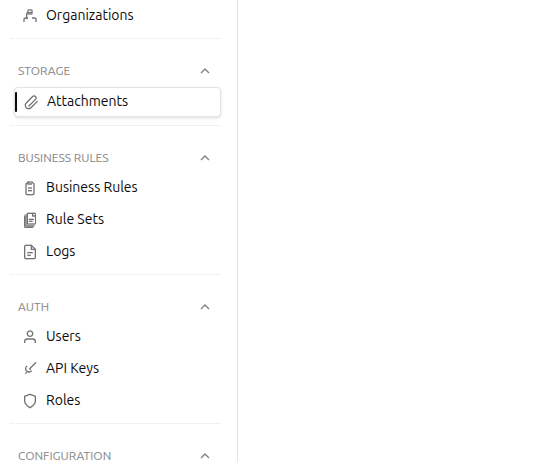
Business Rules navigation showing Rules, Rule Sets, and Execution Logs pages
Centralized Business Logic Define business policies in one place instead of scattered throughout code. Rules are easier to audit, update, and maintain.
No-Code Automation Business users and administrators can create and modify rules without developer involvement. Changes take effect immediately.
Consistent Enforcement Rules are executed automatically and consistently across all channels (UI, API, integrations). No manual checks required.
Audit Trail Every rule execution is logged with input context, output, and performance metrics. Full visibility into decision-making.
Flexible and Powerful Complex logic with nested conditions, multiple actions, field comparisons, and special values (current date, logged-in user, etc.).
A rule defines when and how business logic should be executed. Each rule has:
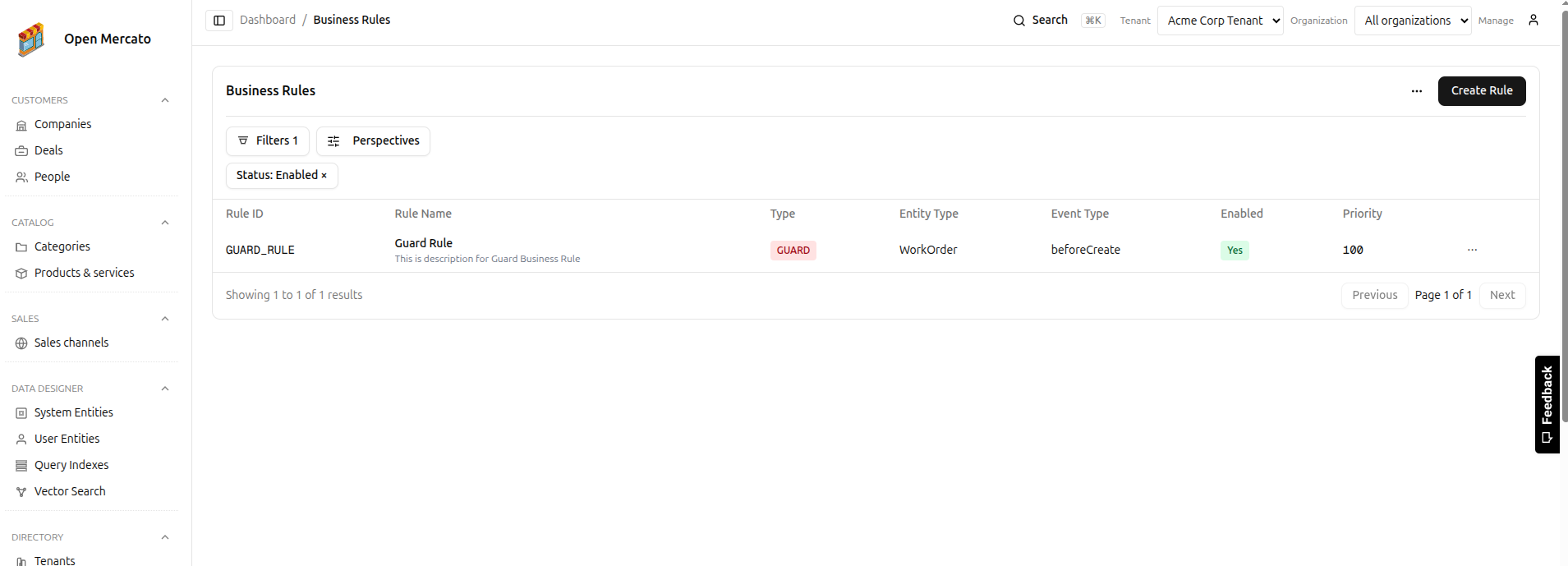 Rules list page showing all defined business rules with filters and actions
Open Mercato supports five rule types:
Conditions determine when a rule applies. They support:
user.email, order.items[0].quantity){{today}}, {{now}}, {{user.id}}Actions define what happens when conditions pass (success actions) or fail (failure actions):
Rule sets group related rules together. They provide:
Every rule execution is recorded with:
Logs are essential for debugging, auditing, and analytics.
Enforce quality standards automatically:
Route items for approval based on criteria:
Manage resource allocation intelligently:
Enforce regulatory and safety requirements:
Improve customer interactions:
Start Simple Begin with straightforward rules (single condition, single action) before building complex logic.
Test Thoroughly Use dry-run mode to test rules without side effects. Review execution logs carefully.
Use Descriptive Names Name rules and rule sets clearly to indicate their purpose (e.g., "Block WO Release Without Materials").
Set Appropriate Priority Higher priority rules execute first. GUARD rules should typically have high priority.
Monitor Performance Review execution logs for slow rules. Complex conditions or many rules can impact performance.
Version Control Use the version field to track changes. Consider effective dates for time-based rule changes.
Document Rules Use the description field to explain the business rationale and any special considerations.
Access to Business Rules functionality is controlled by these features:
business_rules.rules.view - View rules and rule setsbusiness_rules.rules.create - Create new rulesbusiness_rules.rules.edit - Edit existing rulesbusiness_rules.rules.delete - Delete rulesbusiness_rules.rules.execute - Manually execute rulesbusiness_rules.logs.view - View execution logsContact your administrator to request access.