A visit is delivered. The work is not finished.
Planning a care visit and proving what was delivered are two parts of the same operation. Between them sit a client’s details, the care order, a branch schedule, an assigned caregiver and a record that somebody still needs to check.
With distributed teams and changing schedules, those connections matter. A calendar entry on its own cannot carry the full story, and a signed document needs to relate back to the service it confirms.
Senior Care Operations, built by the.good.code as an Open Mercato hackathon demo, follows that entire path. Designed around German non-medical senior care providers, it shows how a reusable application foundation can support a specialised operational workflow from client records through to validated service confirmations.
Start with a shared picture of the operation
After login, a manager enters an operations back office. Client records hold contact details, care attributes, emergency contacts and notes, alongside team information.
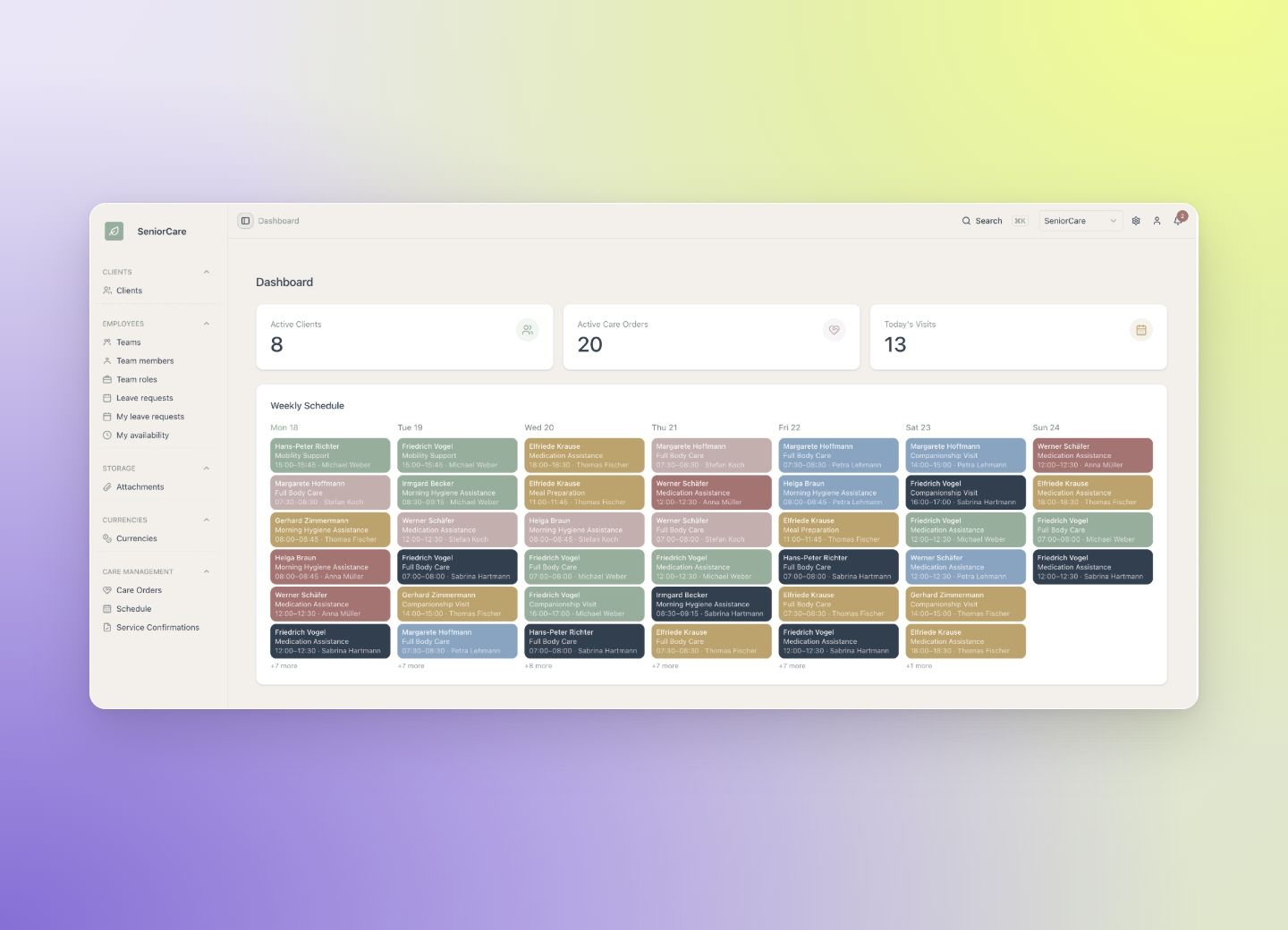
The dashboard brings active clients, active care orders, today’s visits and a weekly schedule into view. It gives managers a starting point for understanding what is planned and where to look next.
Teams, team members, roles, attachments, currencies and settings come from reusable Open Mercato building blocks. These are necessary parts of running the application, but they are not what makes its care workflow distinctive.
Turn a care order into somebody’s working week
The custom domain begins with a care order. It links a client to a service type and captures the status, frequency, duration and quantity of the planned service.
Managers then create weekly schedule periods for individual branches. Each period records dates, schedule status, publication state and notes, so the plan itself has a visible state rather than existing only as a collection of appointments.
Inside that schedule, a manager can add a visit, choose the client and caregiver, set the date and time and attach notes. The weekly view turns the care order into work assigned to a team member.
The connection between those records is the product’s operational logic: what has been ordered, what has been planned and who is expected to deliver it need to stay understandable together.
Close the loop with a checkable record
Once visits have been delivered, service confirmations provide the next step. The demo groups monthly service lines, calculates totals and stores snapshots of the confirmation.
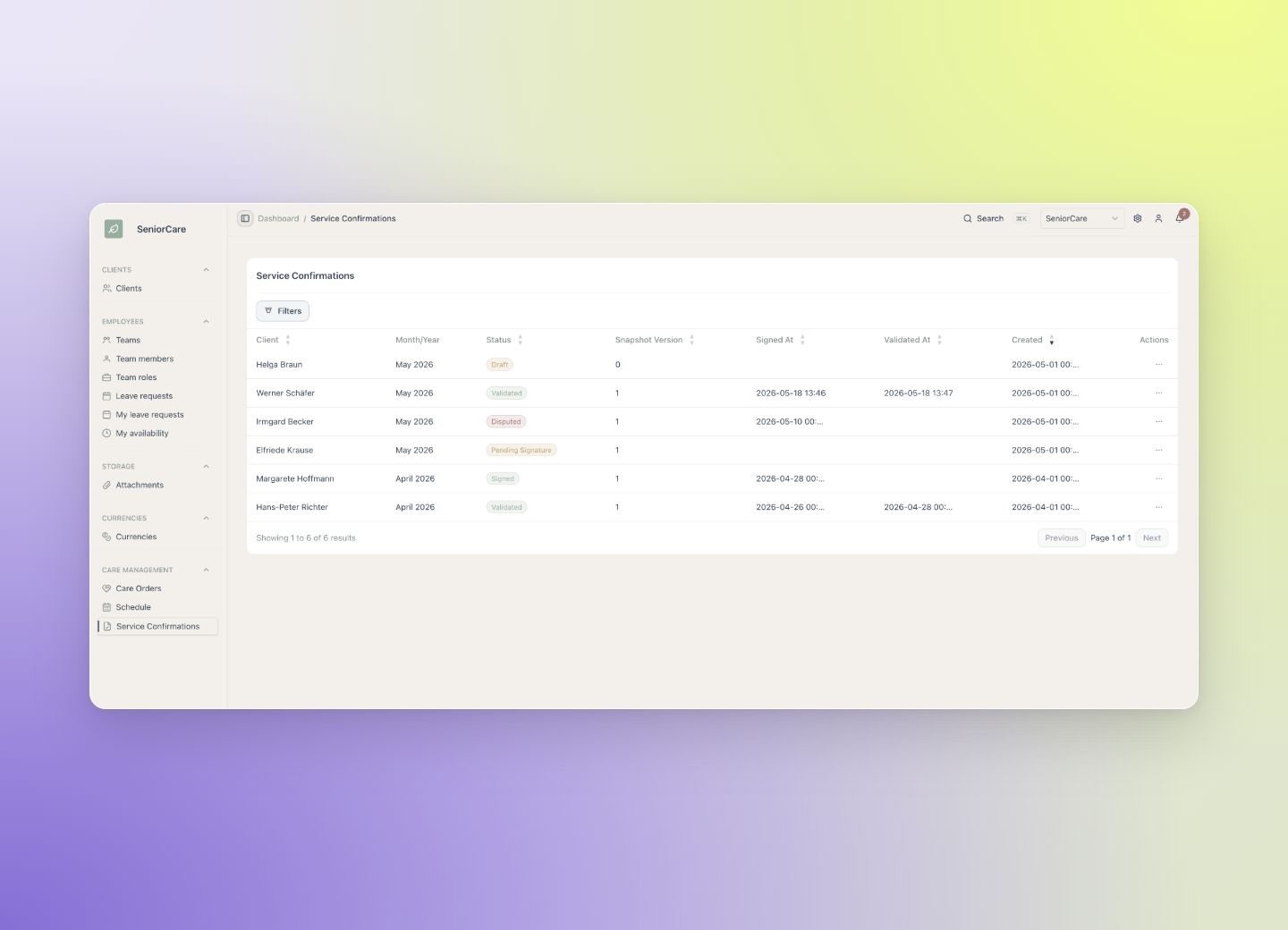
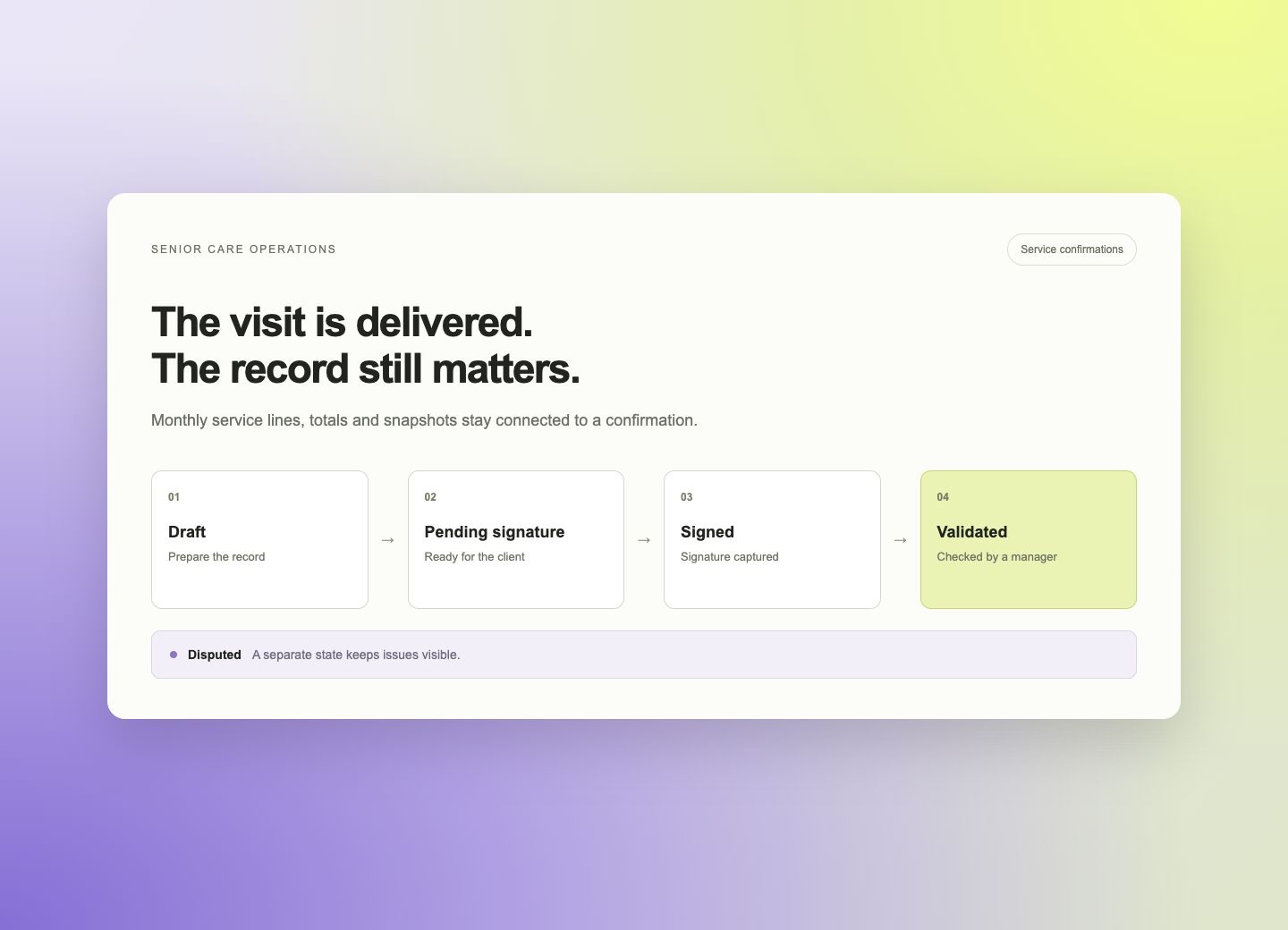
Each confirmation has an explicit state: draft, pending signature, signed, disputed or validated. Those states distinguish a record that is still being prepared from one that has been signed or checked, while keeping disputes visible.
The client can sign directly on screen. A manager can then validate the confirmation when it matches the delivered visits. The application preserves the distinction between a planned service, a delivered visit and the record that confirms it.
Make the exceptions visible too
A confirmation workflow needs more than a completed checkbox. A record awaiting a signature requires a different follow-up from one that has been disputed or already validated.
The demo represents those differences as application states. A manager can see where the record stands and use that context when reviewing the monthly service lines and totals.
This is the specialised layer the team chose to build: the relationships between care orders, schedules, visits and confirmations, plus the rules for progressing through that workflow.
Reuse the foundation, concentrate on the care workflow
Open Mercato provided authentication, the UI structure, navigation, the data layer, events, search and scheduling primitives. The team added care orders, the manager dashboard, weekly schedules, shift validation and the signed-confirmation workflow.
In the walkthrough, the team estimates that roughly 97% of the hackathon product foundation came from reusable Open Mercato core and about 3% was custom senior-care logic. The figures refer to the reusable foundation in this particular demo.
The useful distinction is where the custom work went. It went into connecting the records and decisions that define the care operation, while the common application structure was already available.
A vertical product made concrete
The outcome is a hackathon demonstration of a connected operational process: manage clients, create care orders, plan branch schedules, assign visits and validate signed service records.
It makes the intended product tangible enough to inspect and extend. A provider-specific implementation would still need to adapt the workflow to its own processes. What the demo establishes is a working foundation for that conversation, with the care-specific layer already visible.
Explore the.good.code, or watch the walkthrough above to follow the workflow from login to confirmation.
- Open Mercato core: auth, UI, navigation, data layer, events, search, scheduling
- Custom senior-care layer: care orders, dashboards, weekly schedules, service-confirmation states, shift validation, signed workflows